Summary
A Minecraft server is a shared online space where players can connect, build, explore, and compete together. Servers bring people from all over the world into one community, encouraging teamwork, creativity, and fun adventures.
How to Join a Minecraft Server
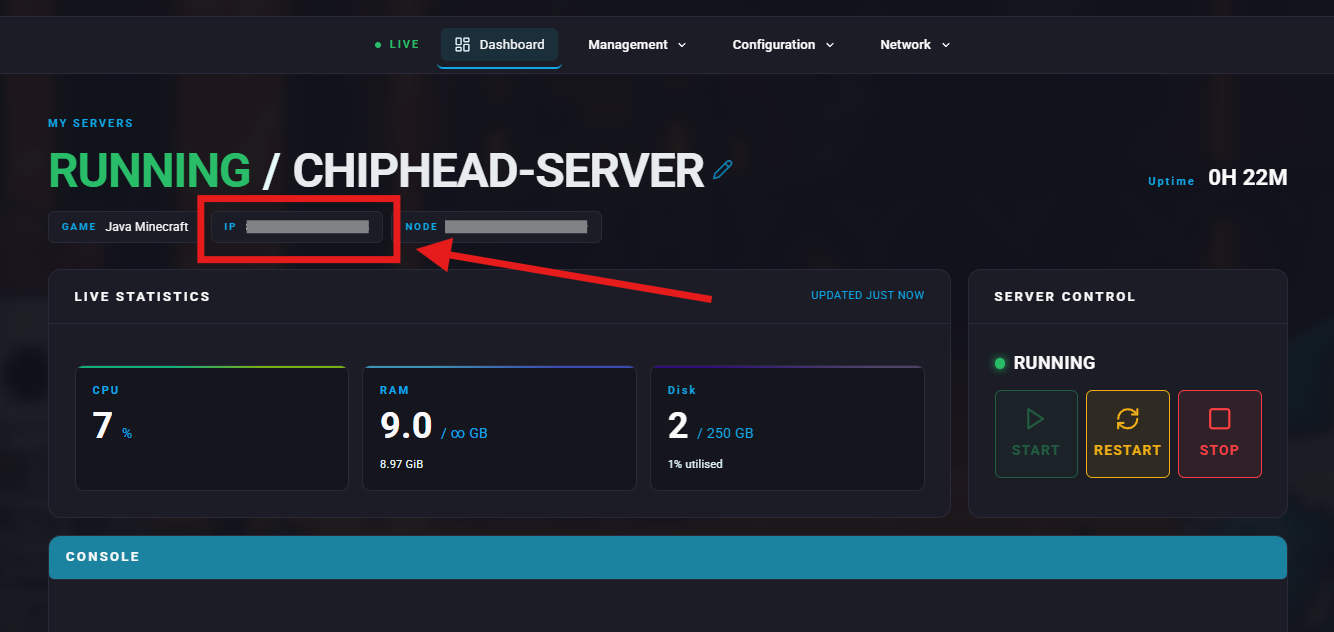
Log in to the ChipHead Panel.
Under the Dashboard, copy your server’s IP Address.
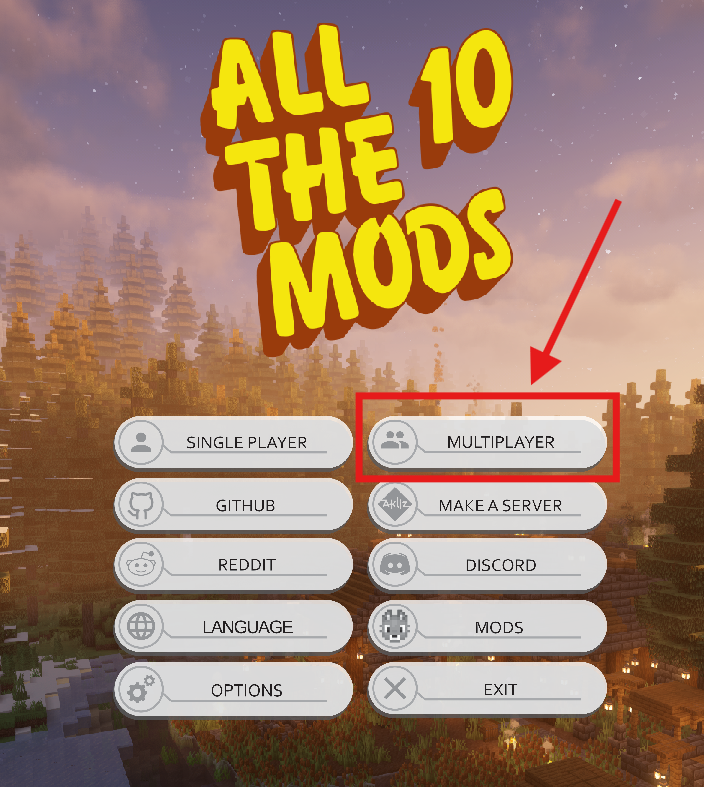
Open Minecraft.
Select Multiplayer.
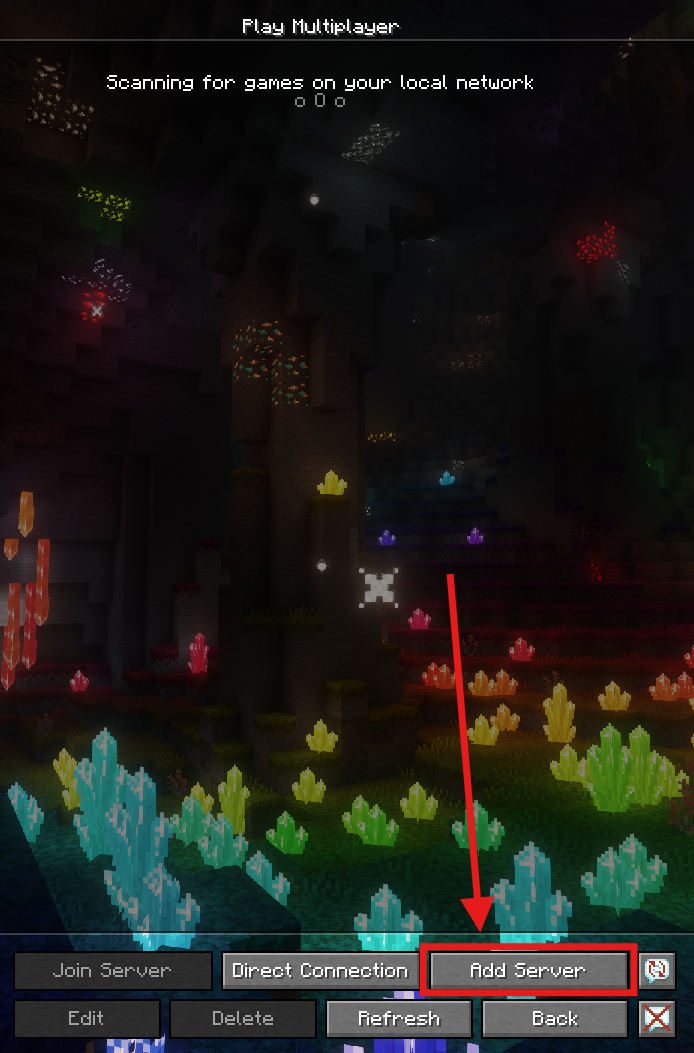
Click Add Server.
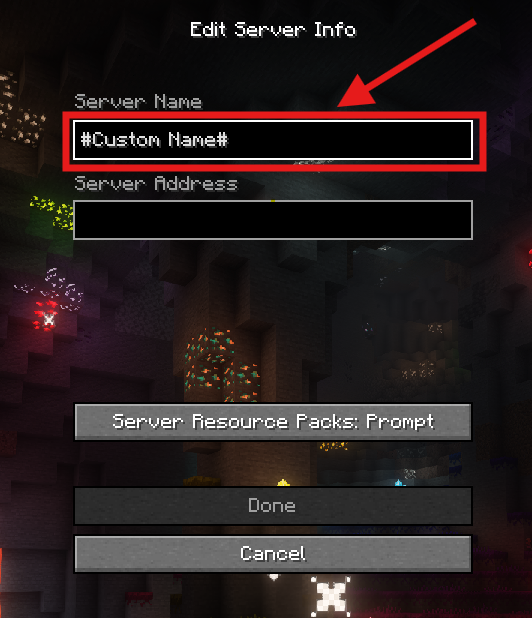
(Optional) Enter a custom Server Name to help you recognize it.
Paste the copied IP address into the Server Address field.
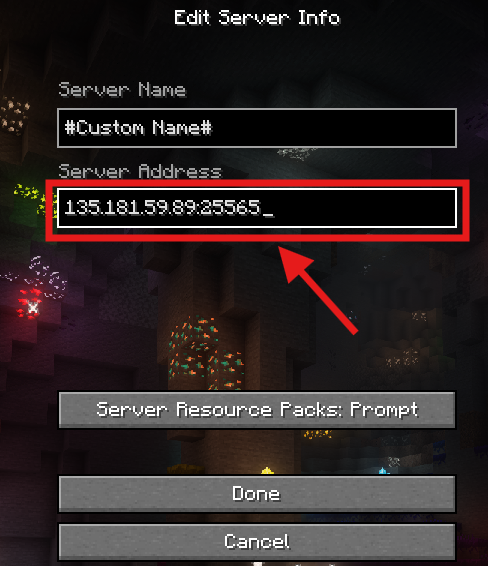
Click Done.
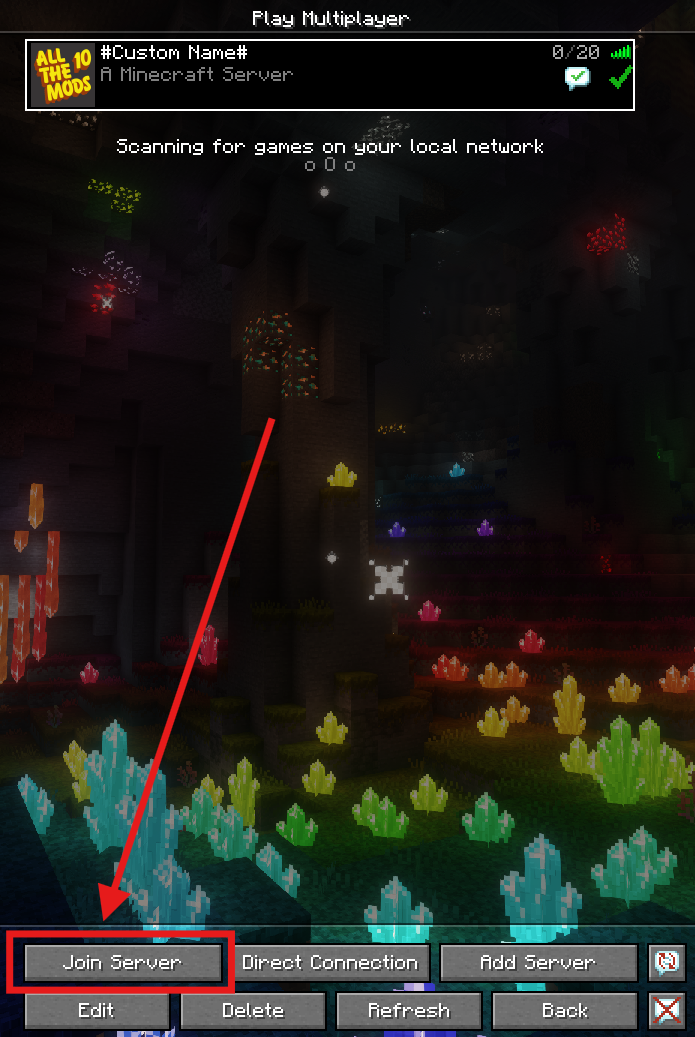
Select your server from the list.
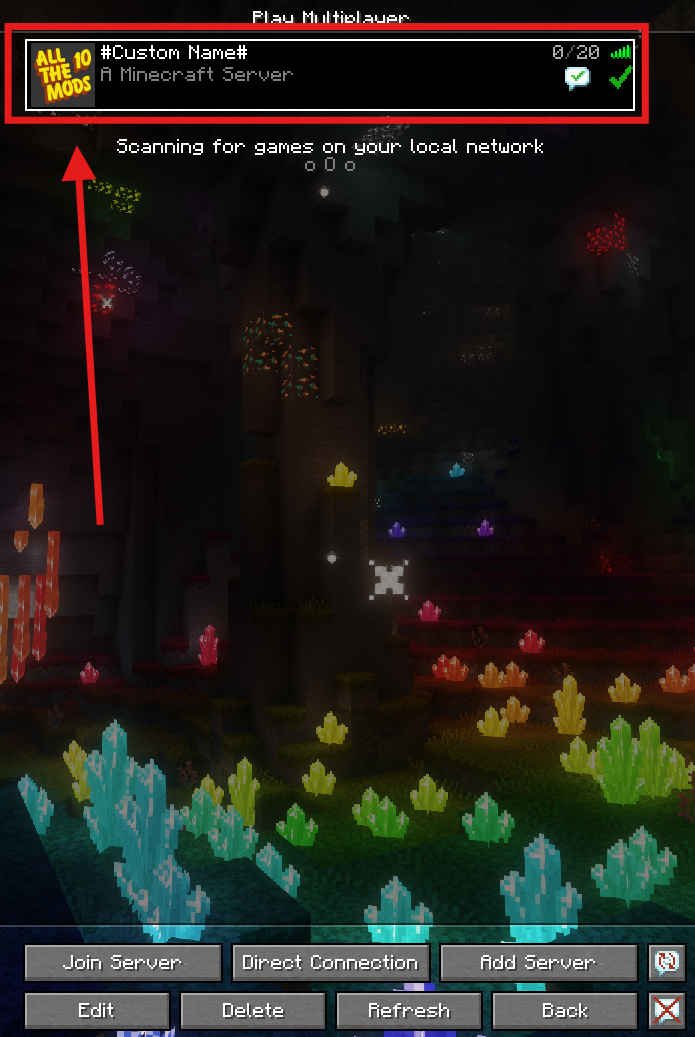
Hit Join Server to start playing.