Summary
CurseForge is one of the most accessible tools for modded Minecraft, providing players with an easy way to download, install, and manage mods. Its simple interface and vast mod library make it ideal for customizing the Minecraft experience. Many modpacks on CurseForge contain hundreds of mods designed to work together, but sometimes you may want to tweak them by adding new mods or disabling ones you don’t need. Fortunately, CurseForge makes this process simple.
How to Add and Remove Mods from a CurseForge Modpack
Open the CurseForge Launcher.
Go to the Minecraft tab.
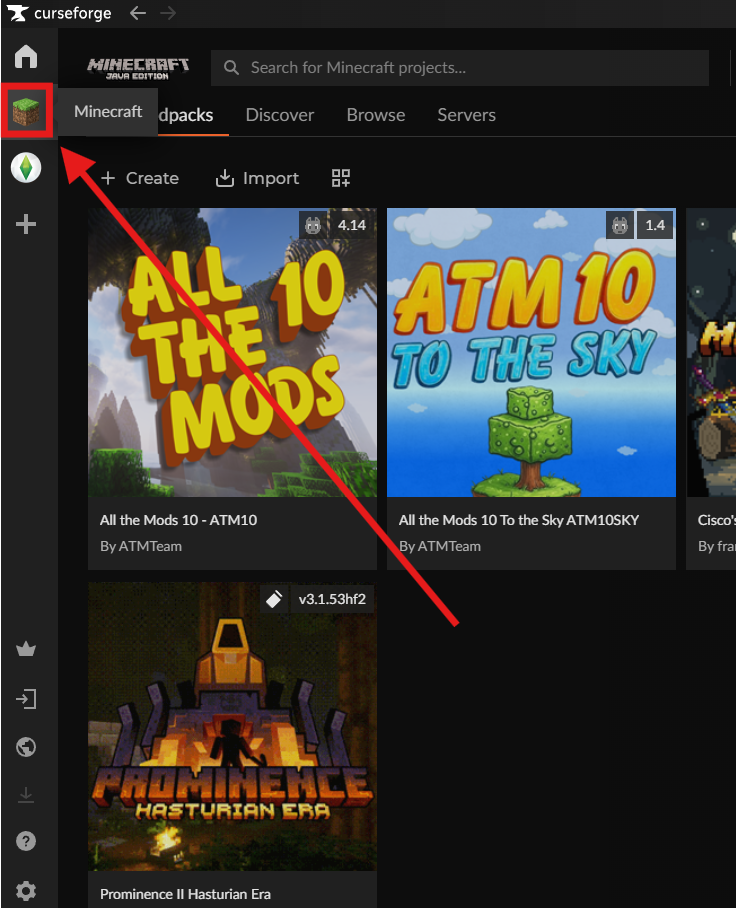
Select the Modpack you want to edit.
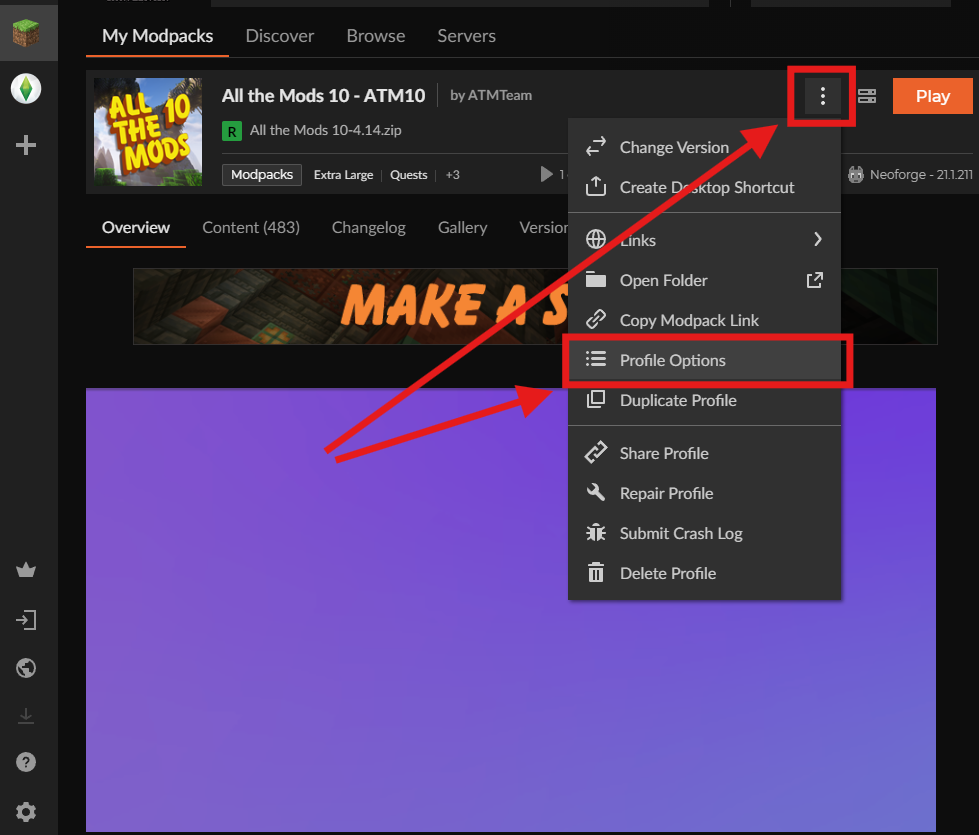
Open the Context Menu (three dots) and click Profile Options.
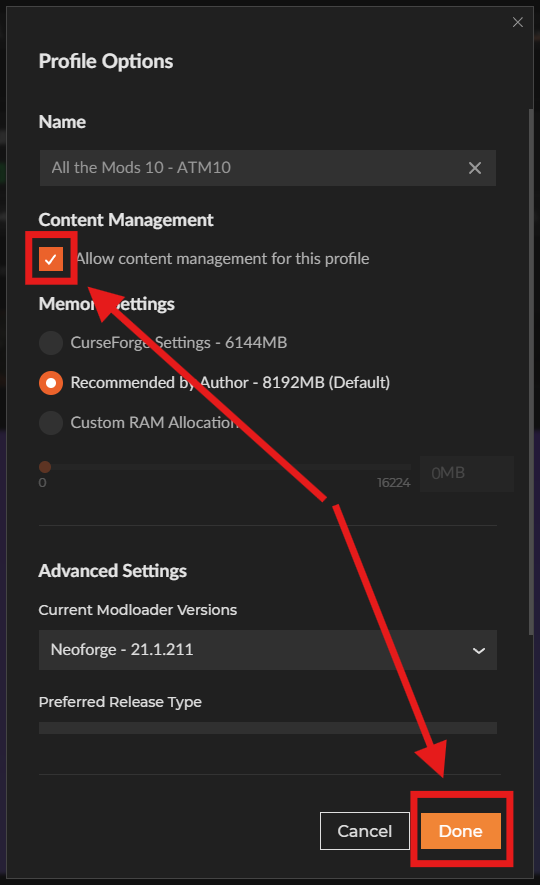
Check the box for Allow content management for this profile, then click Done.
To add mods, click the Add More Content button.
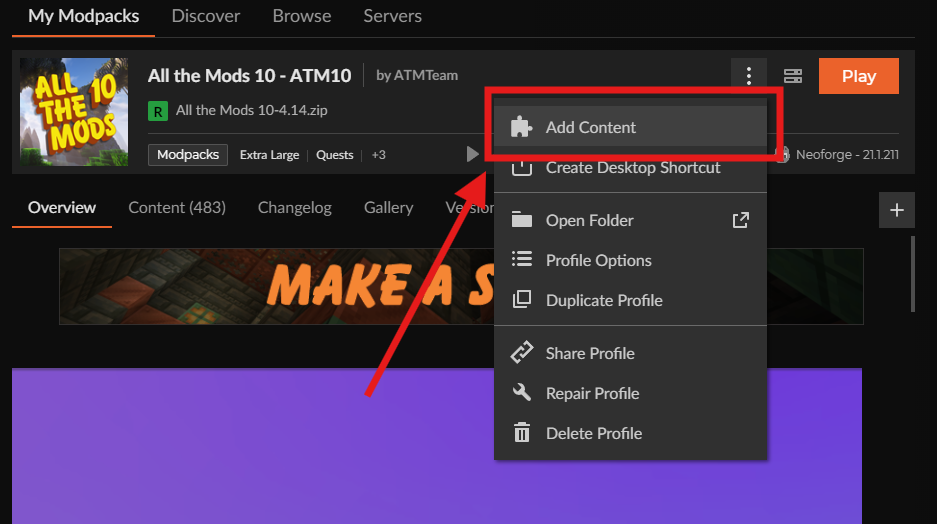
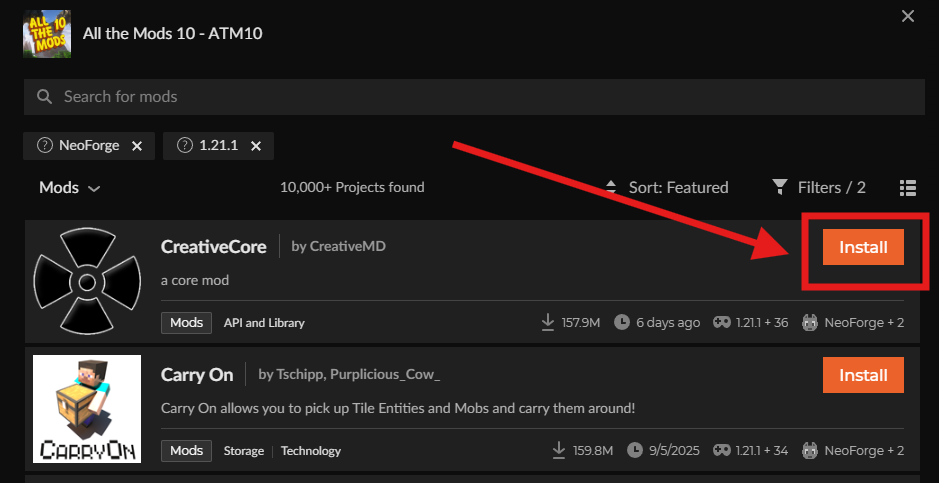
Browse or search for a mod, then press the Install button to add it to the modpack.
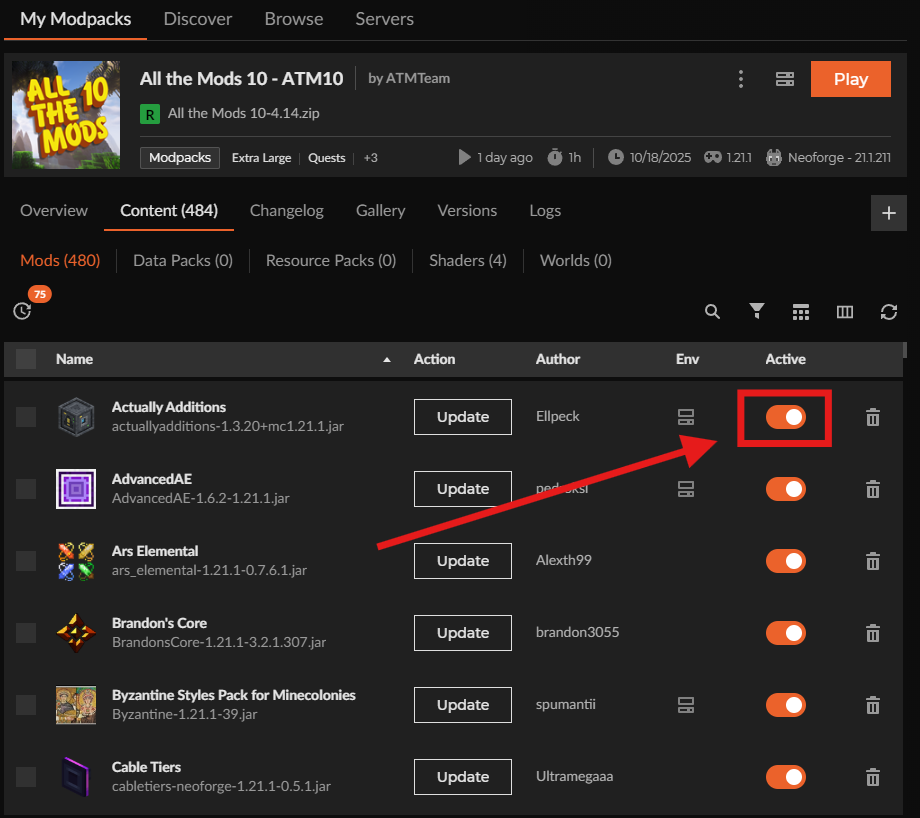
To disable a mod, head over to Content and select the Mods tab.
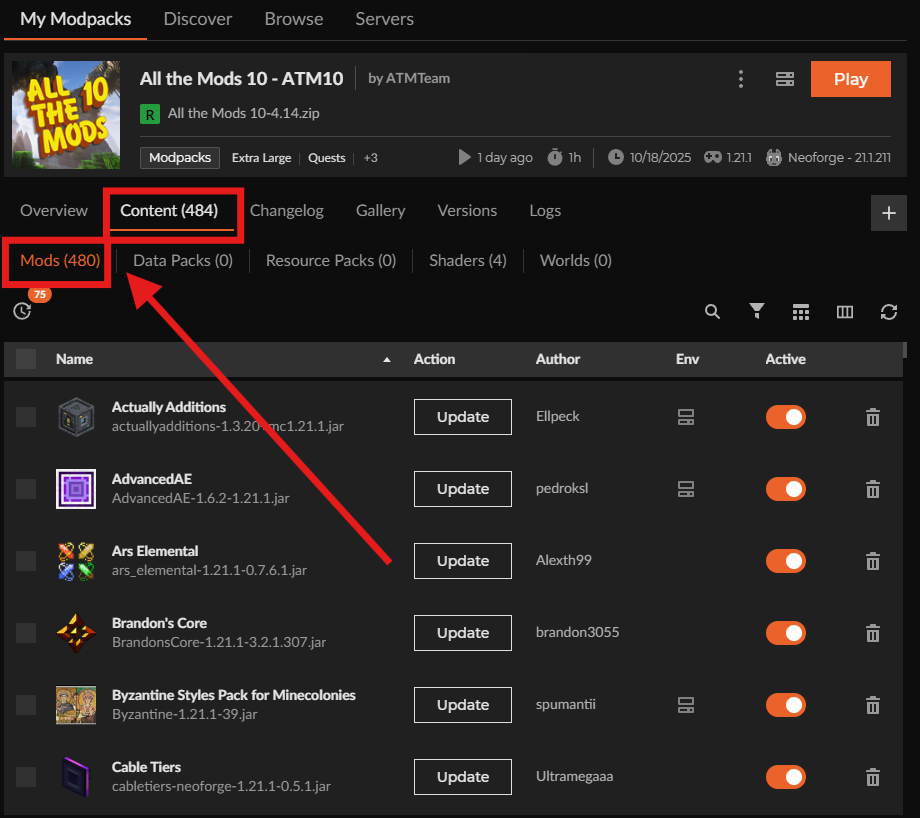
Toggle the switch next to any mod to enable or disable it as desired.