Summary
Creating a subdomain for your Minecraft server makes it much easier for players to join without remembering long IP addresses or port numbers. Instead of connecting through something like 192.168.0.1:25565, players can simply use a clean, readable address such as myserver.chipheadhosting.com. It’s simple to set up and gives your server a more professional and polished look.
How to Create a Free Subdomain for Your Minecraft Server
Log in to the ChipHead Control Panel.

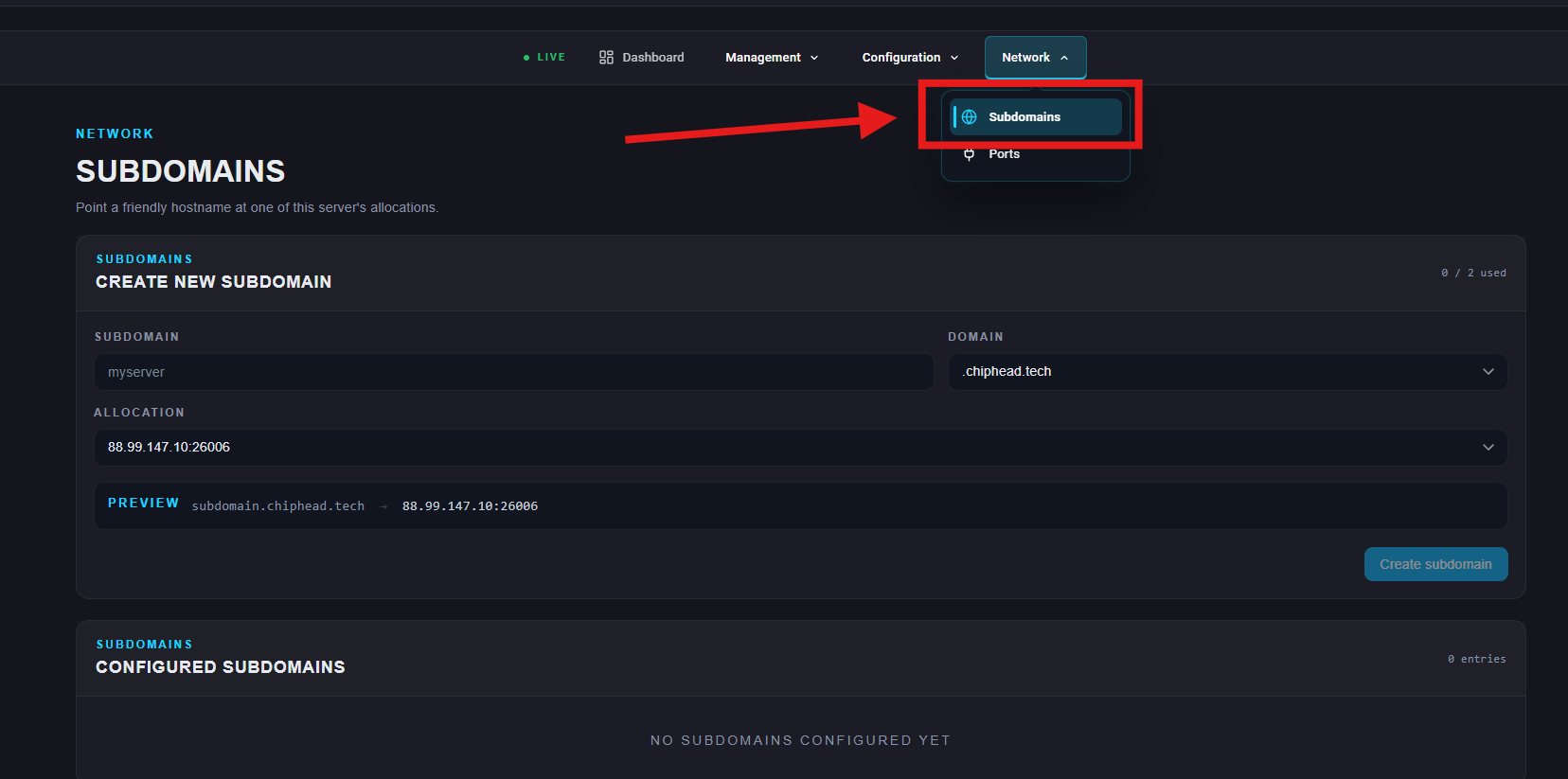
Navigate to General > Subdomains
Enter your desired subdomain name (for example,
myserver).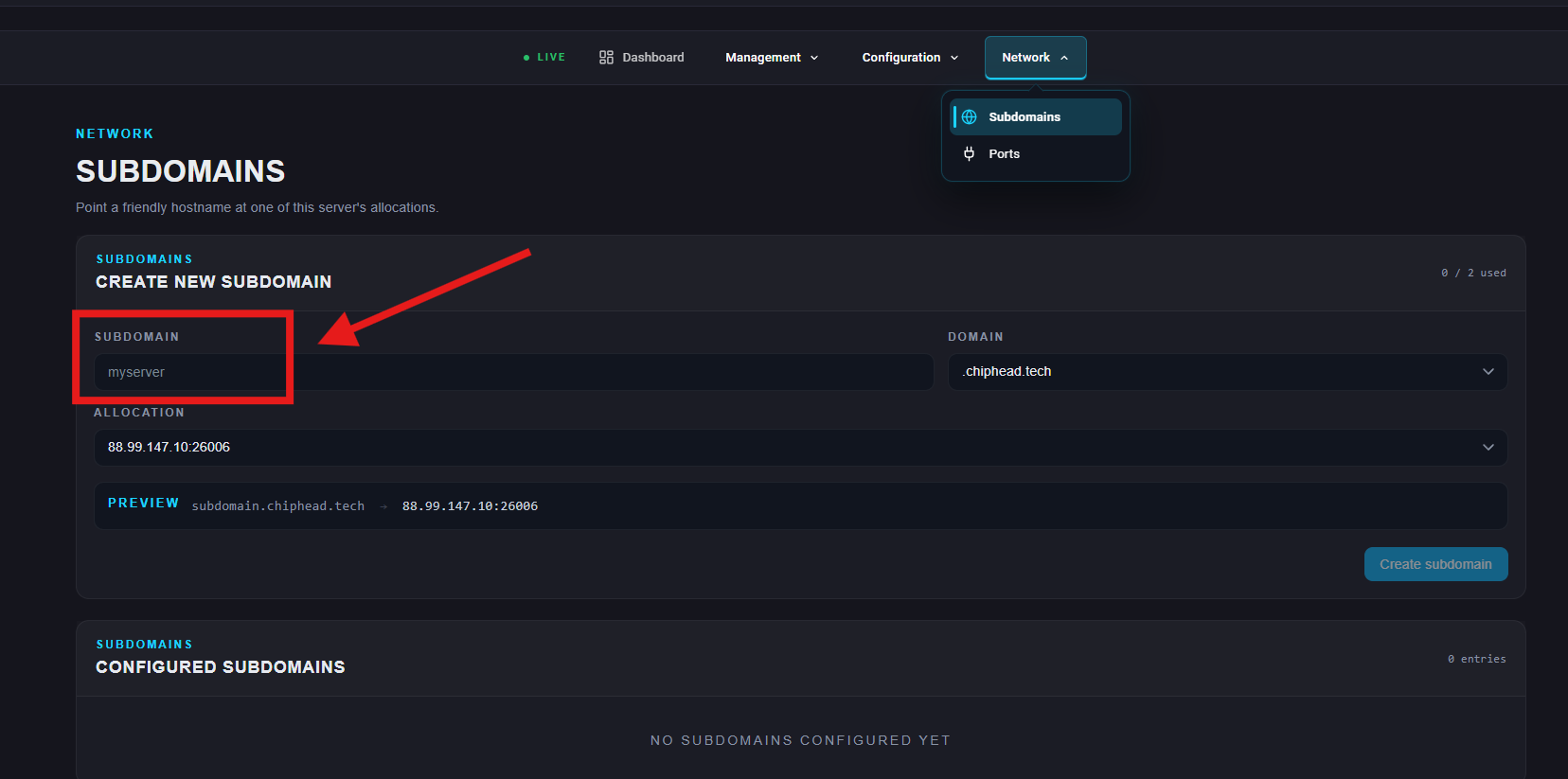
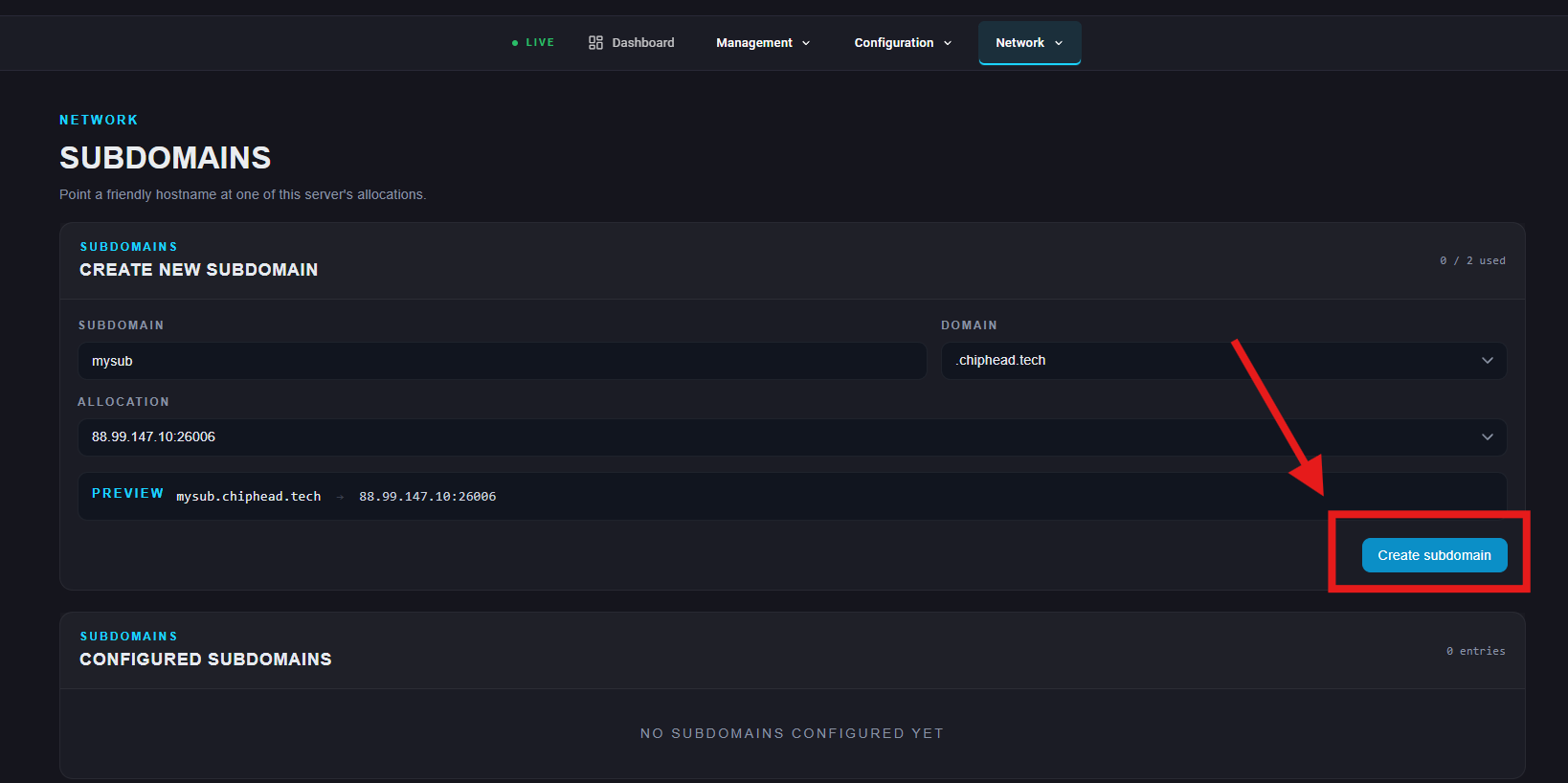
Click Create Subdomain to confirm your changes.

⏳Note: It can take up to 12 hours for your new subdomain to fully take effect.
How to Delete Your Free Subdomain
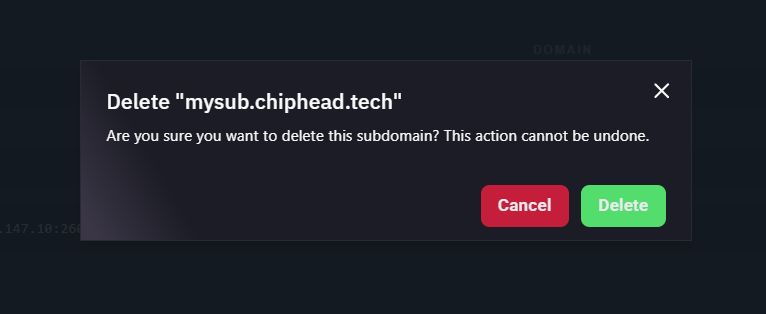
Next to Subdomain, click the “Trash Can” Icon
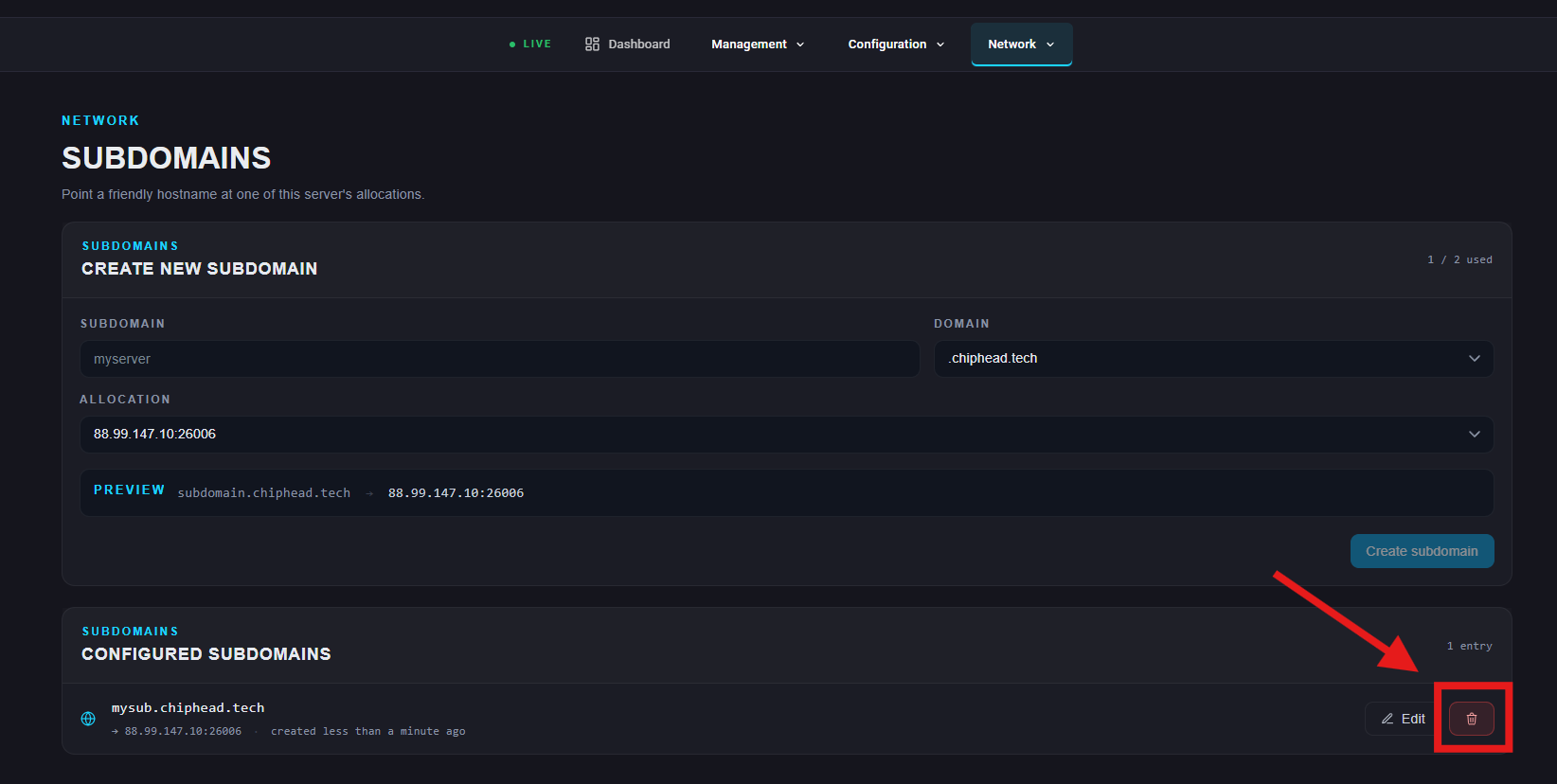
Click Delete to remove your subdomain.