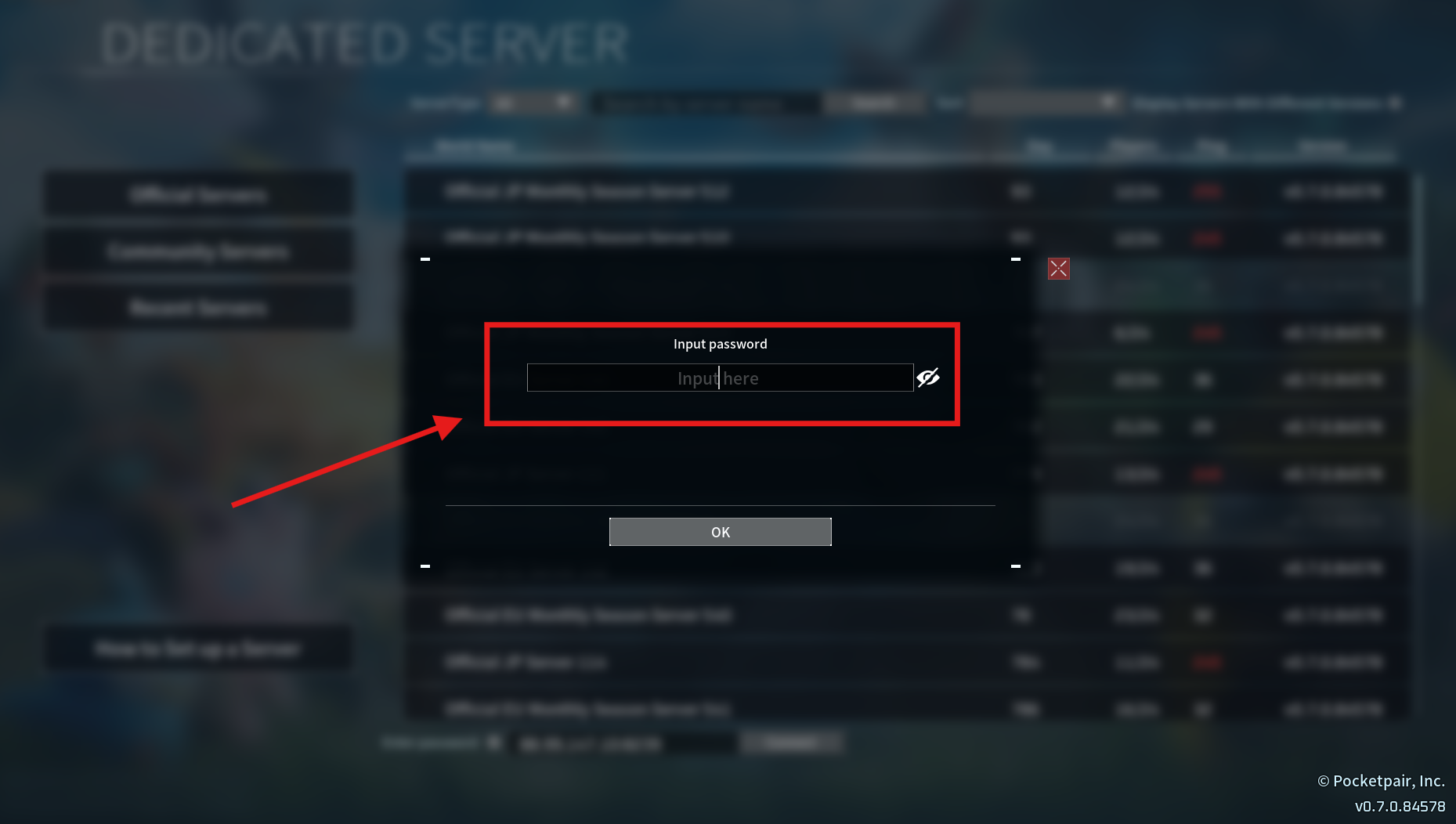
If you want to limit who can join your Palworld server, you can easily make it private by setting a server password.
Only players with the password will be able to connect - keeping your world safe and exclusive to your chosen group.
Set up your password through your ChipHead control panel in just a few steps:
Log in to the ChipHead Panel.

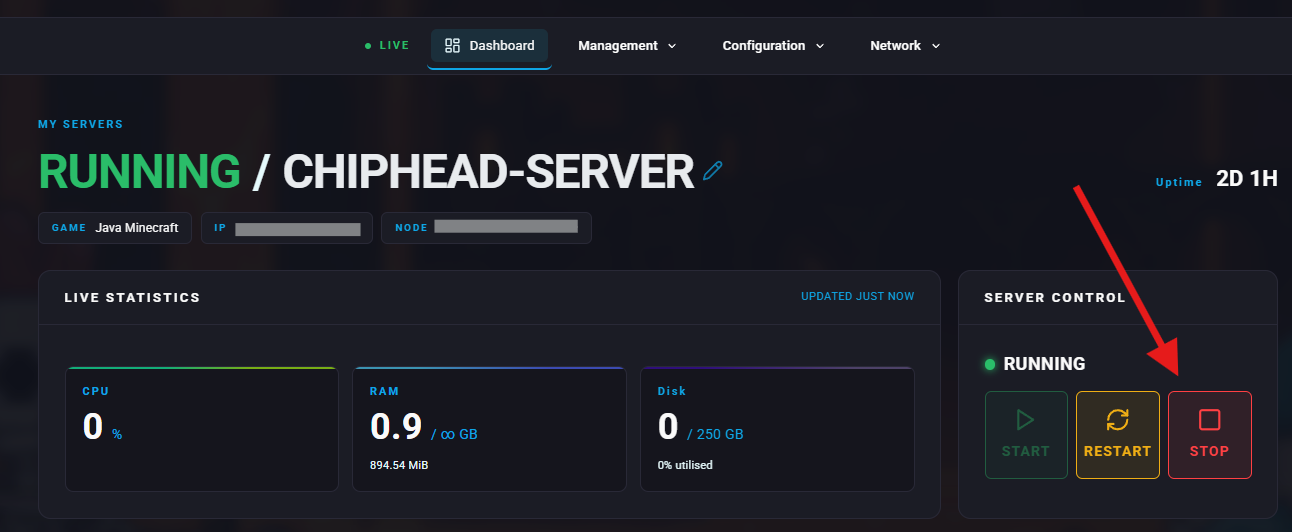
Stop your server.
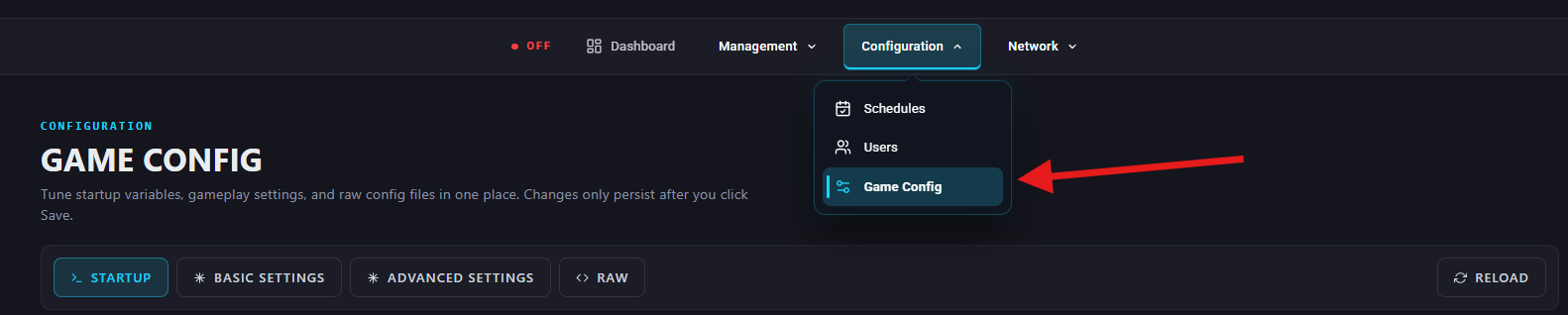
Navigate to Configuration> Game Config.
Under Startup, enter desired password in the Sever Password field.
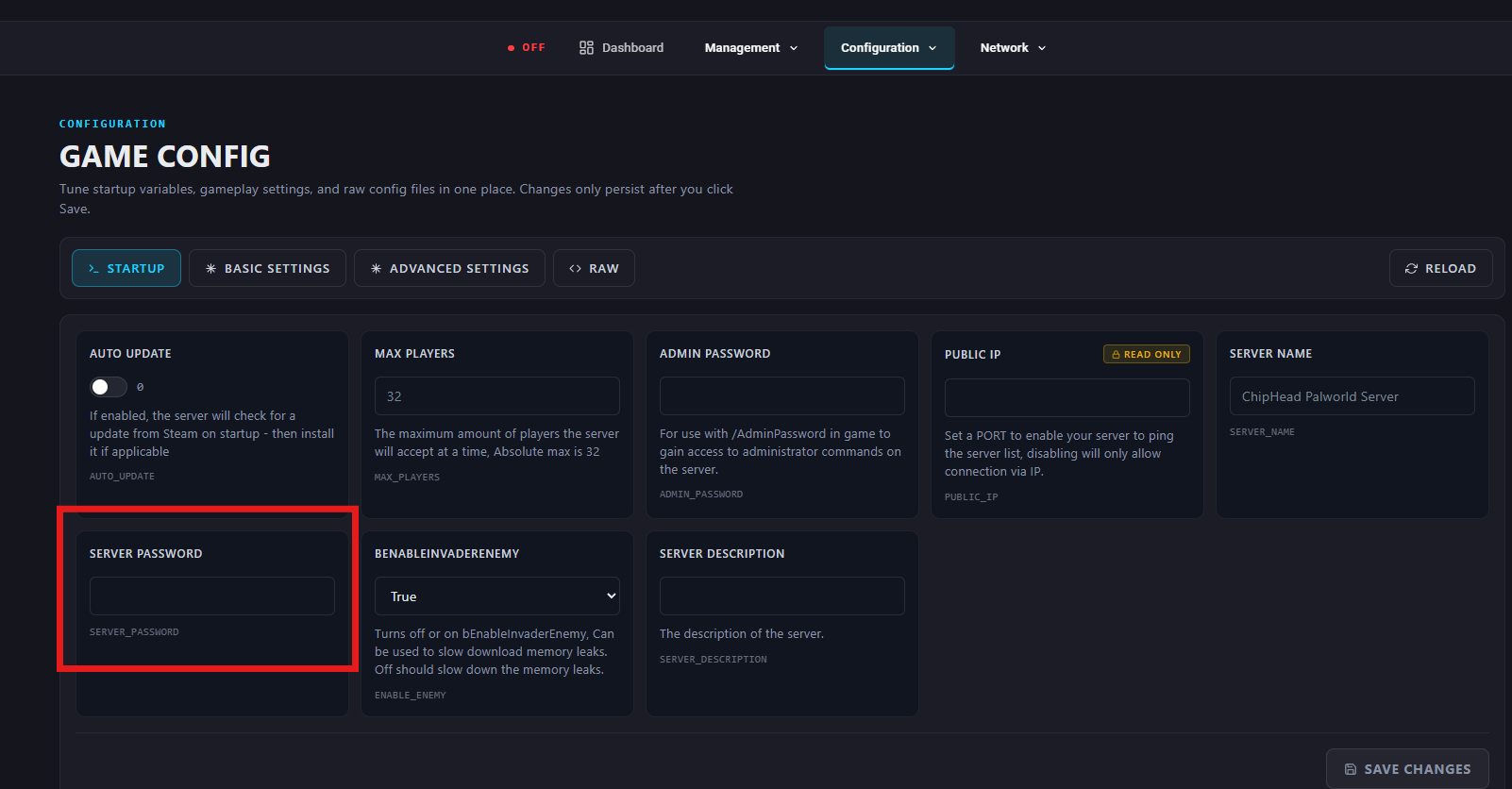
Save changes.
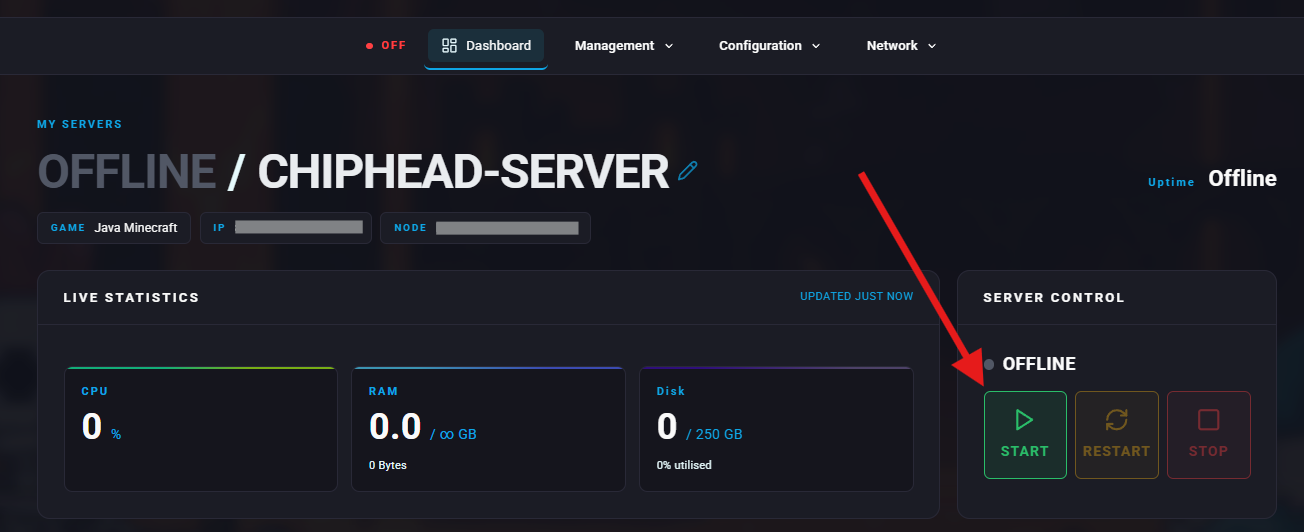
Start your server.

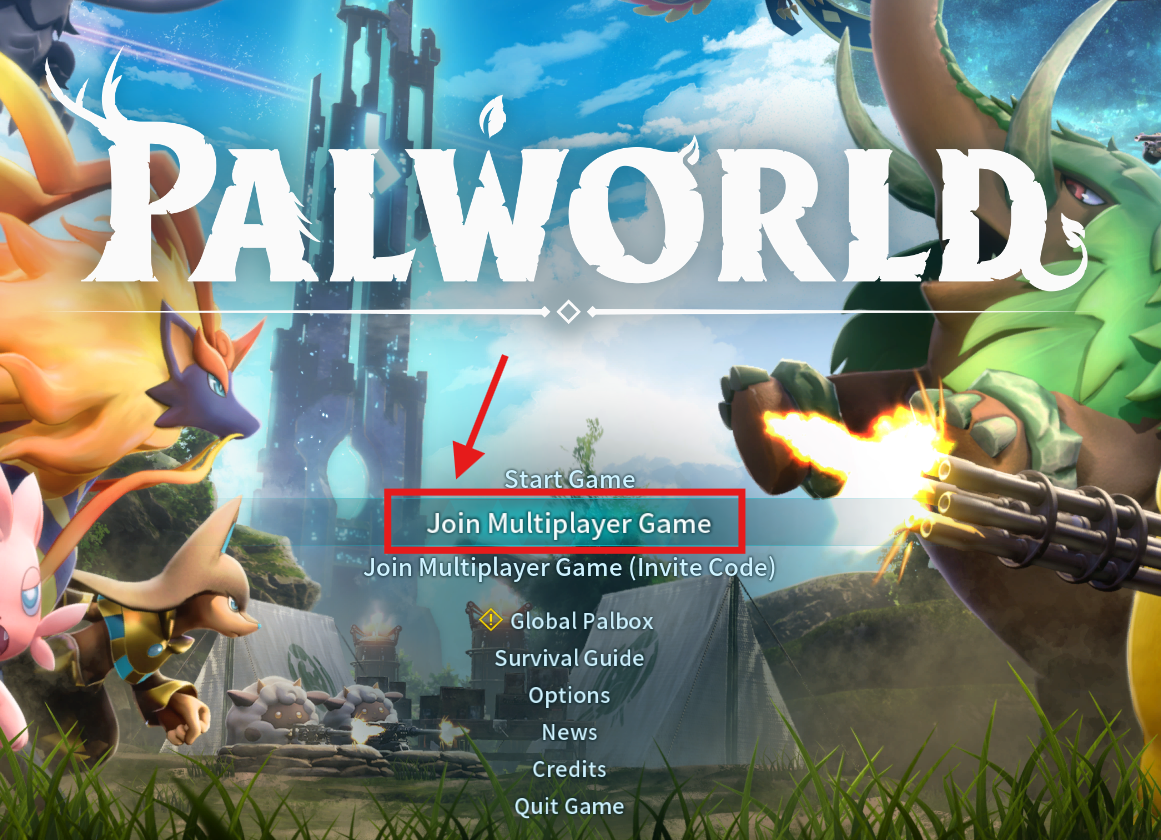
Launch Palworld.
Click "Join Multiplayer Game".
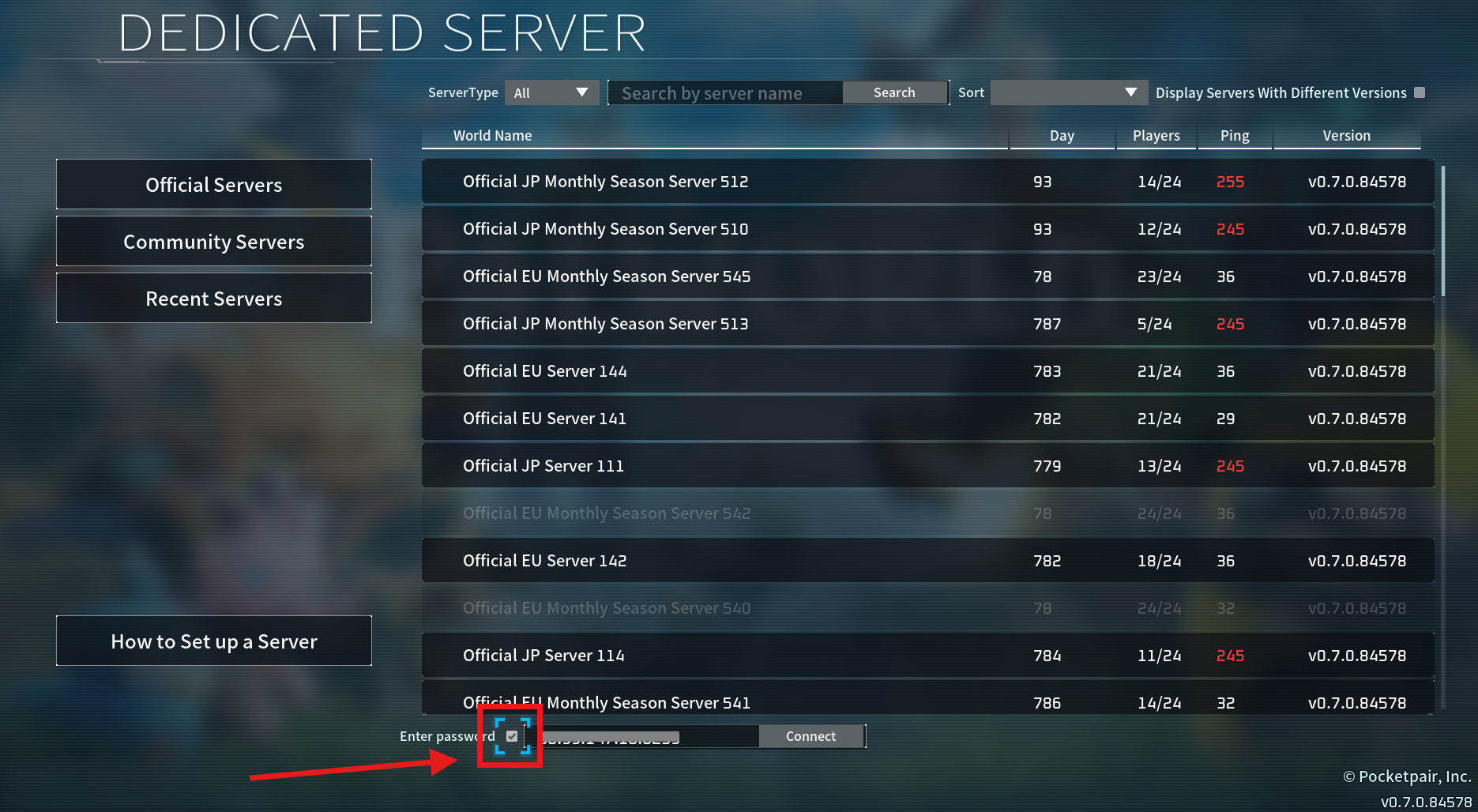
Enter your server address (IP:Port) into the Direct Connect box.
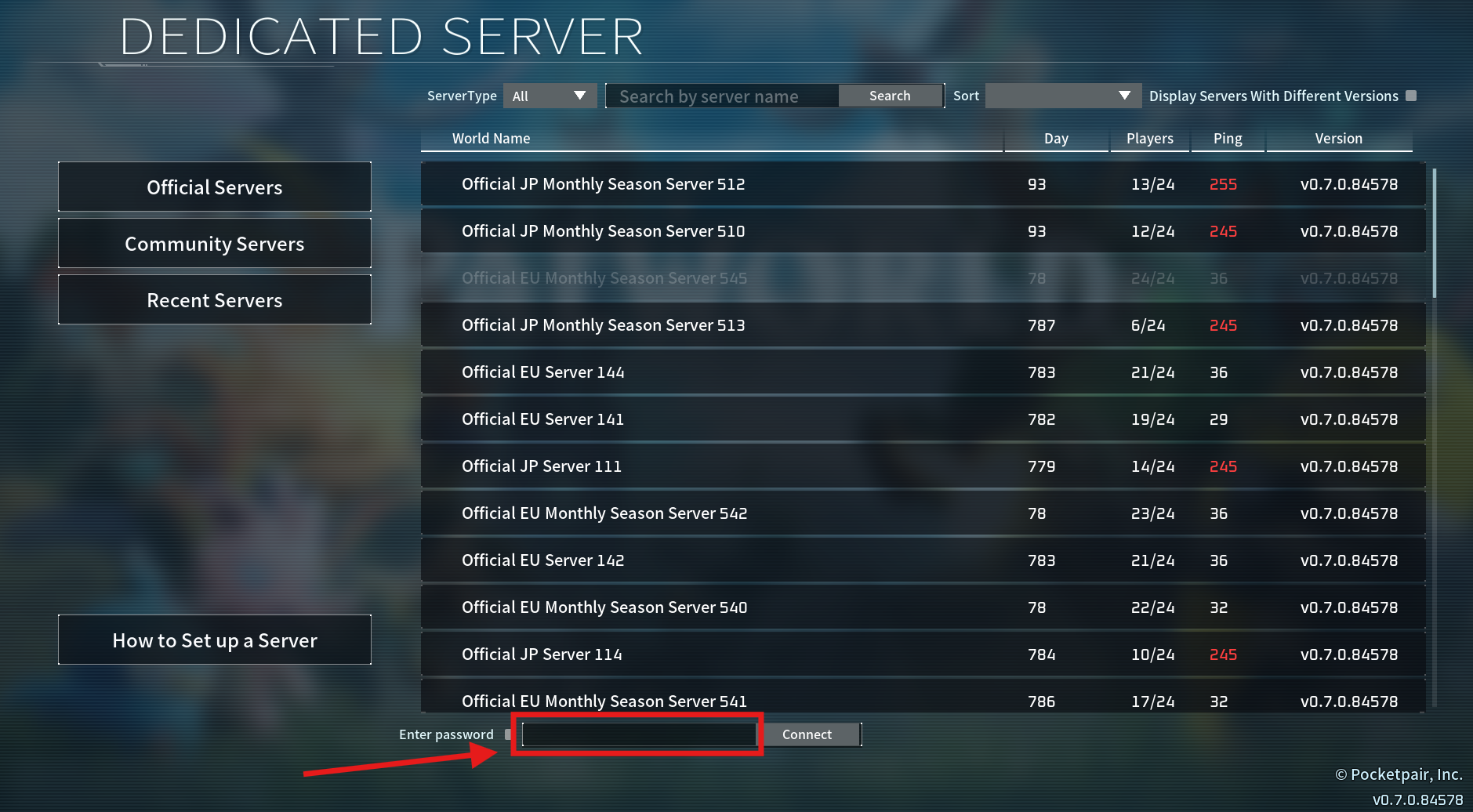
Check "Enter password".
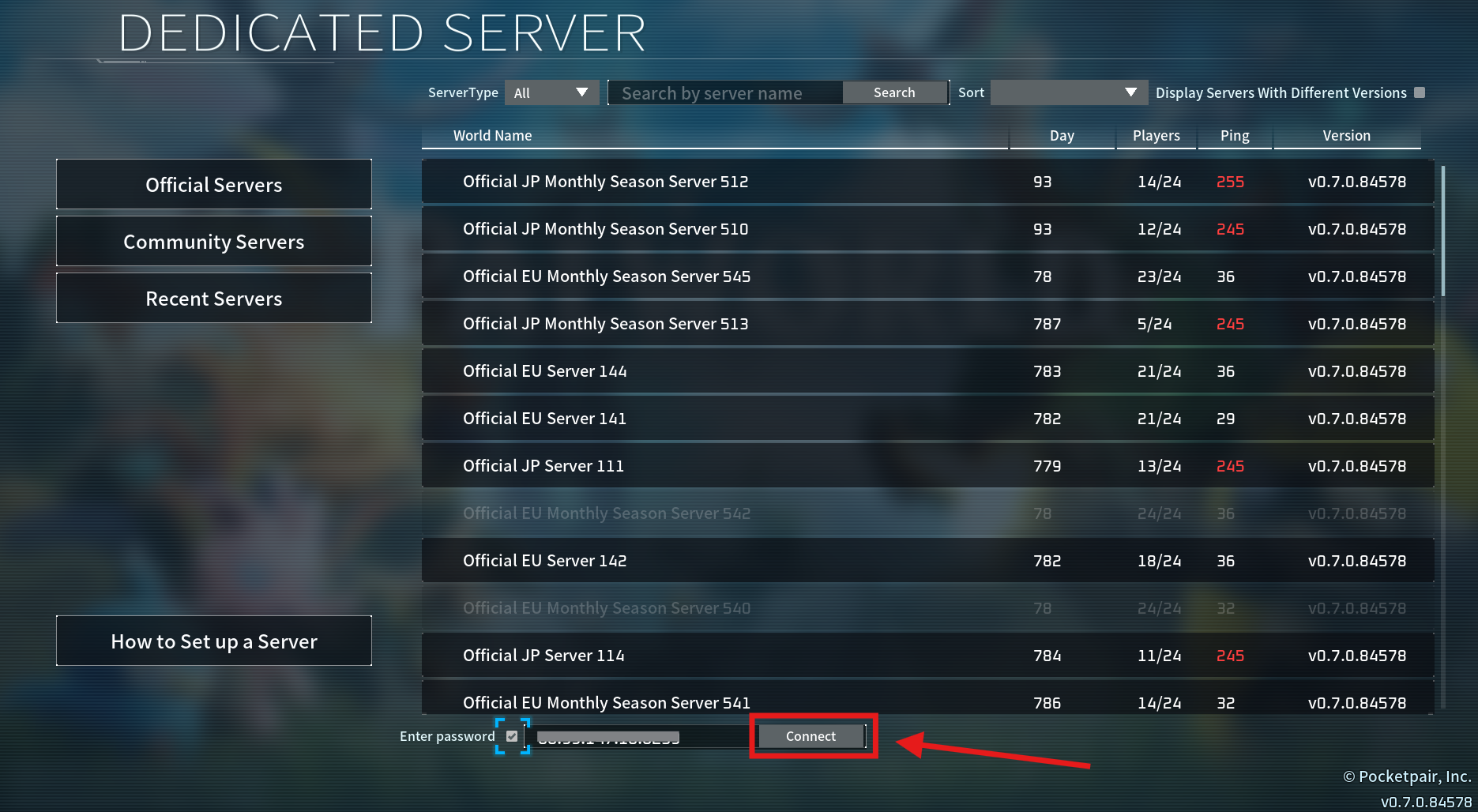
Click “Connect”.
Input the server password and select “ok”.