
Summary
Adding a password to your ARK: Survival Evolved server ensures that only players who know the password can join. By default, all ChipHead servers are open to anyone, but setting a password allows you to keep your world private and secure.
Step 1: Stop Your Server
Log in to your ChipHead Panel and Stop your server before making any changes.
Log in to your ChipHead Panel.

Stop your server.
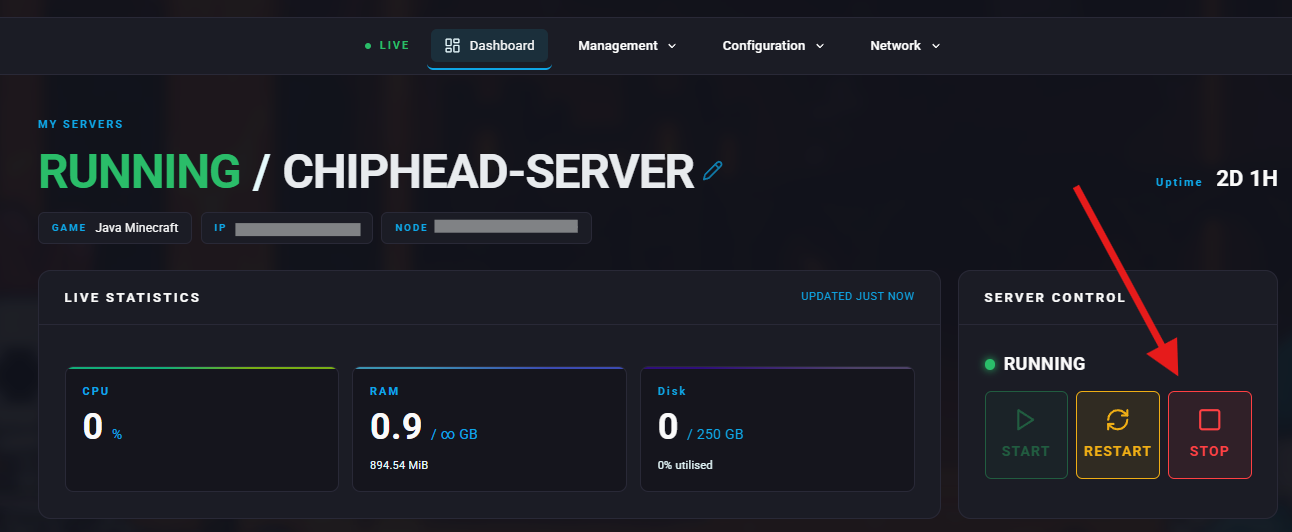
Step 2: Find Sever Password Field
In the ChipHead Panel, navigate to Configuration > Game Config > Startup.
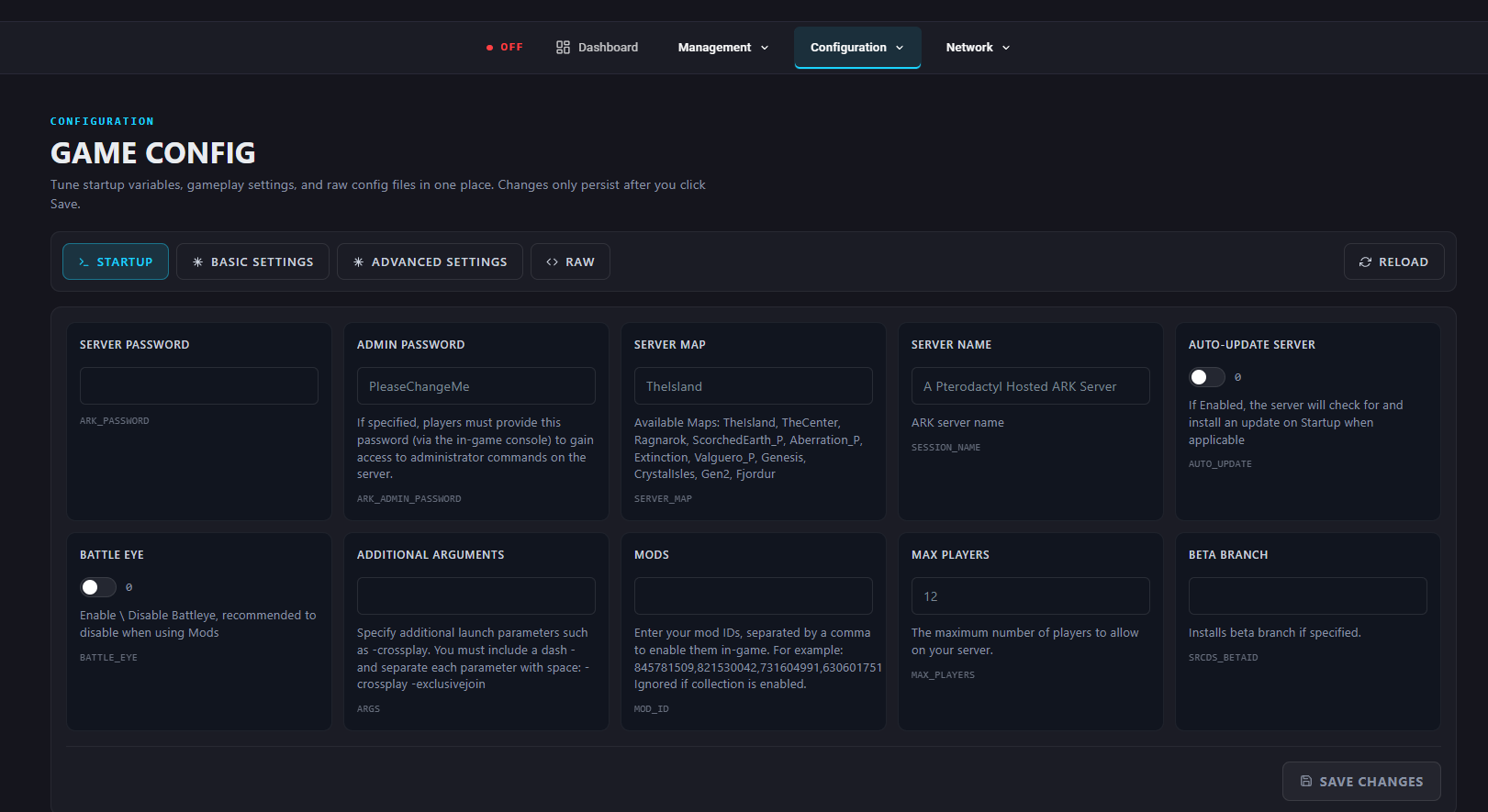
Step 3: Set the Server Password
Enter desired password in field “Sever Password”.
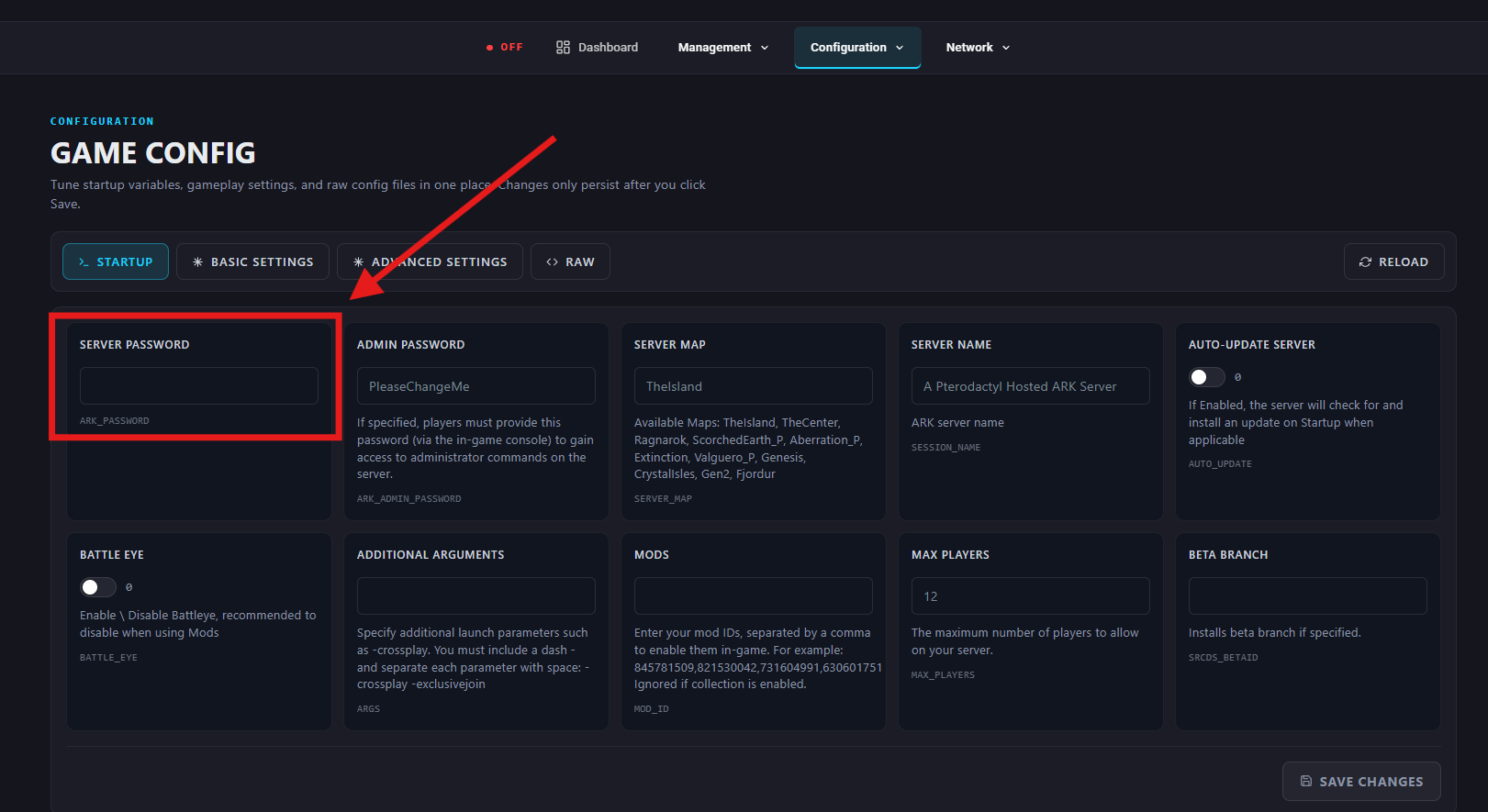

Your desired password should automatically save once entered. Now move to Restart your sever to take effect.
Step 4: Restart Your Server
Start/Restart your server.
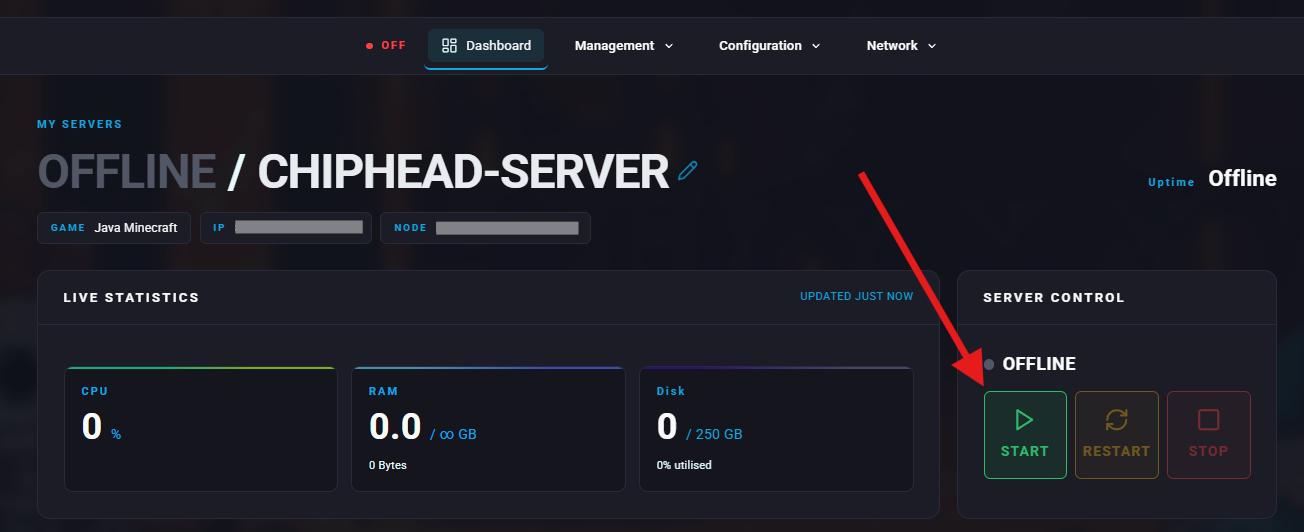
Once the server is running, all players will be prompted to enter your chosen password before joining — ensuring only approved players can access your world.