
How to Enable Gamma on Your ChipHead ARK Server
Gamma is a brightness control setting in ARK: Survival Evolved that lets players adjust how bright or dark the game looks. By default, gamma changes are disabled on servers, but you can enable this option to make night-time visibility easier for players.
Enabling Gamma
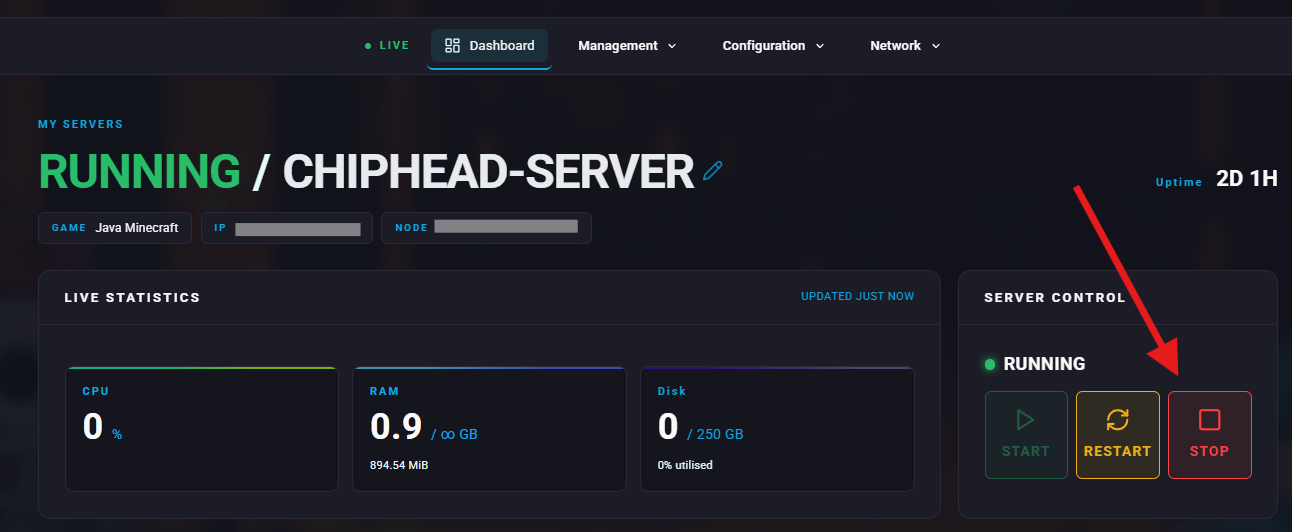
1⃣ Log in to your ChipHead Panel and stop your server.

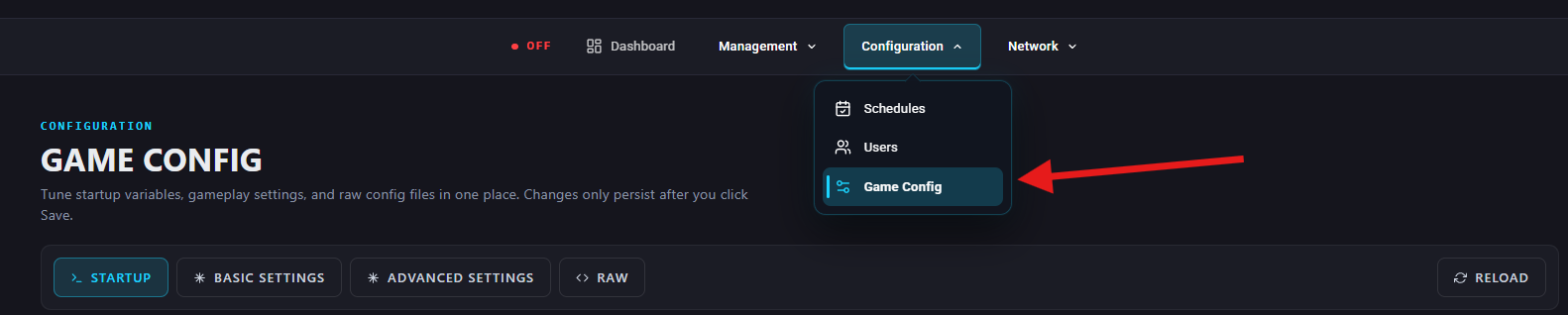
2⃣ Go to Game Config.
3⃣ Click into </>Raw.
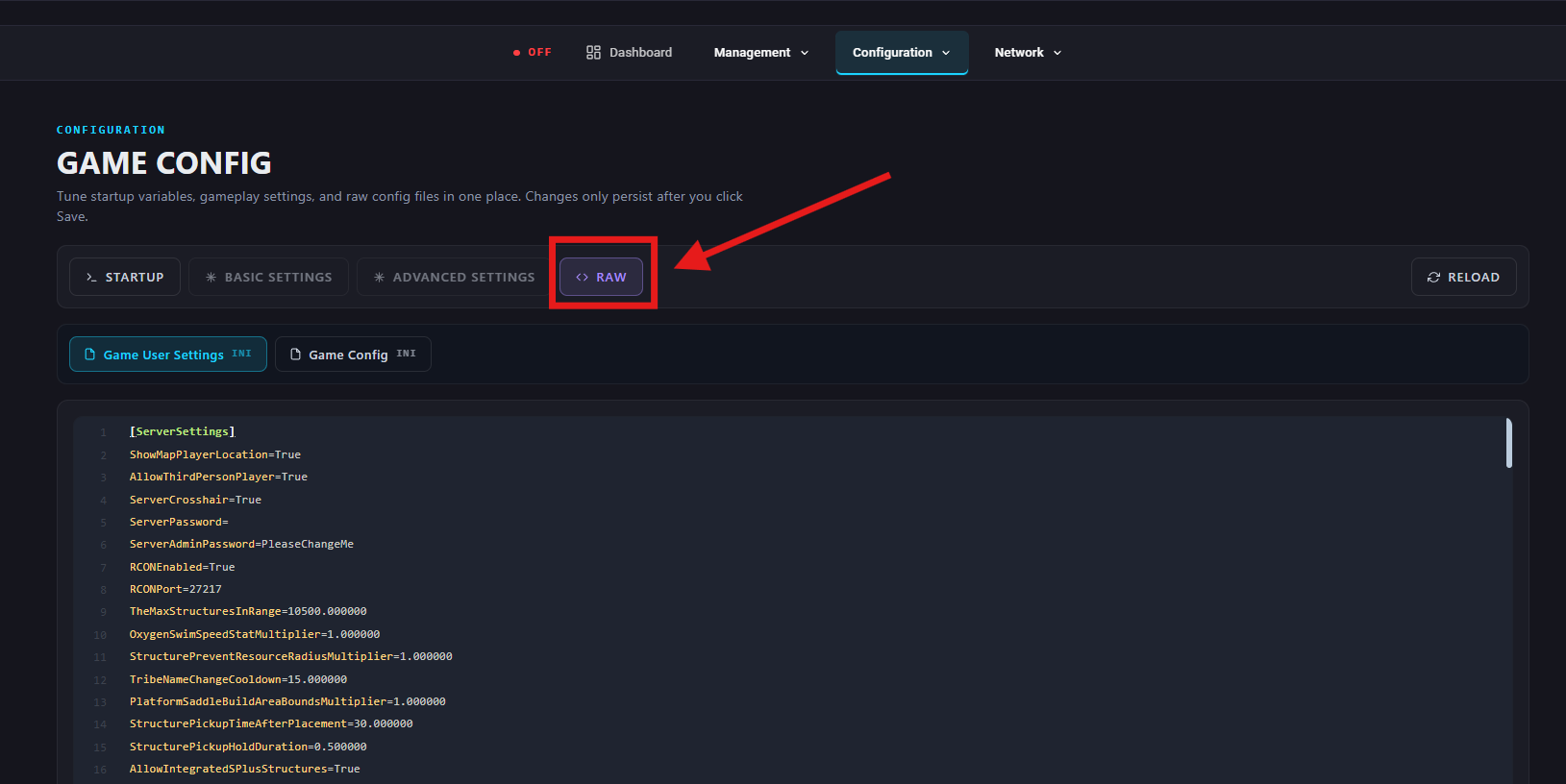
4⃣ Under the [ServerSettings] section, add or edit the following lines:
EnablePvPGamma=true
DisablePvEGamma=false
5⃣ Click Save, then return to your ChipHead Panel and start your server.
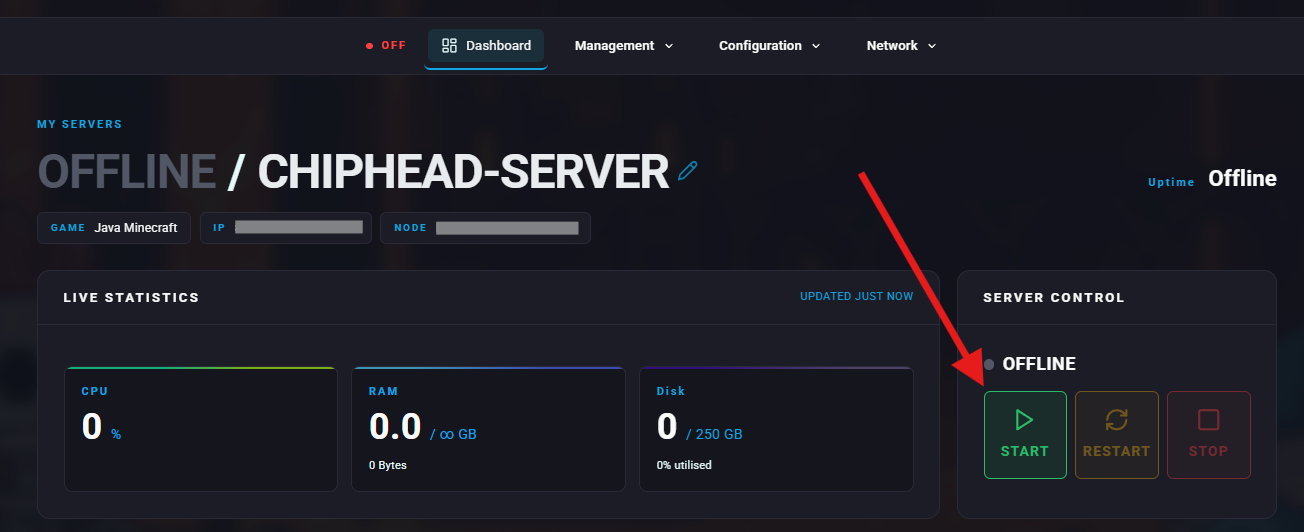
Once your server restarts, players will be able to adjust brightness in-game using the following commands:
gamma 1
gamma 2
gamma 3
(Higher numbers increase brightness.)