
Summary
Every Valheim world is generated from a unique seed value, which determines the layout of terrain, resources, and structures. While this seed isn’t directly shown in-game, it can be retrieved using a third-party tool. This is helpful if you want to recreate your world elsewhere or share it with other players.
Finding Your World Seed
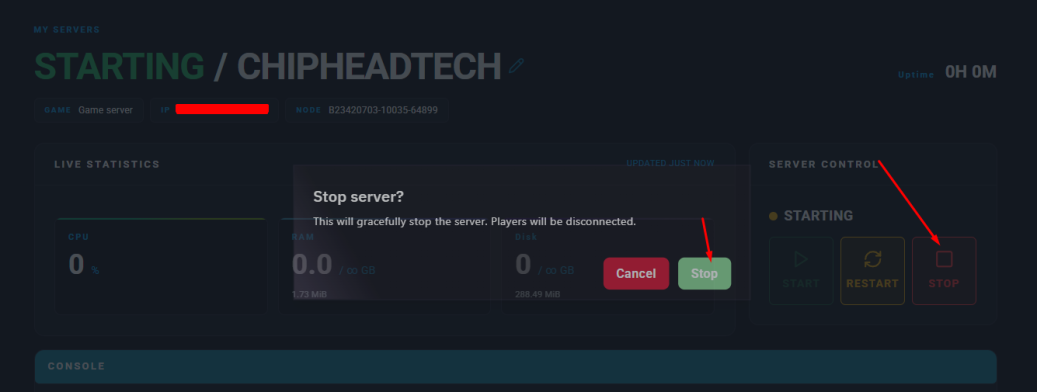
Log in to your ChipHead Panel and stop your server.
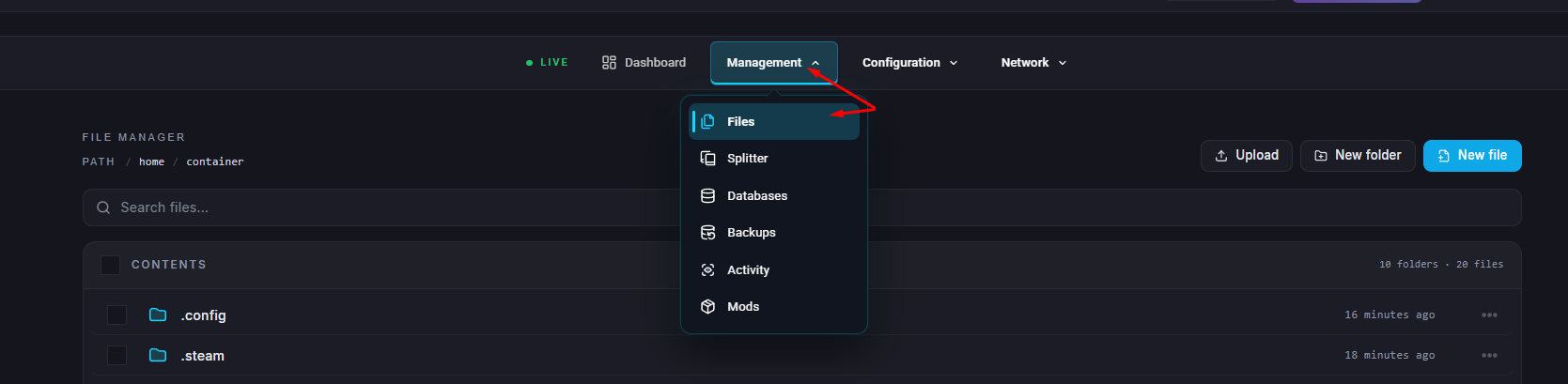
Go to Files.
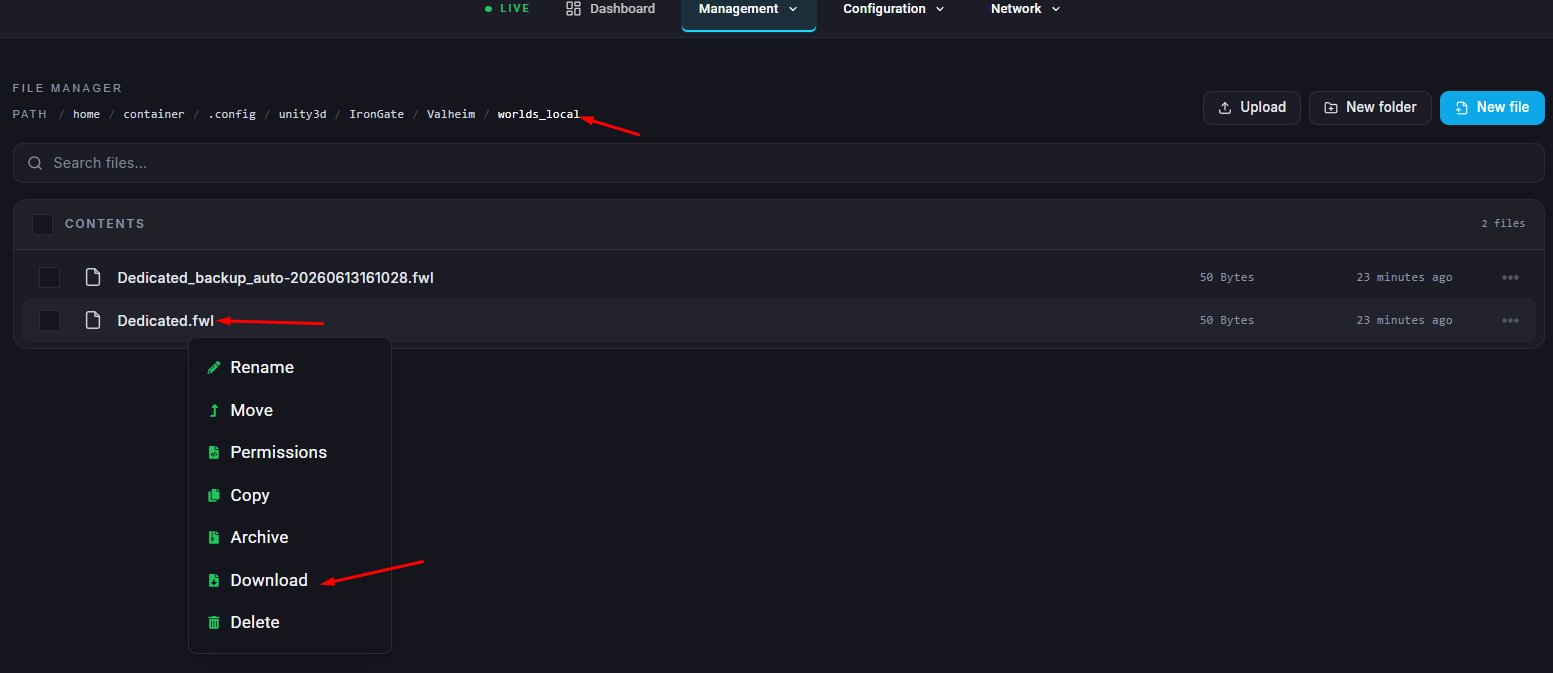
Navigate to
/.config/unity3d/IronGate/Valheim/worlds_local.
Find the .fwl file that matches the world you want to check and download it to your computer.
Visit the Valheim world generator website.
On the page, click the “Choose File” button.
Select your downloaded .fwl file and press “Open.”
The world seed will be displayed at the bottom of the page once the file loads.

Once you have your world’s seed, you can use it to preview the world online, share it with friends, or generate a duplicate world on another Valheim server.