
The in-game console in Garry’s Mod is a powerful tool that allows you to run commands, test settings, and troubleshoot issues directly in-game. When paired with features like RCON, it gives server owners and moderators full control over their servers.
Changing the Console Key Binding ⌨
If you’re using a non-English keyboard, your console key might not work by default. Here’s how to rebind it:
Open the Options menu and go to the Keyboard tab.
Scroll to the bottom of the list and find “Toggle Developer Console”
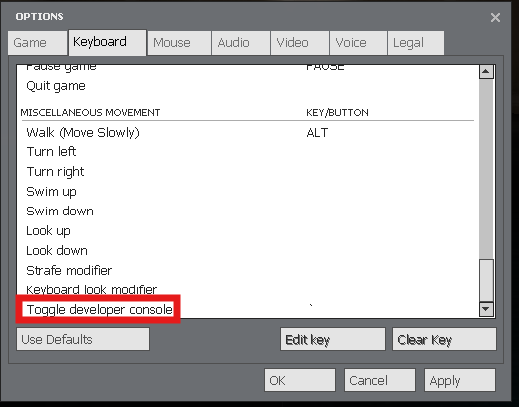
Select “Edit Key” and assign a new key of your choice.
Click OK, then press your chosen key to open the console.

Done! You’ve now enabled the in-game console in Garry’s Mod. This gives you quick access to powerful commands for gameplay tweaks, testing, and server management - all directly from your ChipHead hosted server.