
FastDL (Fast Download) is a feature that speeds up how players download custom content - such as maps, models, and textures - when joining your Garry’s Mod server. Instead of relying on the Steam Workshop, FastDL uses a web server to host and deliver files directly to players, significantly reducing loading times and improving the overall experience.
Requirements
Before setting up FastDL, make sure you have:
🌐 A web server with FTP access and a live domain.
🧰 An FTP client (like FileZilla) to transfer files.
🗺 The custom map or content already installed on your Garry’s Mod server.
Setting Up FastDL
Follow these steps to configure FastDL for your server using the ChipHead Panel:
Log in to your web server using your FTP client.
Create a new folder named garrysmod in the root directory of your website.
Upload your custom map folders and any other required content into this directory.
Log in to your ChipHead Panel.
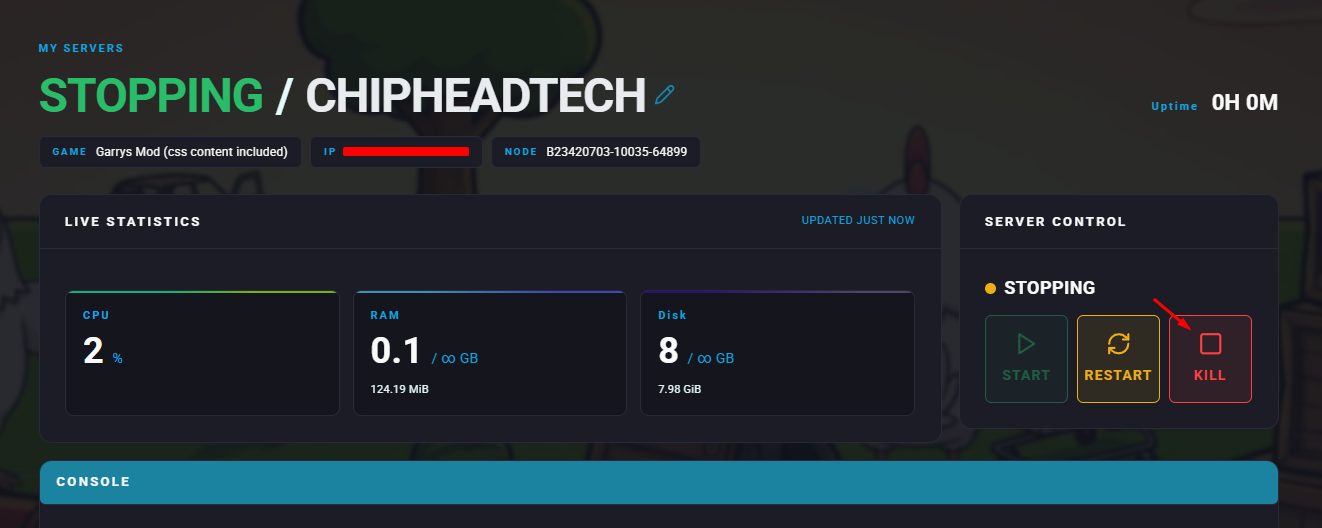
Stop your server.
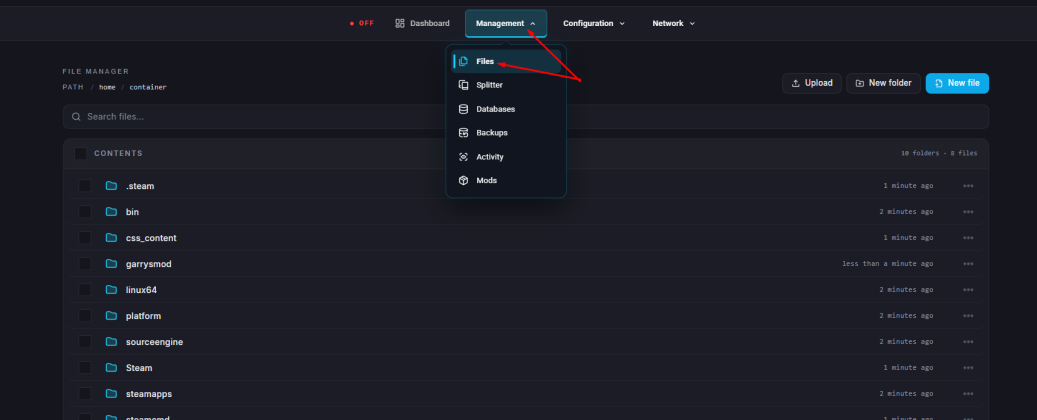
Go to the Files tab.
Add the following lines to your configuration file:
sv_downloadurl "http://yourwebsite.com/garrysmod"
sv_allowdownload 1
(Replace
http://yourwebsite.com/garrysmodwith your actual FastDL URL.)Click “Save Content”.
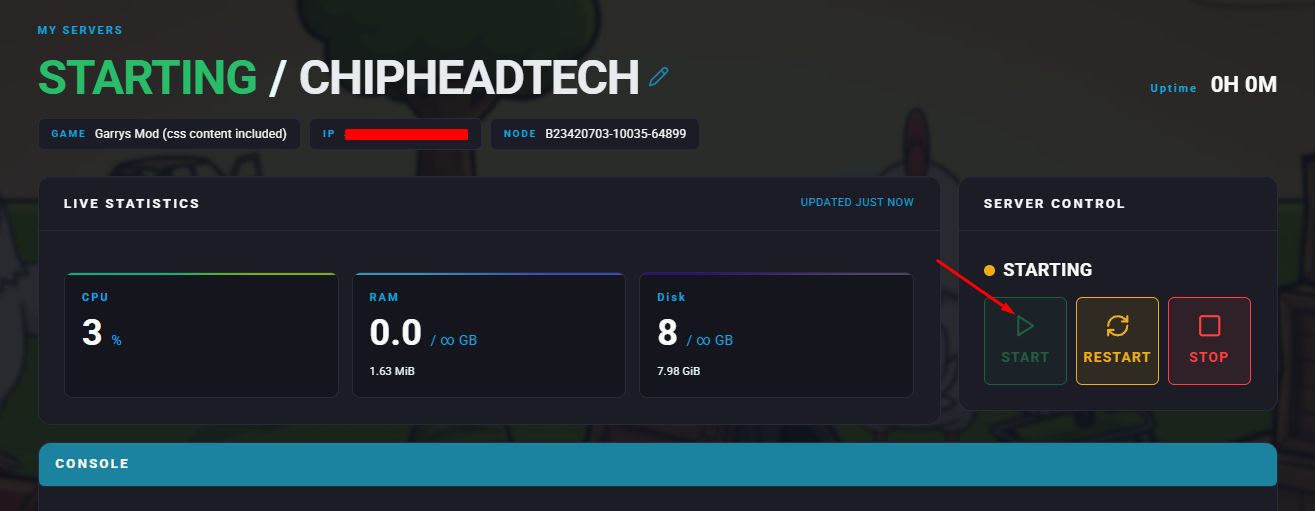
Start your server.

Your FastDL is now active, and players joining your ChipHead Garry’s Mod server will download all custom content faster and more efficiently, ensuring smoother gameplay and shorter wait times.