
Summary
Team Fortress 2 is a fast-paced online shooter where teams compete in a variety of game modes. Players can customize their playstyles through unique classes and even trade or sell items in the in-game marketplace. Connecting to your TF2 server through the Steam client makes joining quick and easy — and lets you favourite your server for faster access in the future.
How to Join a Team Fortress 2 Server
Log in to the ChipHead Control Panel.
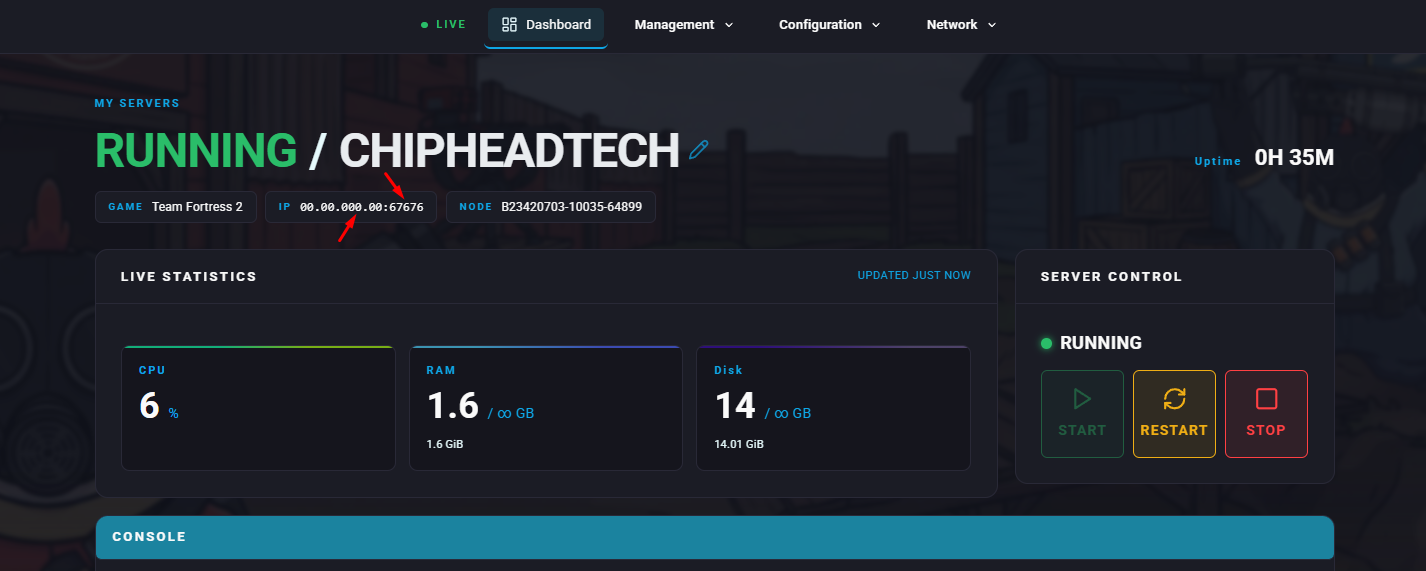
Copy your server’s IP address and port from General > Dashboard.
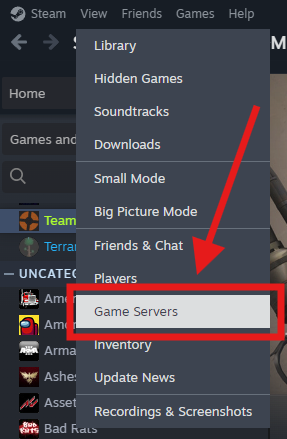
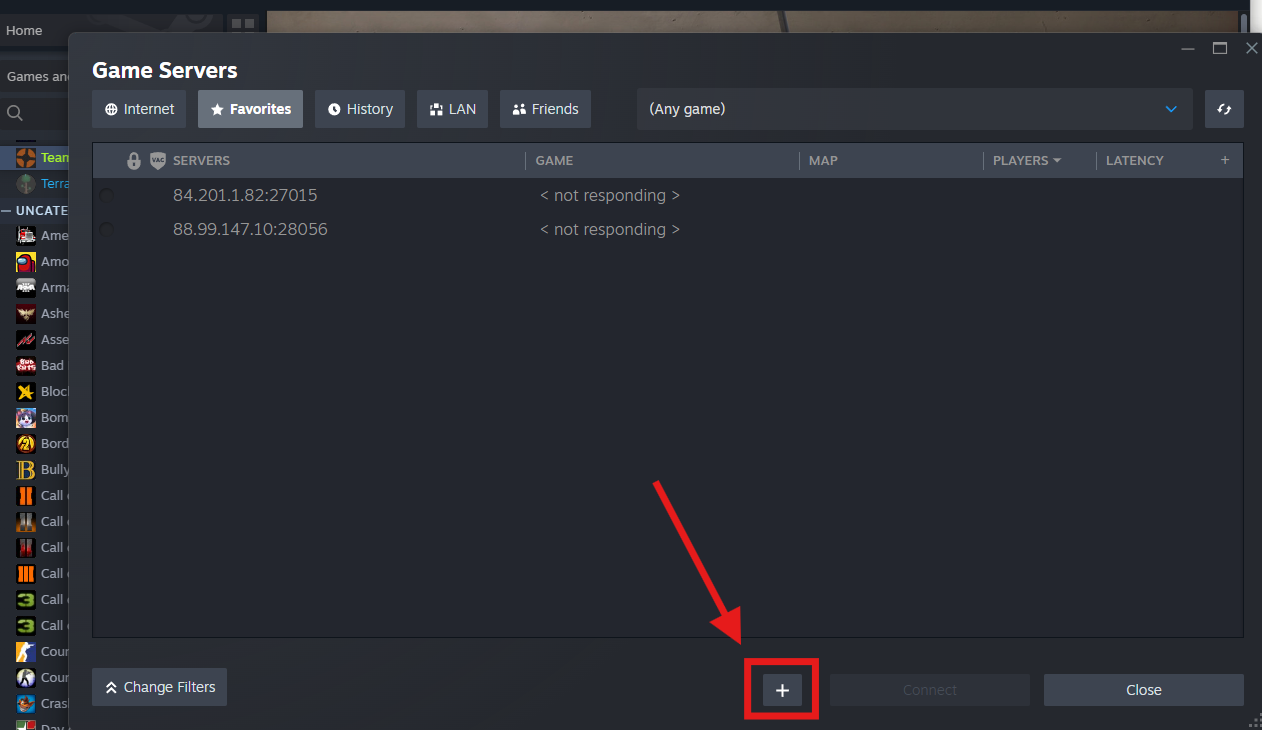
In the Steam client, go to View > Servers, then select the Favorites tab.
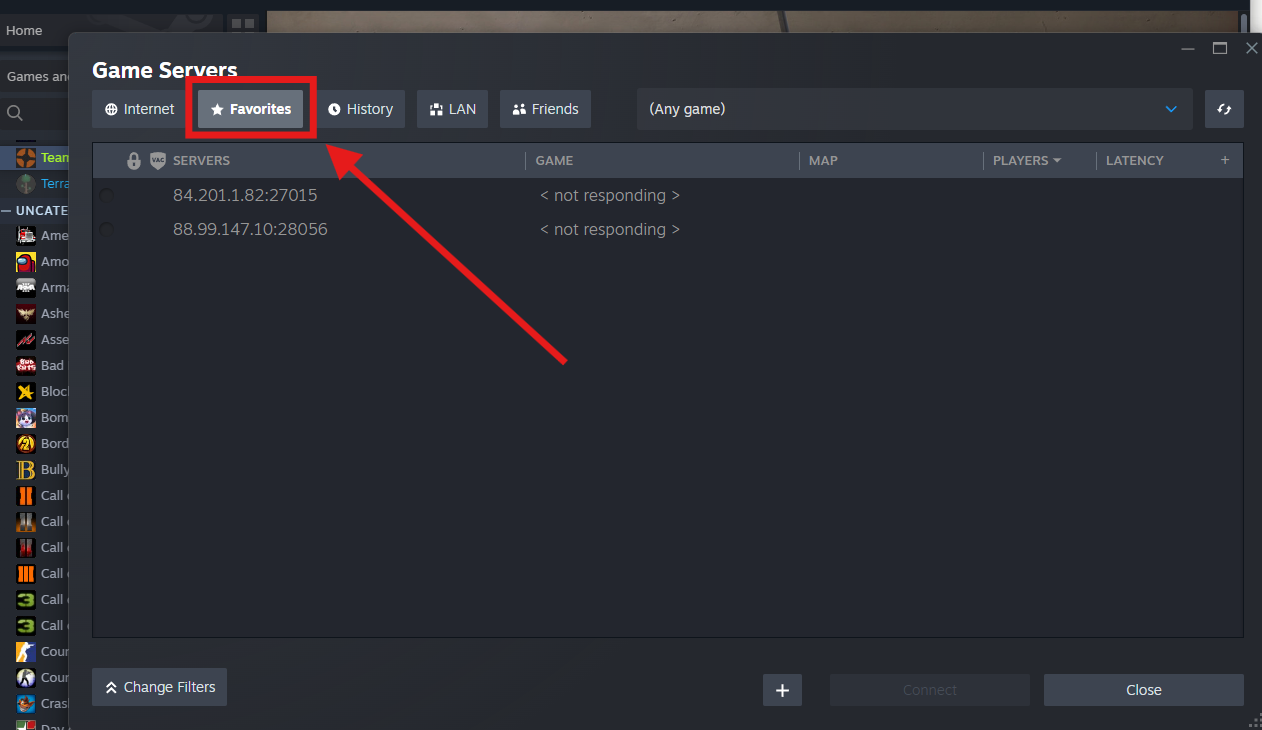
Click the Add a Server button in the bottom-right corner.
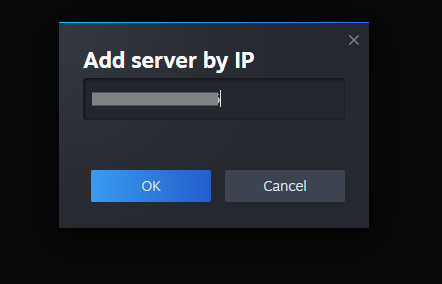
Enter your server’s IP address and port in the field provided.
Once added, select your server from the list and click Connect to join.
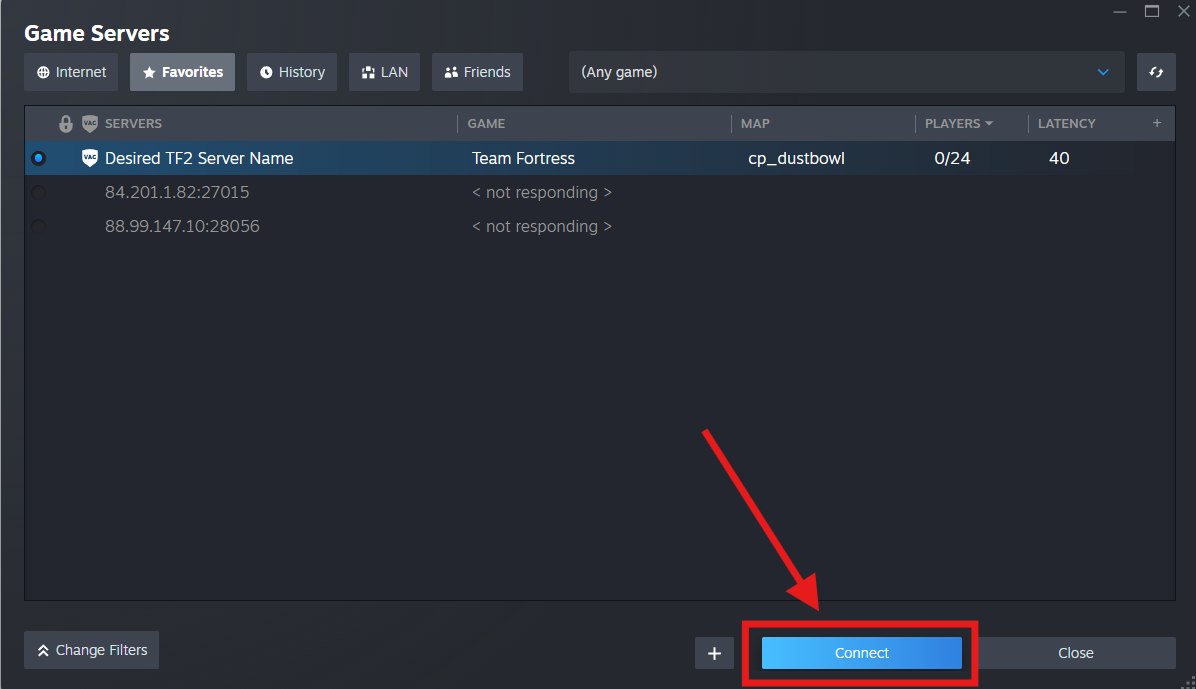

Your Team Fortress 2 server will now appear in your Steam Favorites list, allowing you to connect instantly whenever you want to play.