
Summary
When managing a public DayZ server, keeping track of player activity and server behaviour is crucial. Accessing your administration logs helps you monitor player actions, troubleshoot issues, and maintain a fair environment.
Finding DayZ Server Logs
Log in to the ChipHead Control Panel.
Go to the Files tab. Navigate to the /profiles/ directory.
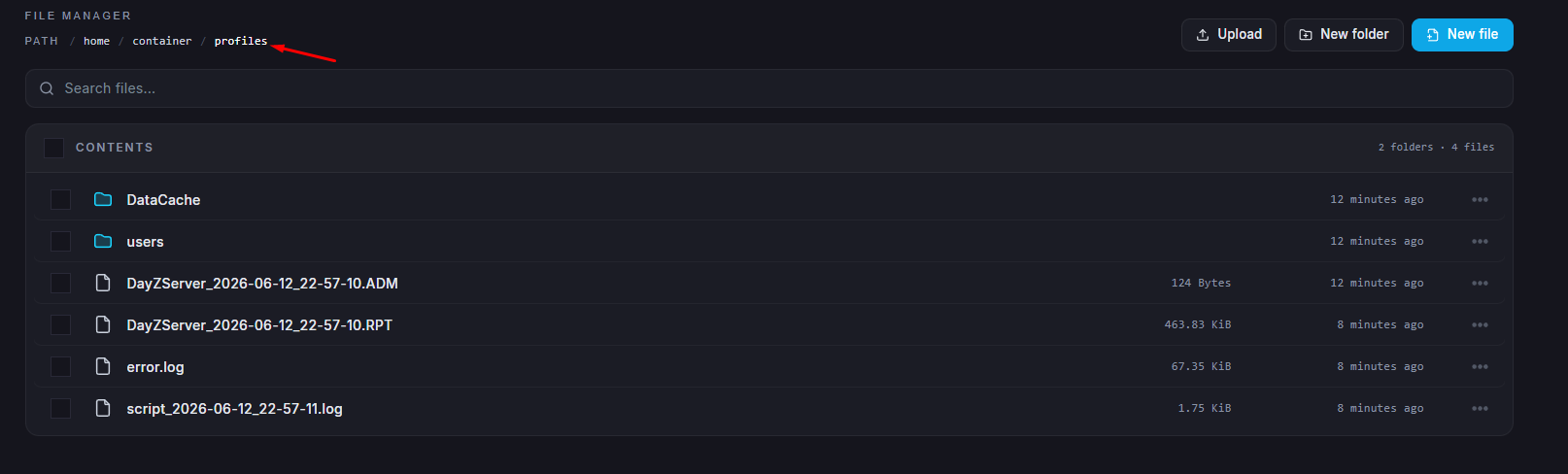
Inside this folder, you’ll find various files such as log files, error reports, and player data.

If you’d like to understand how to interpret these logs or learn what different events mean, you can visit the official Bohemia Interactive Wiki for detailed explanations.