
One of the easiest ways to locate your Arma 3 server is through the in-game public server browser. To find it, you’ll need to know your Server Name this helps distinguish your server among the many others, especially if you’re running a popular game mode.
Changing Your Server Name
You can change your Arma 3 server name by editing your server configuration file in the ChipHead Control Panel.
Log in to your ChipHead Control Panel and stop your server.
Navigate to Game Config.
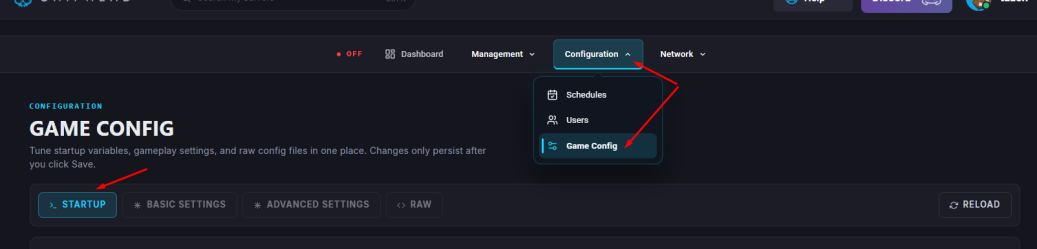
Within the Server Config file, find the hostname= line and enter in your desired server name within the quotation marks.
Click Save.

Start/restart your server.

Your Arma 3 server name has now been updated! Whether you’re rebranding, adding personality, or starting fresh, this simple change makes your server easier to find and recognize in the public server browser.