
Summary
Depending on your Arma 3 server setup, you may want to disable BattlEye Anti-Cheat. While BattlEye is enabled by default to protect against cheating and exploit abuse, disabling it can be useful for testing, mod development, or private gameplay sessions where anti-cheat protection isn’t needed.
Disabling BattlEye Anti-Cheat
You can turn off BattlEye directly from your Arma 3 Server Config file through your ChipHead Control Panel.
Log in to your ChipHead Control Panel and stop your server.

Navigate to Game Config.
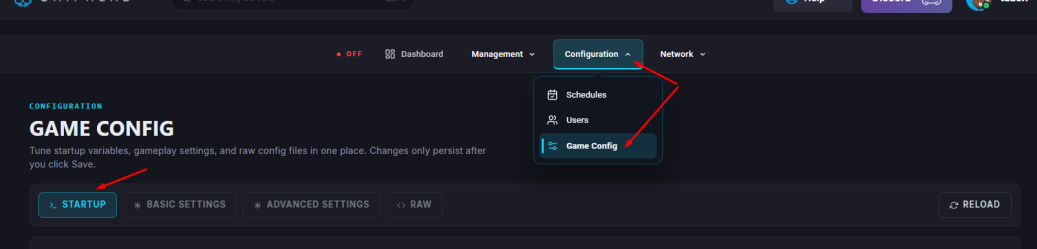
Within the <> RAW, find the line that reads
BattlEye = 1;and change the value from 1 to 0.Click Save.
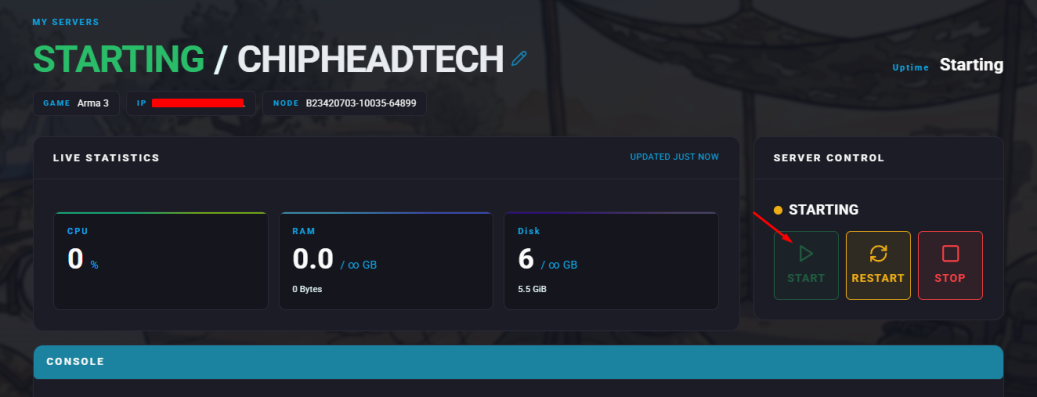
Start/restart your server.

That’s it! You’ve successfully disabled BattlEye on your Arma 3 server. Keep in mind that while this change allows for more flexibility especially during development or testing it also removes an important layer of protection against cheats and exploits.