Adding custom cars to an Assetto Corsa server allows players to bring variety and creativity to their racing experience. From classic cars to futuristic concept vehicles, custom cars let hosts design unique events and challenges that keep gameplay fresh. This customization option helps create a distinct racing atmosphere for players on the server.


Download a custom car.

Extract the compressed file to a folder and minimize the folder for later use.
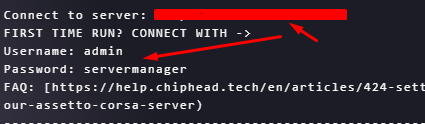
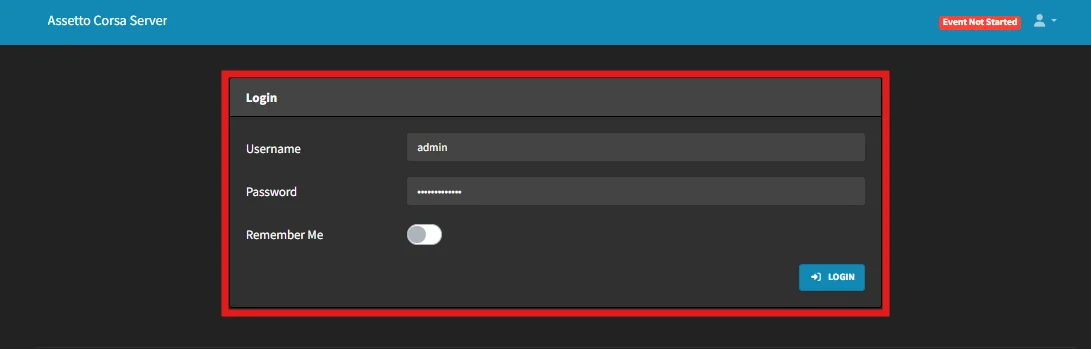
Log in to the Assetto Corsa server web panel (Link provided via console).
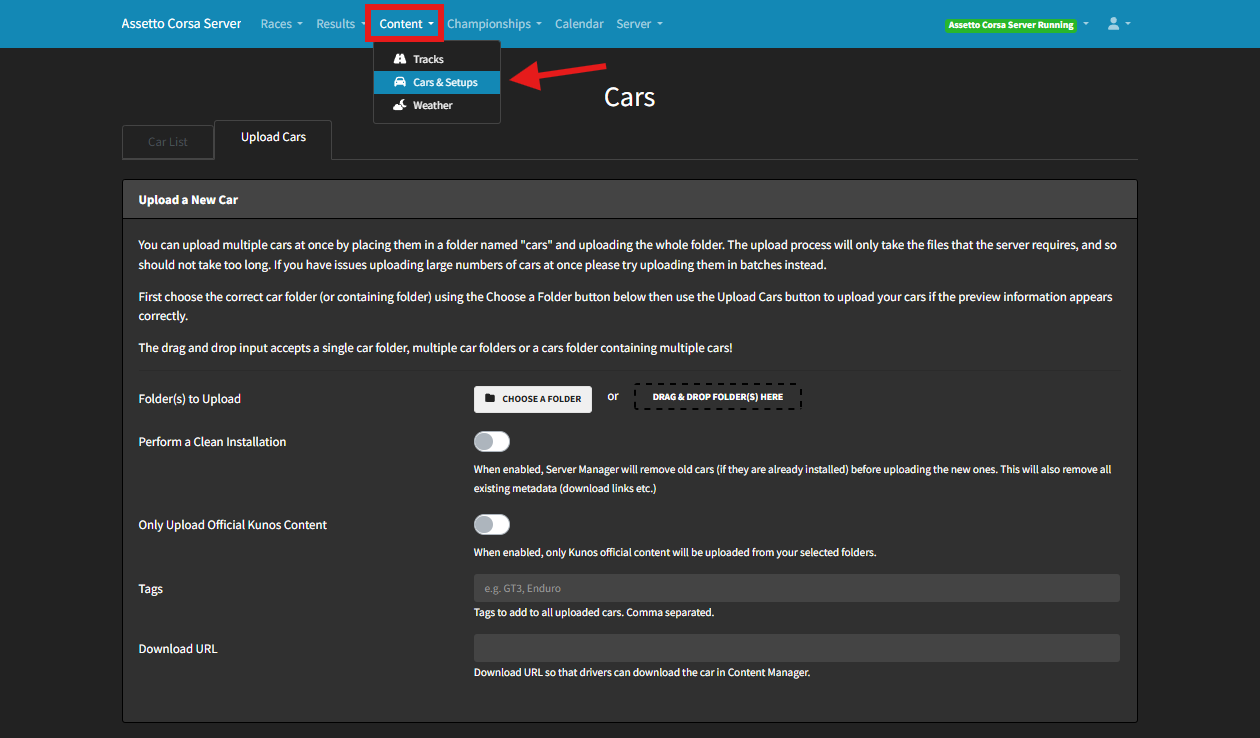
Under Content, select Cars & Setups.
Drag and drop the folder from step 3 or click the “Choose a folder” button
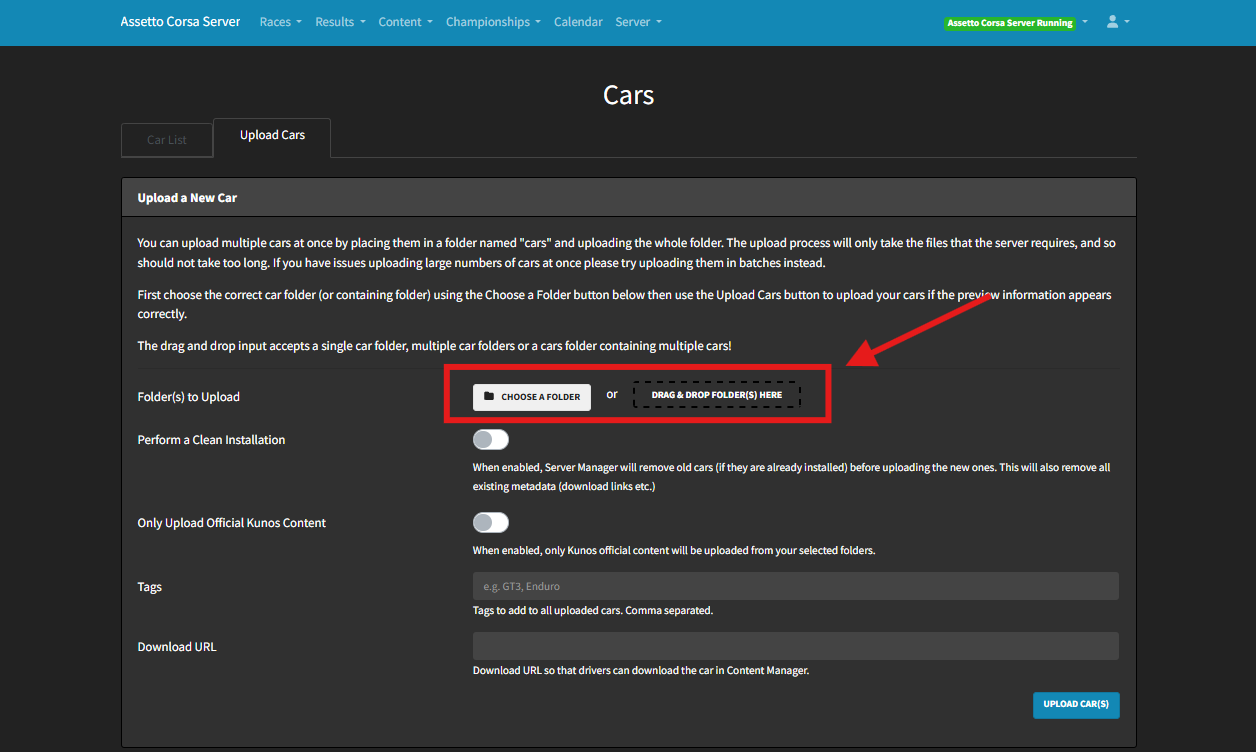
Click UPLOAD CAR(S).
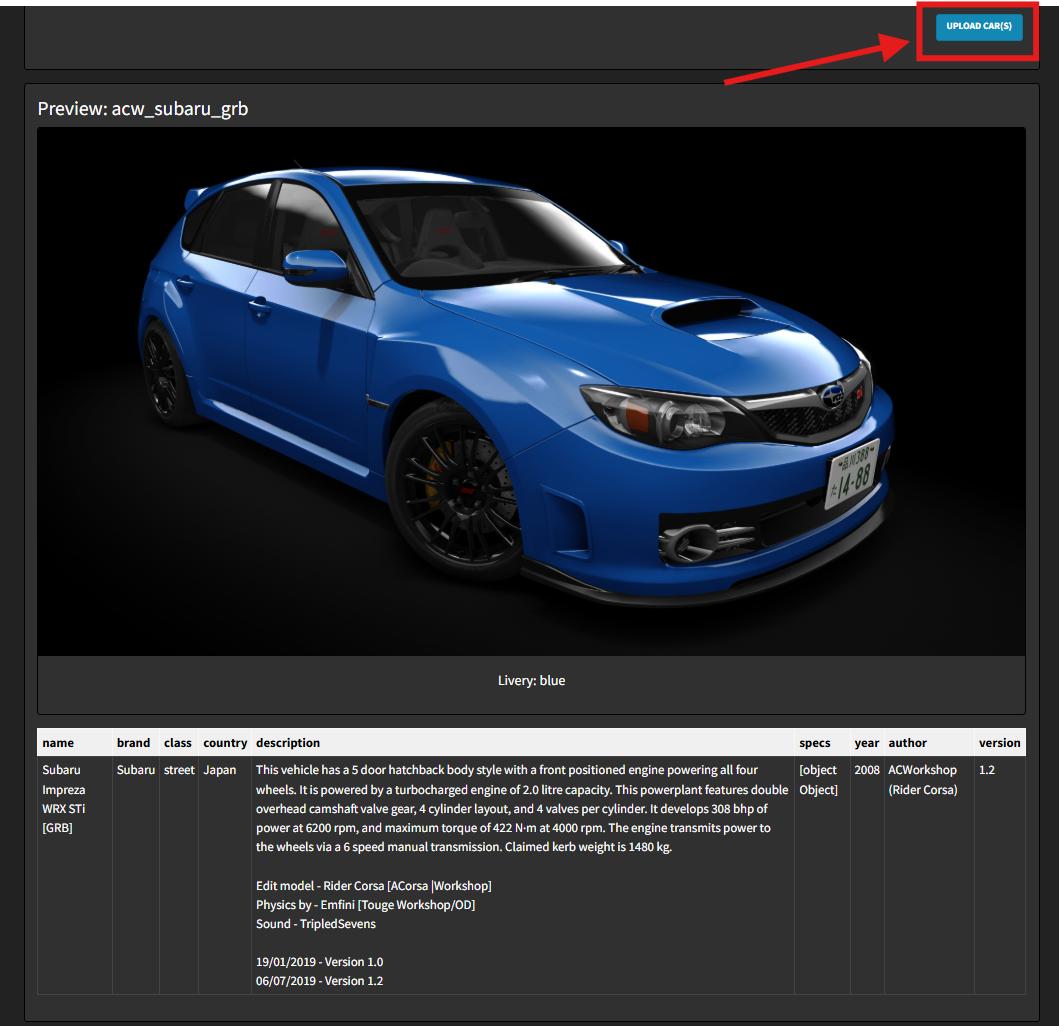
Download a custom car
Run Content Manager.
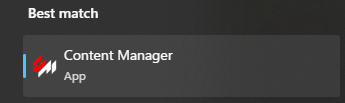
Drag and drop the compressed file into Content Manager.
Click the three lines icon in the top-right corner.
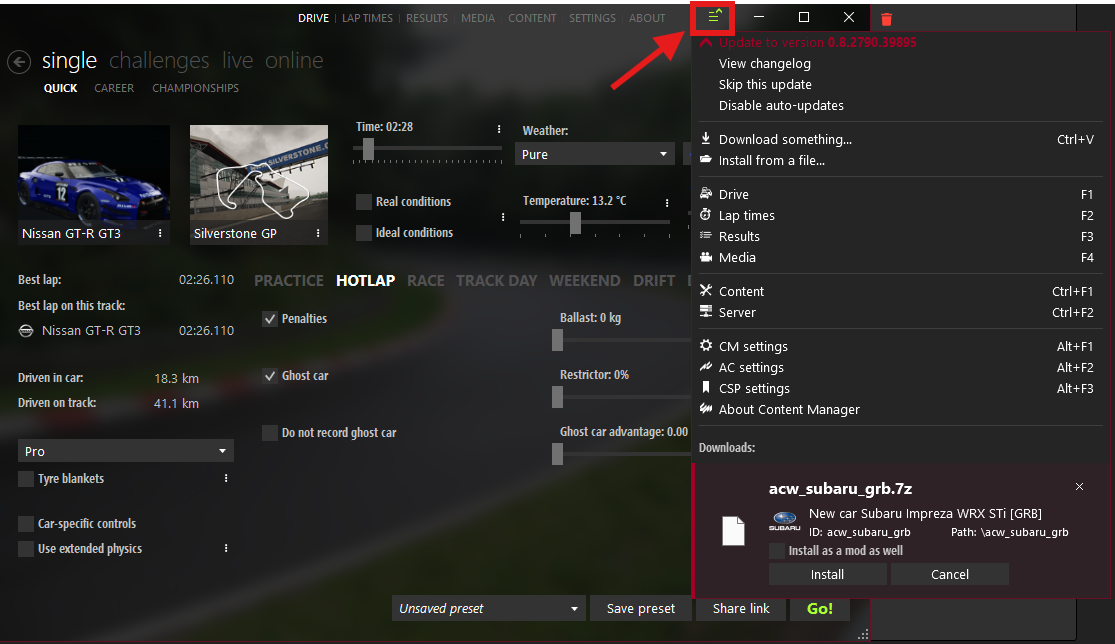
Under Downloads, click Install.
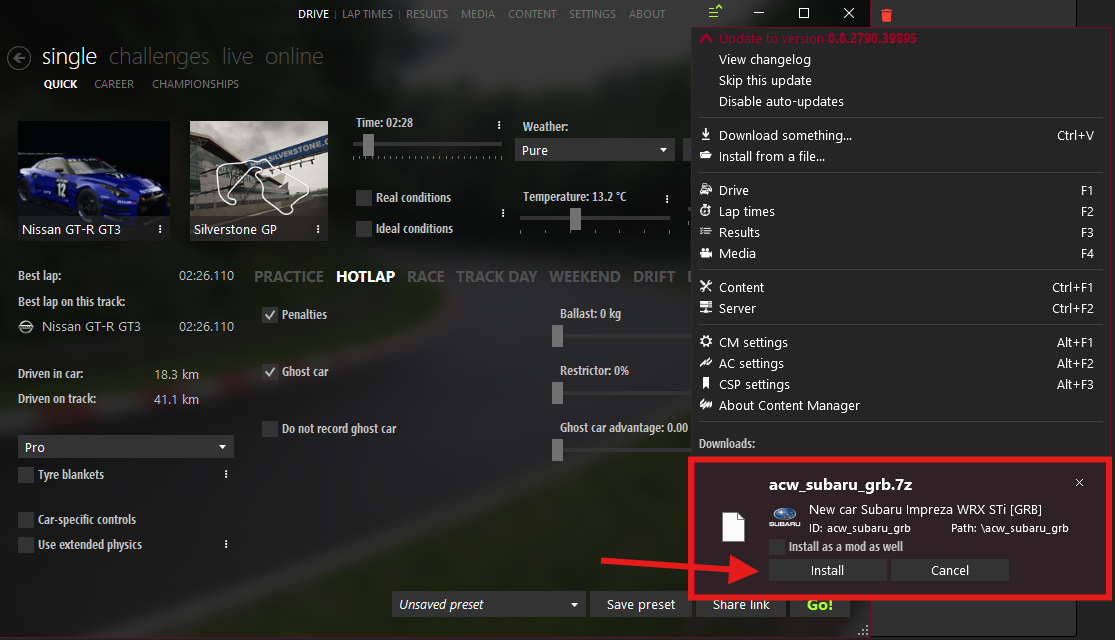
Launch Assetto Corsa to use your new cars.
Download a custom car.
Extract the compressed file to a folder.
Review the extracted contents — file structure may vary by mod.
Minimize the folder for later use.
Right-click Assetto Corsa in Steam, hover over Manage, and select Browse Local Files.
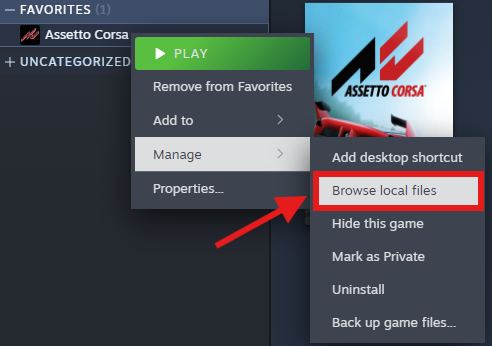
Open the content folder.
If the extracted files include a cars folder, drag and drop all files directly into the content folder OR If there’s no cars folder, open content/cars and drop the car’s folder there.
Launch Assetto Corsa to test the newly installed car.
