
Summary
Installing plugins lets you expand your Counter-Strike 2 server’s functionality with new features, automation tools, and custom gameplay mechanics. ChipHead’’s CS2 servers fully support plugin installation through CounterStrikeSharp and Metamod.
Enabling Plugin Support
Before installing plugins, you’ll need to enable plugin support from your ChipHead Panel:
Log in to your ChipHead Panel
Stop your server.
Go to the Game Config tab.
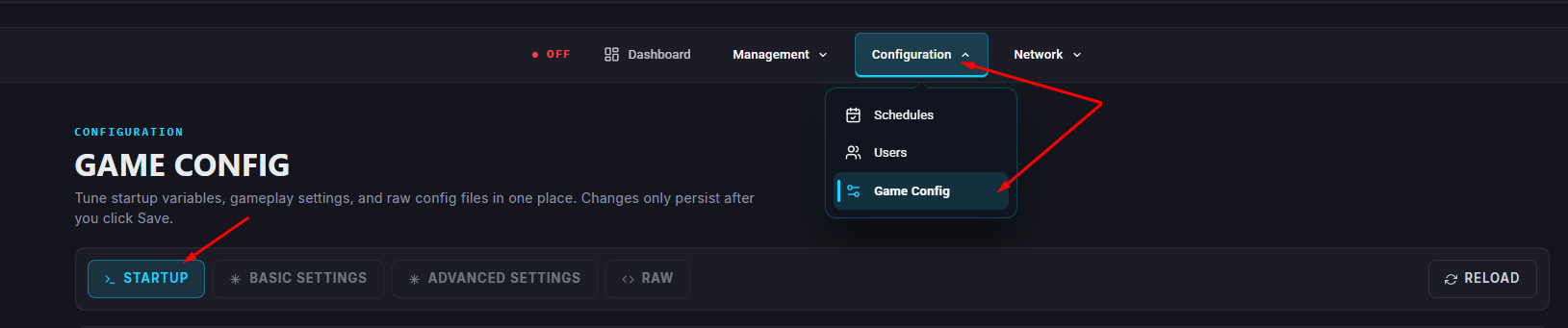
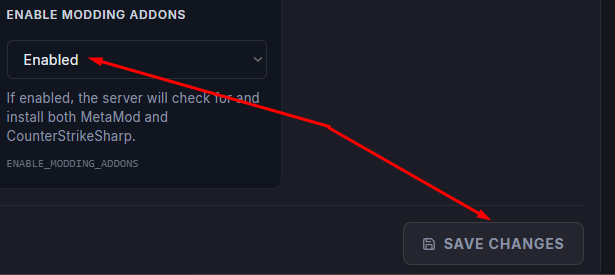
Find the option Enable Metamod & CounterStrikeSharp and set it to Enabled.
Start your server.
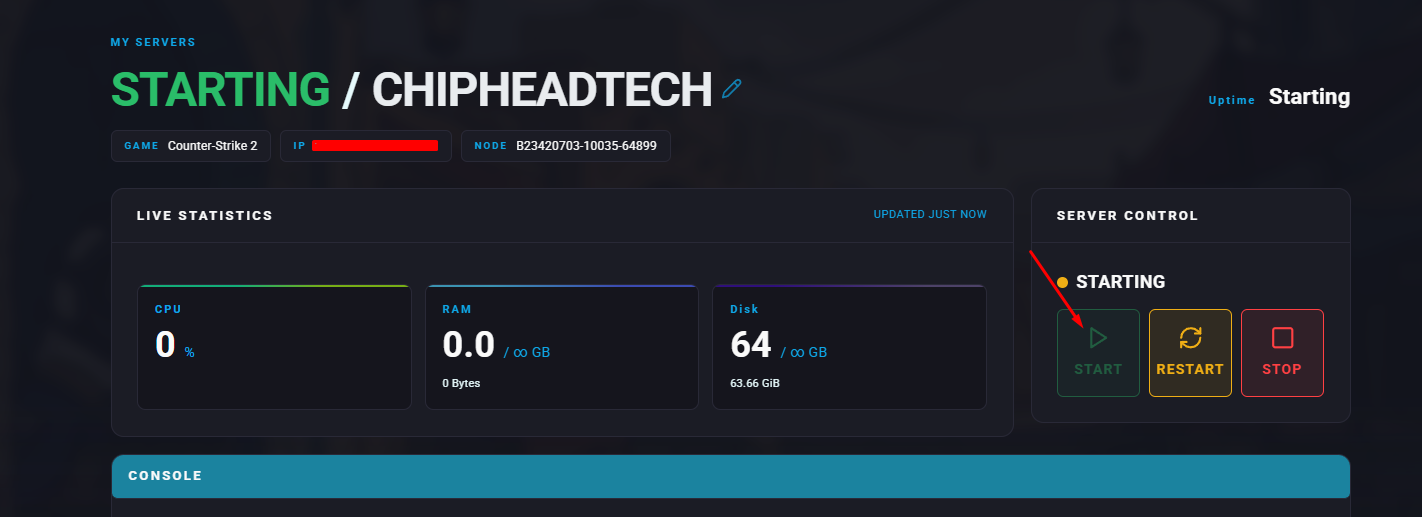
This will automatically install all required files and configure your server to support plugins.
Installing a Plugin
Once plugin support is enabled, you can install any compatible plugin by following these steps:
In your ChipHead Panel, go to the Files tab.
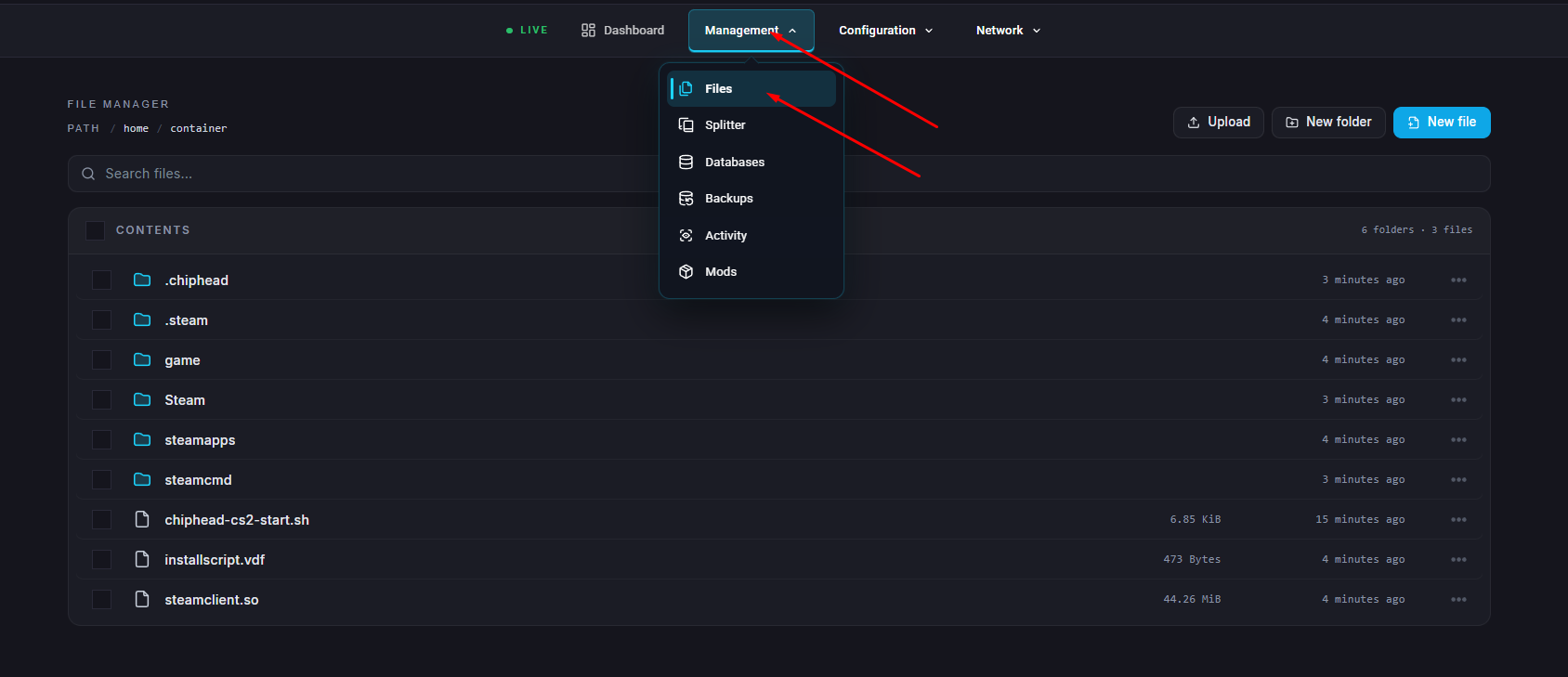
Navigate to:
/game/csgo/addons/counterstrikesharp/plugins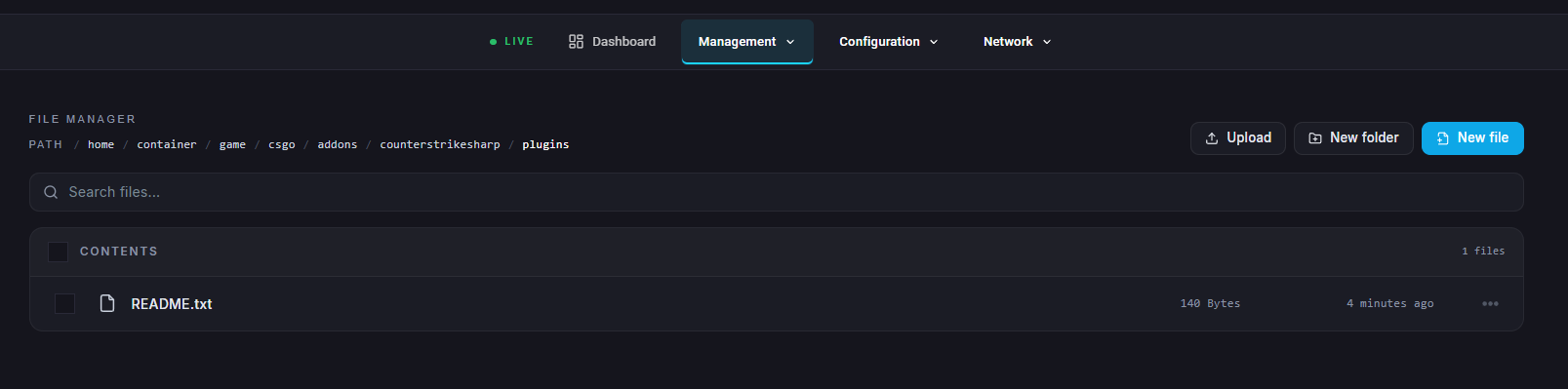
Upload the plugin folder into this directory.
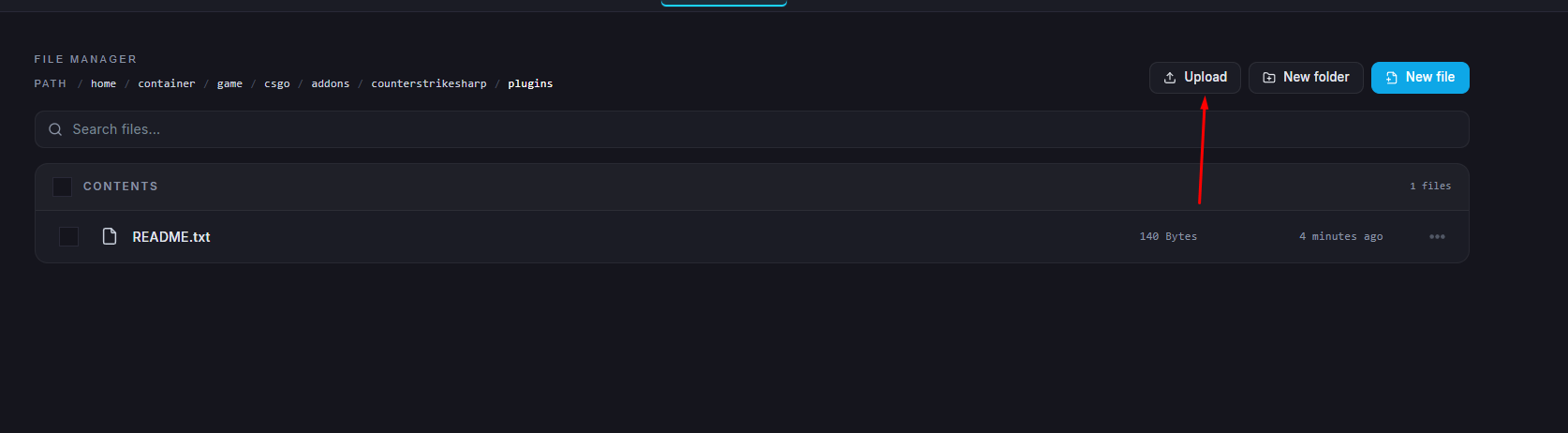
Example — Installing the Auto Map Changer plugin:
Visit the GitHub page: https://github.com/skaen/Auto-Map-Changer
Click on the Releases section and download the latest version.
Upload the AutoChangeMap folder to:
/game/csgo/addons/counterstrikesharp/pluginsRestart your server.
Verifying Plugin Installation
After restarting your server, open the server console and run:
css_plugins list
This command will display a list of all active plugins currently running on your server.
If you need further help, you can contact ChipHead Support through our help center.