
Summary
The easiest and most reliable way to join your Counter-Strike 2 server is by adding it to your Steam favourites list. You can also connect directly using the in-game developer console if needed.
Note:
If your server is private and protected with a password, you’ll need to use direct connect to join.

A Steam Game Auth Token is required to make your server appear on the public list this can be added to in Startup > Variables:
Obtaining Server Information
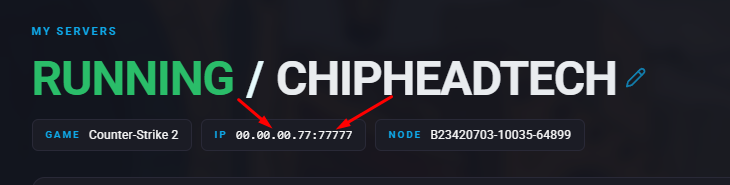
To add your server to your favourites, you’ll need its IP address and port number.
You can find both on your Chip Head Panel under “My Servers”.
Adding a Server to Your Favourites
Once you have your server’s IP and port:
Launch Counter Strike 2 from Steam
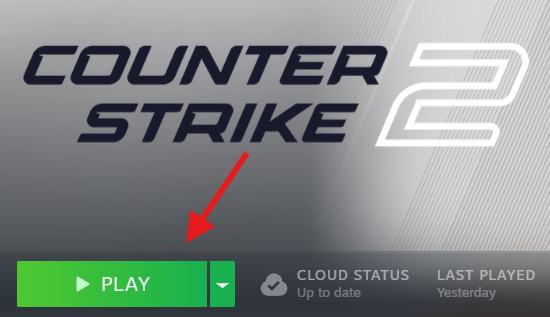
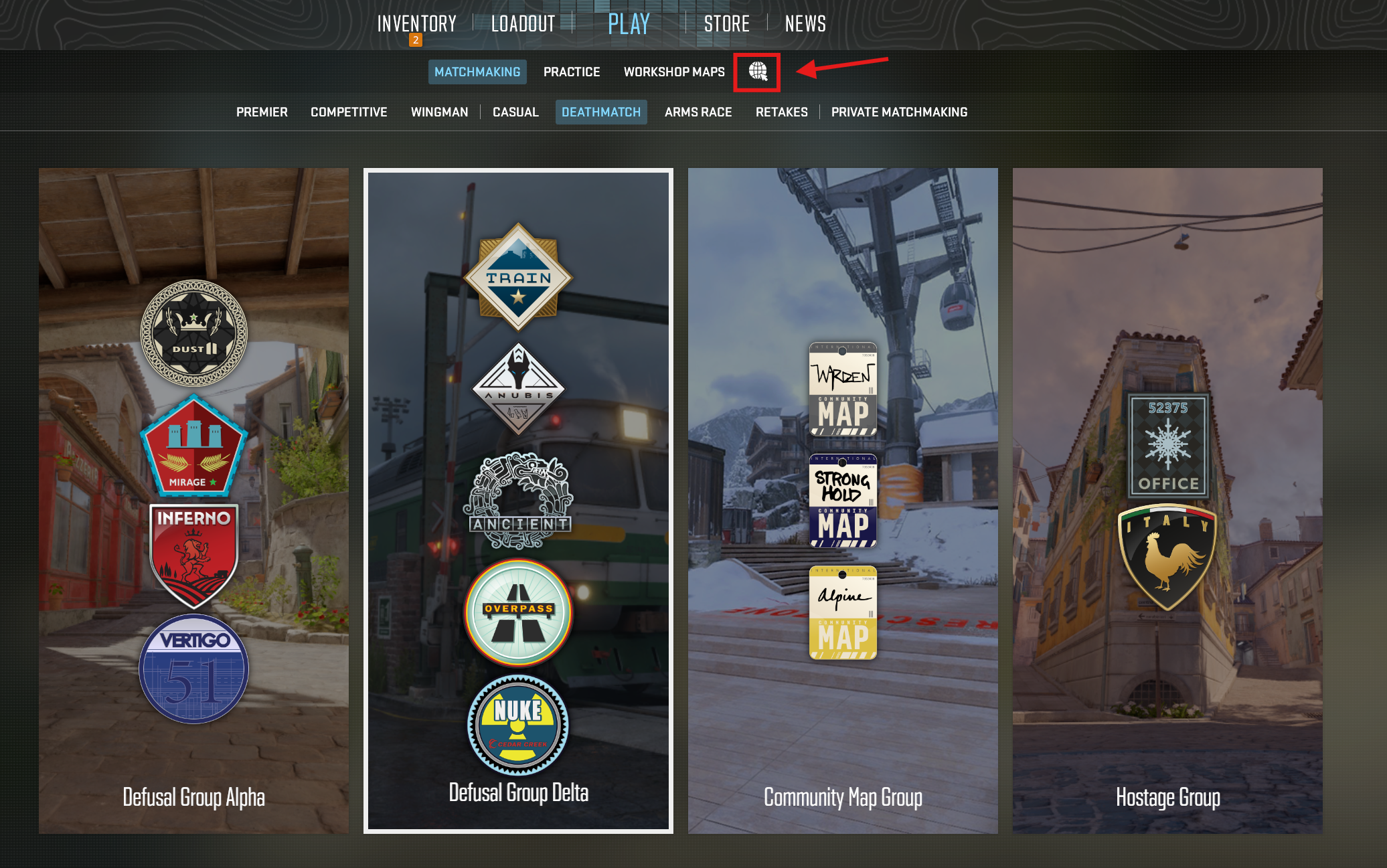
Click the “Play” menu and select the “Global Icon” pictured in the image below
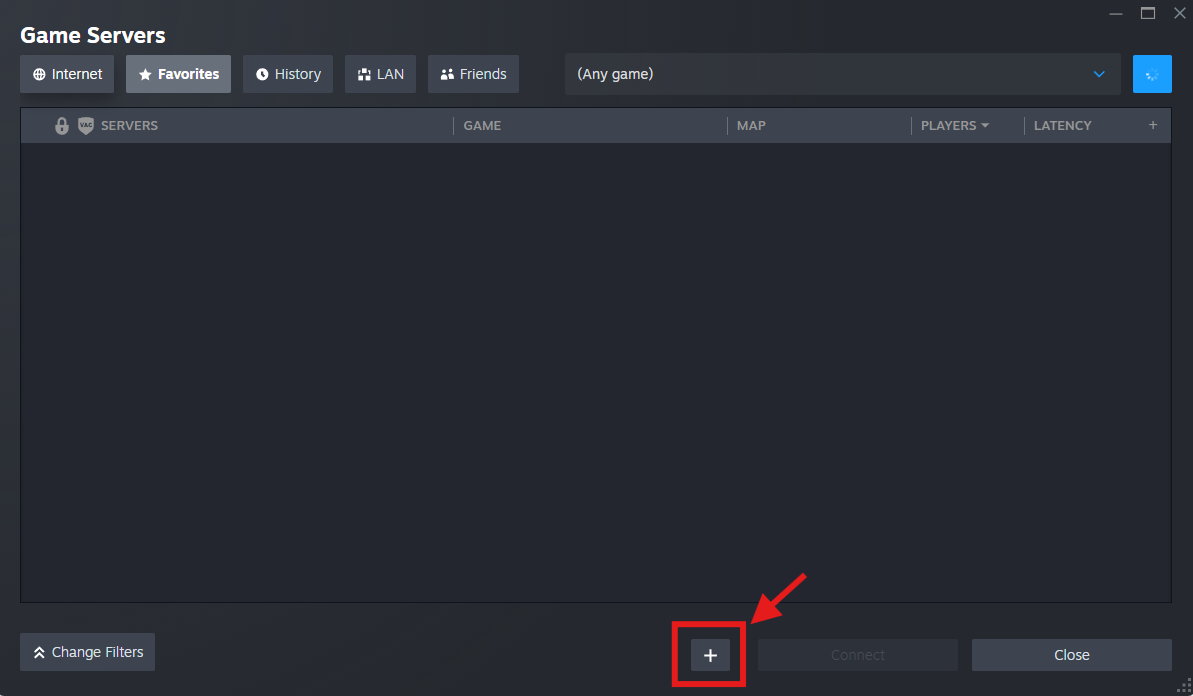
Select the “Favorites” tab
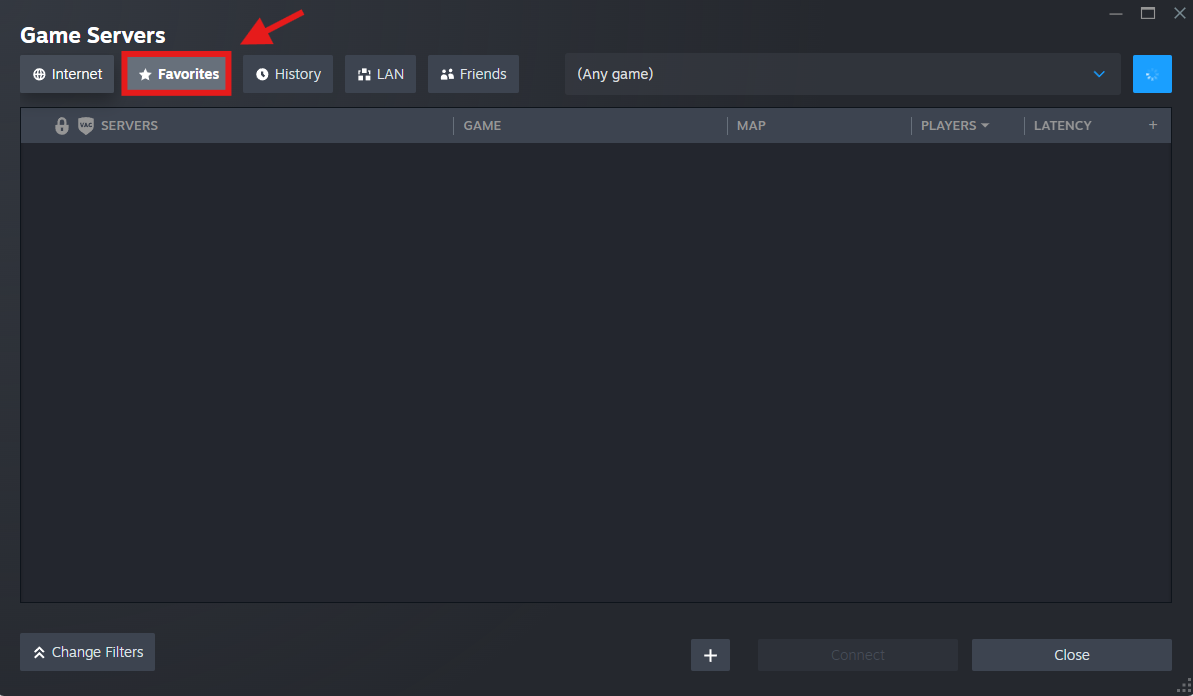
Click the “+” button
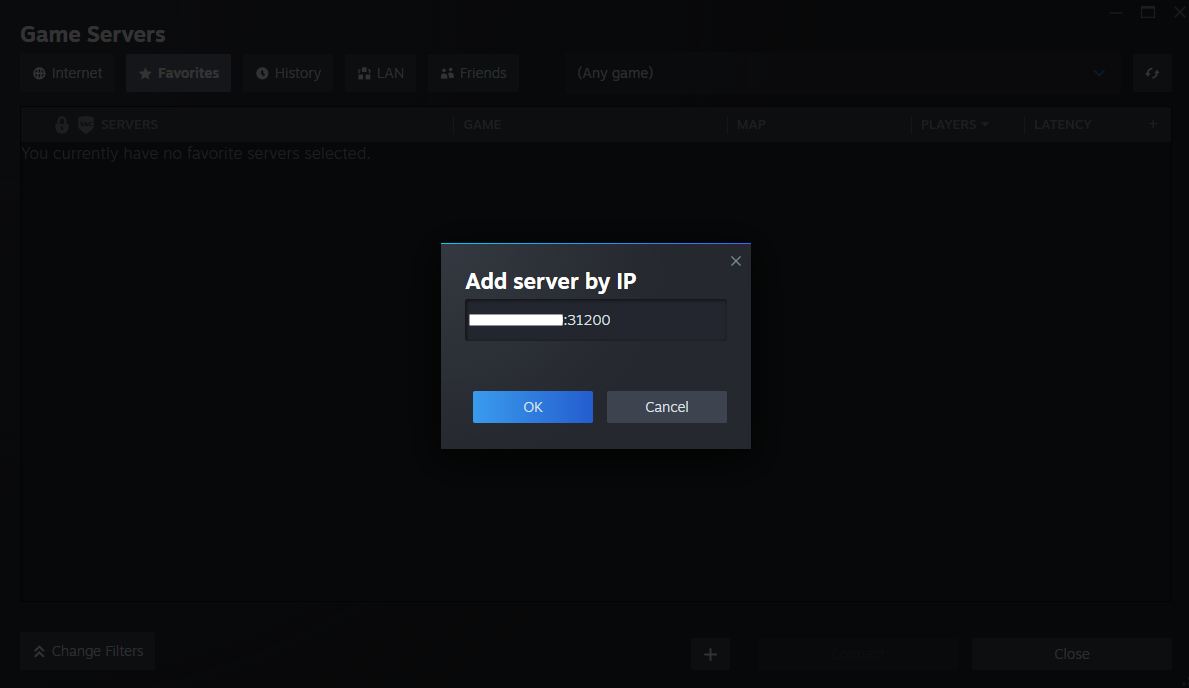
Enter your Server IP including your port number & confirm with “OK”
Select your server and select “Connect”
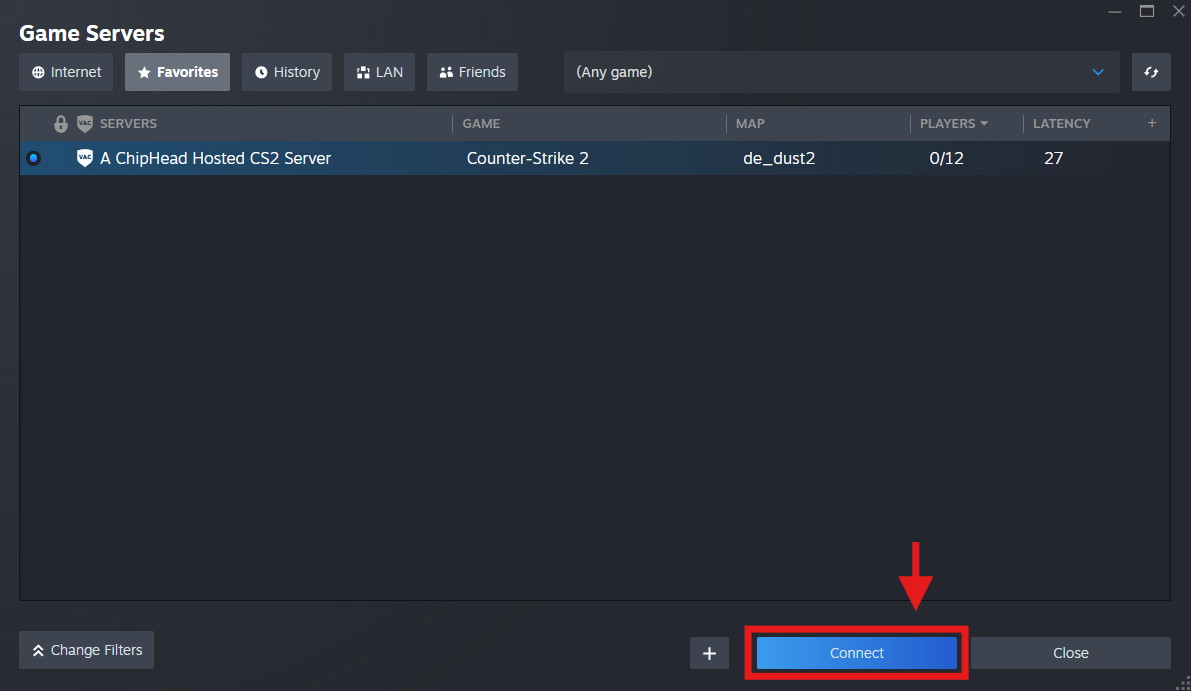

That’s it! You can now easily connect to your CS2 server. For more help or additional configuration guides, check out the ChipHead Knowledgebase.