
Summary
Counter-Strike 2 community servers support both individual Workshop maps and full map collections from the Steam Workshop. This lets you easily customize your server with community-made maps and dynamic map rotations for a fresh gameplay experience.
Finding a Workshop Map or Collection ID
To use a map or collection, you’ll need its numerical Workshop ID. You can find this by opening the Workshop page in your browser and copying the number at the end of the URL.
Example:https://steamcommunity.com/sharedfiles/filedetails/?id=3539217452
The Workshop ID is 3539217452.
Adding a Workshop Map or Collection
Once you have the map or collection ID:
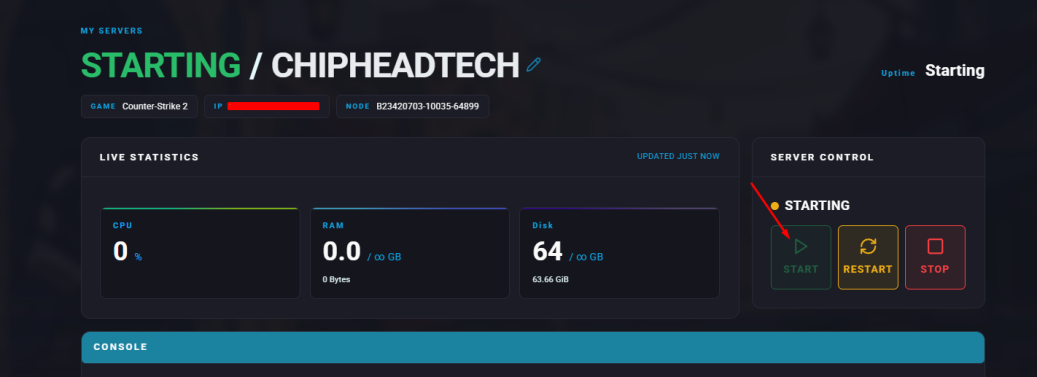
Log in to your ChipHead Panel and stop your server.
Go to the Config tab.
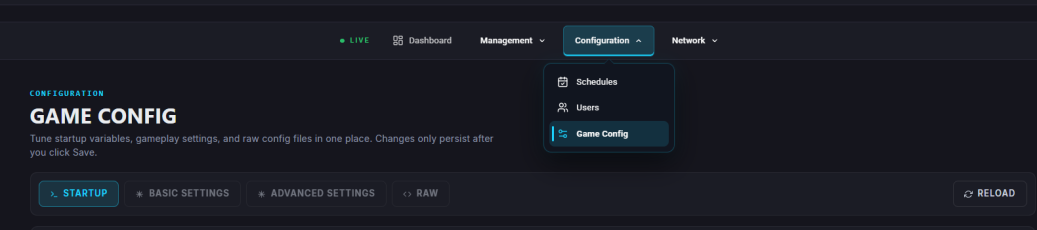
Enter the Workshop Map ID or Workshop Collection ID in the corresponding field.
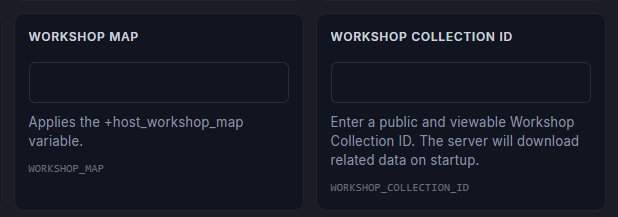
Save your changes and start your server again.
What Happens When You Use Each?
Workshop Map ID:
The selected Workshop map will load automatically when the server starts, replacing any default map setting.Workshop Collection ID:
The server will load all maps from the collection, enabling a rotation or voting system between them. This is ideal if you want to host multiple Workshop maps with seamless transitions.