
Customise the day and night duration to control visibility, power use, and enemy behaviour on your Abiotic Factor server.
The day/night cycle in Abiotic Factor influences several aspects of gameplay, including light levels, enemy activity, and power availability. Adjusting or disabling the cycle allows server owners to create a more challenging, atmospheric, or relaxed survival experience depending on their preferred playstyle.
Adjusting the Day/Night Cycle
You can easily modify the day/night cycle by editing the SandboxSettings.ini file through your ChipHead Panel:
Log in to your ChipHead Panel.
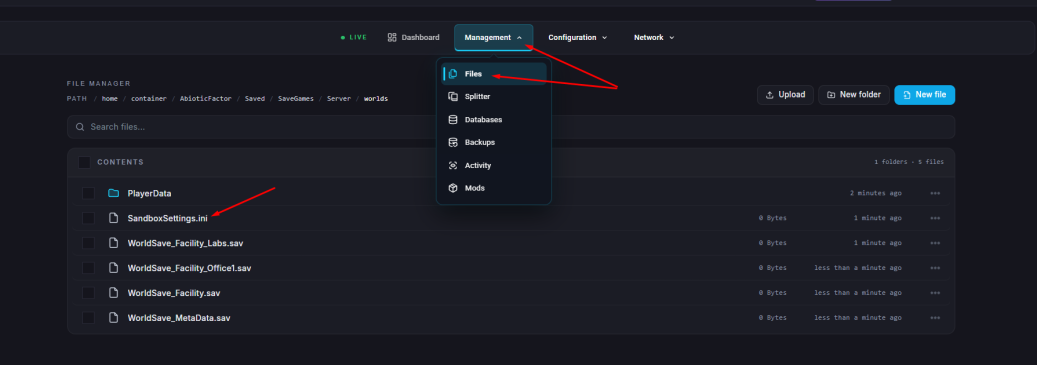
Click Files & Navigate to the following directory:
AbioticFactor/Saved/SaveGames/Server/Worlds/<Your Save Name>/Open SandboxSettings.ini.
Locate and adjust the following settings:
Setting | Description |
DayNightCycleState | Controls whether the day/night cycle is active. • |
DayNightCycleSpeedMultiplier | Changes how fast the cycle progresses. • Min: |
PowerSocketsOffAtNight | Determines whether power sockets lose power at night. • |
Click “Save Content”.
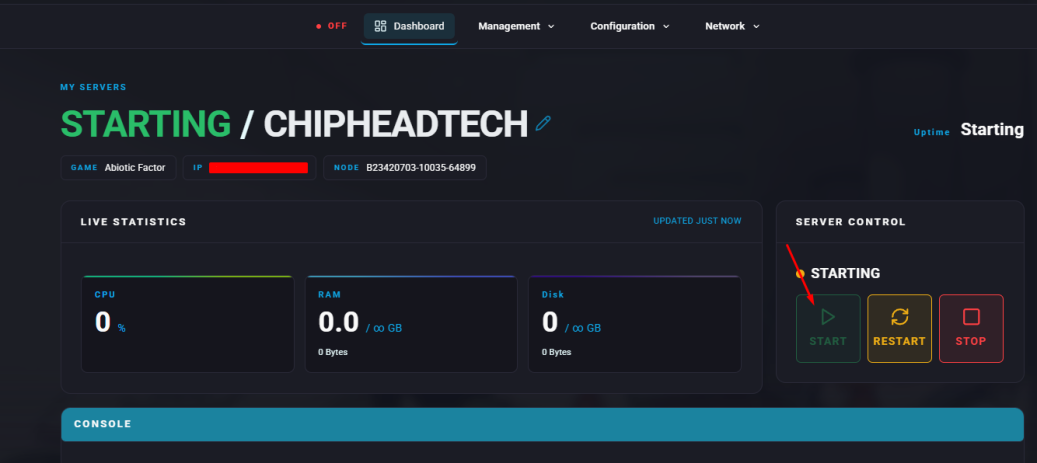
Start your server

You’ve successfully customised the day/night cycle on your Abiotic Factor server. Whether you want endless daylight for exploration or pitch-black nights for extra tension, you can easily adjust the world’s rhythm through your ChipHead control panel.