Customise your Abiotic Factor server’s difficulty, survival mechanics, and gameplay balance by editing sandbox configuration settings.
Sandbox settings in Abiotic Factor allow server owners to fully control how their world plays. You can adjust elements like enemy difficulty, loot respawns, XP gain, hunger and thirst rates, and more - perfect for tailoring your server to your preferred gameplay style, whether that’s hardcore survival or relaxed exploration.
You can configure your sandbox settings through the SandboxSettings.ini file using your ChipHead Panel:
Log in to your ChipHead Panel.
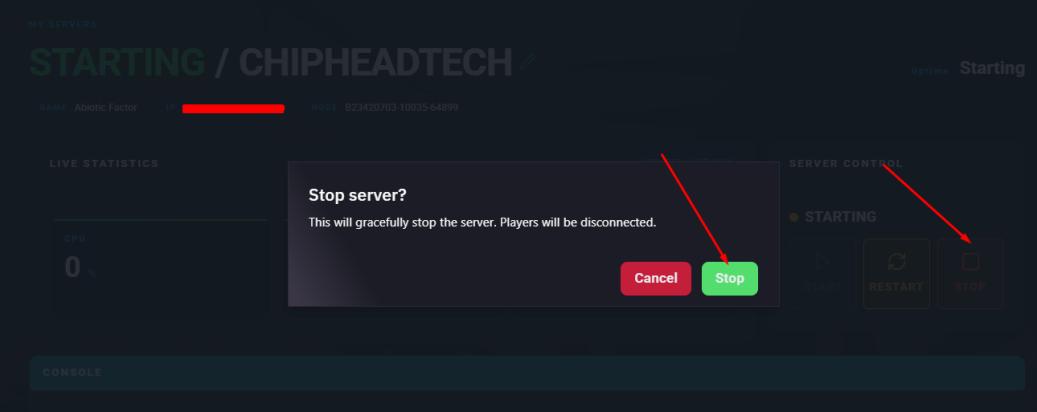
Stop your Server.
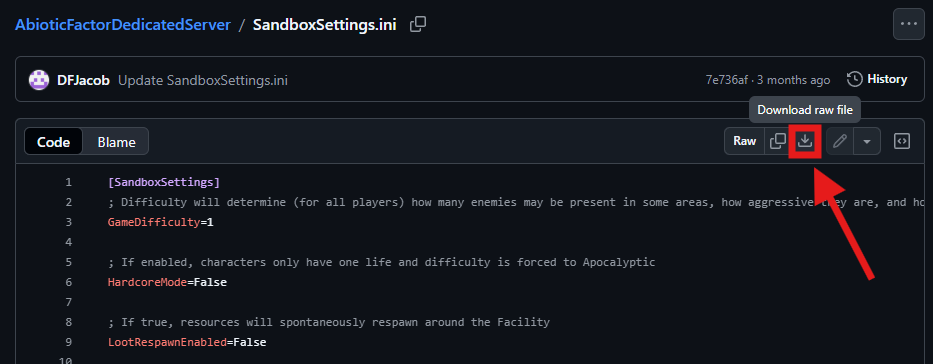
Download SandboxSettings.ini here.
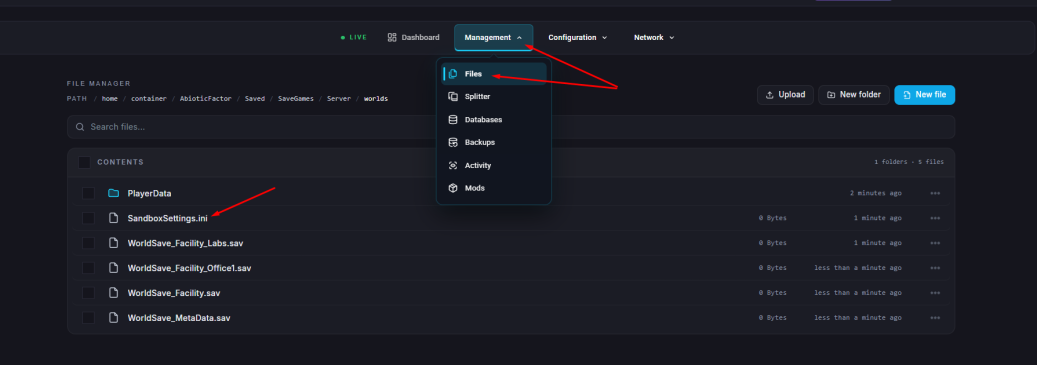
Click Files & Navigate to the directory below:
AbioticFactor/Saved/SaveGames/Server/Worlds/<Your Save Name>/Upload your downloaded SandboxSettings.ini - you can drag and drop or use the upload icon!
Open the file and make any desired changes to the available settings.
Click ”Save Content”
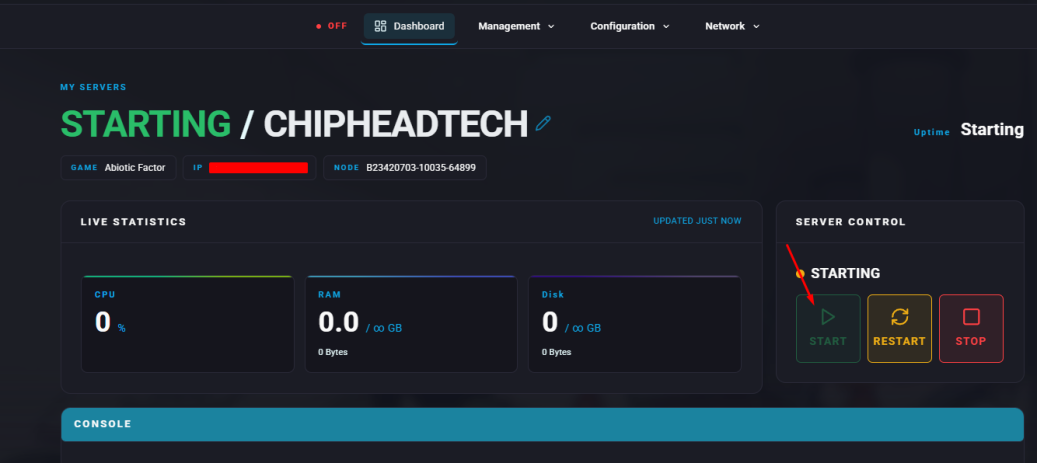
Start your server.
Setting | Description | Options / Range |
GameDifficulty | Controls overall game difficulty, affecting enemy count, aggression, and combat behaviour. | 1 = Normal, 2 = Hard, 3 = Apocalyptic |
LootRespawnEnabled | Enables or disables item respawns (furniture excluded). | True / False |
PowerSocketsOffAtNight | Determines if power sockets turn off at night. | True / False |
DayNightCycleState | Adjusts or disables the day/night cycle. | 0 = Normal, 1 = Always Day, 2 = Always Night |
DayNightCycleSpeedMultiplier | Controls how fast time passes. | 0.1 – 3.0 |
SinkRefillRate | Changes how quickly sinks refill. | 0 – 10.0 |
FoodSpoilSpeedMultiplier | Adjusts how quickly food spoils. | 0.0 – 2.0 |
RefrigerationEffectivenessMultiplier | Affects how efficient fridges and coolers are. | 0.0 – 2.0 |
StorageByTag | If false, containers accept all item types. | True / False |
StructuralSupportLimit | Limits how much furniture or deployables can be stacked. | Numeric value |
EnemySpawnRate | Controls how frequently enemies respawn. | 0.5 – 3.0 |
EnemyHealthMultiplier | Adjusts enemy health. | 0.75 – 3.0 |
EnemyPlayerDamageMultiplier | Adjusts how much damage enemies deal to players. | 0.25 – 3.0 |
EnemyDeployableDamageMultiplier | Adjusts how much damage enemies deal to structures. | 0.1 – 5.0 |
DetectionSpeedMultiplier | Changes how fast enemies detect players. | 0.1 – 3.0 |
DamageToAlliesMultiplier | Adjusts player vs player (friendly fire) damage. | 0.0 – 3.0 |
HungerSpeedMultiplier | Controls how quickly hunger increases. | 0.0 – 2.0 |
ThirstSpeedMultiplier | Controls how quickly thirst increases. | 0.0 – 2.0 |
FatigueSpeedMultiplier | Controls how quickly fatigue builds up. | 0.0 – 2.0 |
ContinenceSpeedMultiplier | Adjusts how quickly continence drains. | 0.0 – 2.0 |
PlayerXPGainMultiplier | Changes how fast players earn XP. | 0.0 – 3.0 |
ItemStackSizeMultiplier | Increases how many items can stack in one slot. | 1.0 – 30.0 |
ItemWeightMultiplier | Changes item weight. | 0.0 – 5.0 |
ItemDurabilityMultiplier | Adjusts item durability. | 0.1 – 10.0 |
DurabilityLossOnDeathMultiplier | Determines how much durability is lost on death. | 0.0 – 1.0 |
ShowDeathMessages | Displays or hides player death notifications. | True / False |
AllowRecipeSharing | Enables or disables recipe sharing between players. | True / False |
AllowPagers | Allows or disables pager functionality. | True / False |
AllowTransmog | Enables or disables armor transmog options. | True / False |
DisableResearchMinigame | Turns off the research minigame and unlocks recipes automatically. | True / False |
DeathPenalties | Determines what players lose when they die. | 0 = Keep All, 1 = Keep Equipped & Hotbar, 2 = Keep Hotbar, 3 = Keep Equipped, 4 = Lose All, 5 = Destroy All |

