
Gain full control over your Abiotic Factor server by granting yourself admin permissions for moderation and management.
Becoming an admin on your Abiotic Factor server gives you access to powerful tools and commands that let you manage players, change settings, and oversee gameplay directly. Follow the steps below to add yourself as an admin through your ChipHead Panel.

Note: You’ll need your Steam64 ID to complete this process.
Adding Yourself as an Admin
You can assign admin privileges by updating your Abiotic Factor Admin Settings in the ChipHead Panel:
Log in to your ChipHead Panel.
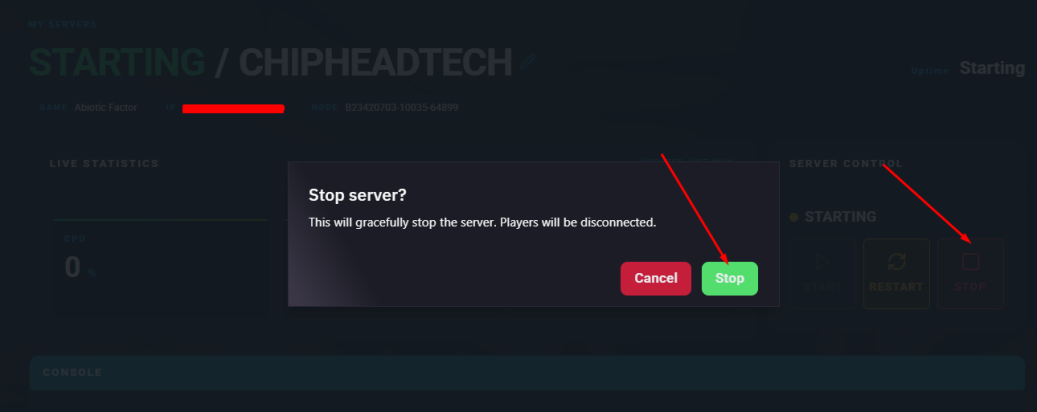
Stop your server
Go to the files tab & navigate to “home/container/AbioticFactor/Saved/SaveGames/Server” & open Admin.ini
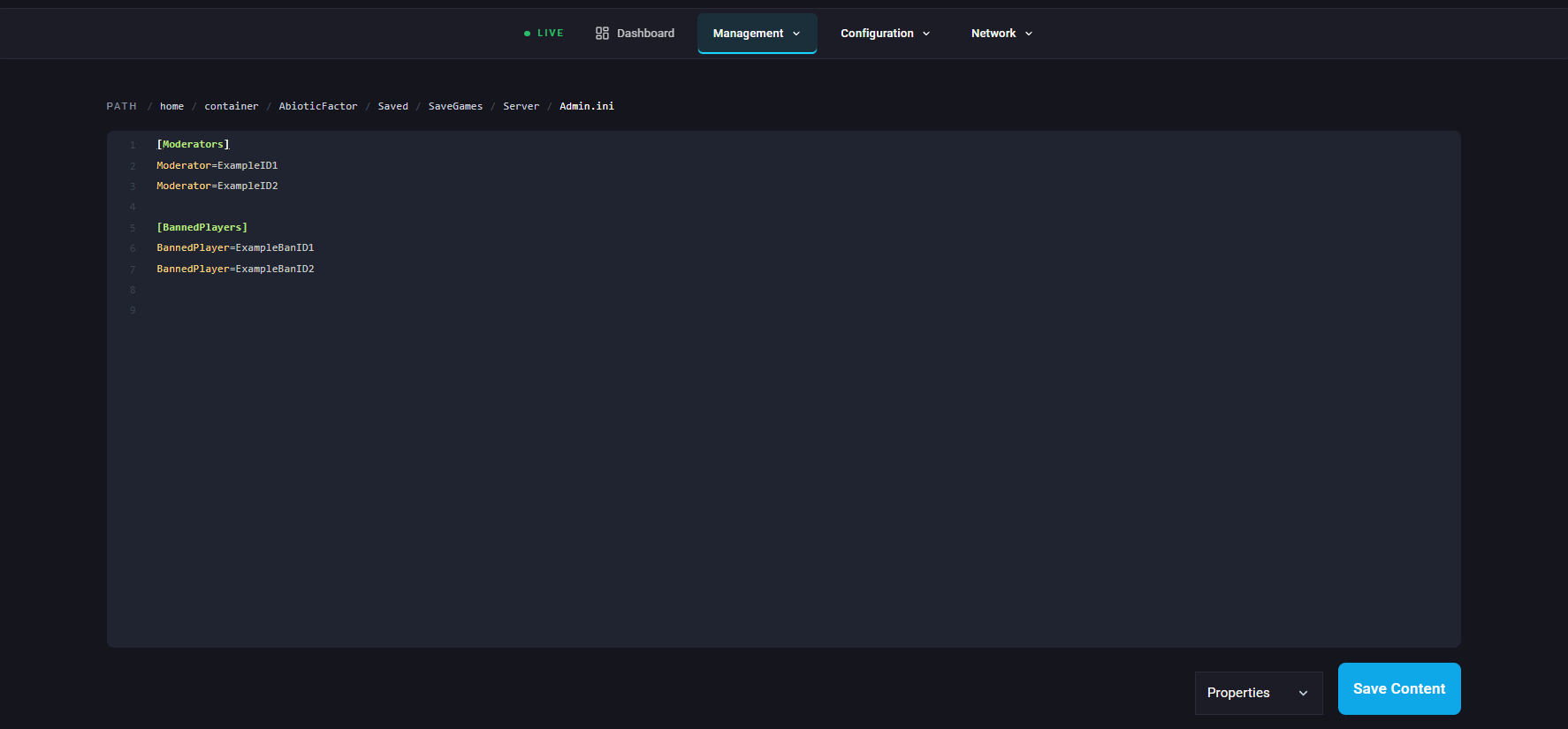
Find Moderator= line, Enter your Steam64 ID into the field.
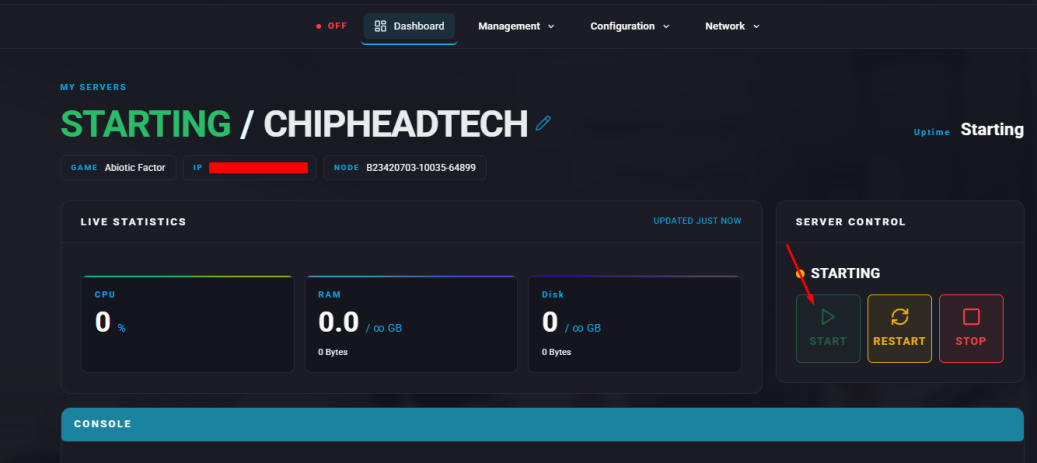
Start your server.

All done!
You now have full admin access on your Abiotic Factor server. As an admin, you can use in-game commands, configure gameplay settings, and moderate players — all directly through your ChipHead server tools.
You now have full admin access on your Abiotic Factor server. As an admin, you can use in-game commands, configure gameplay settings, and moderate players — all directly through your ChipHead server tools.