
Customise your FiveM server name and description to make it stand out and highlight your community’s unique features.
Giving your FiveM server a clear name and description helps players recognise it easily in the server list. The name can reflect your community or theme, while the description is perfect for outlining features, rules, and gameplay style. Updating these details is quick and simple using txAdmin.
Changing Your Server Name and Description
You can edit your server’s name and description directly from txAdmin using the CFG Editor:
Log in to your ChipHead Panel.
Launch txAdmin.
Click on CFG Editor in the top toolbar.
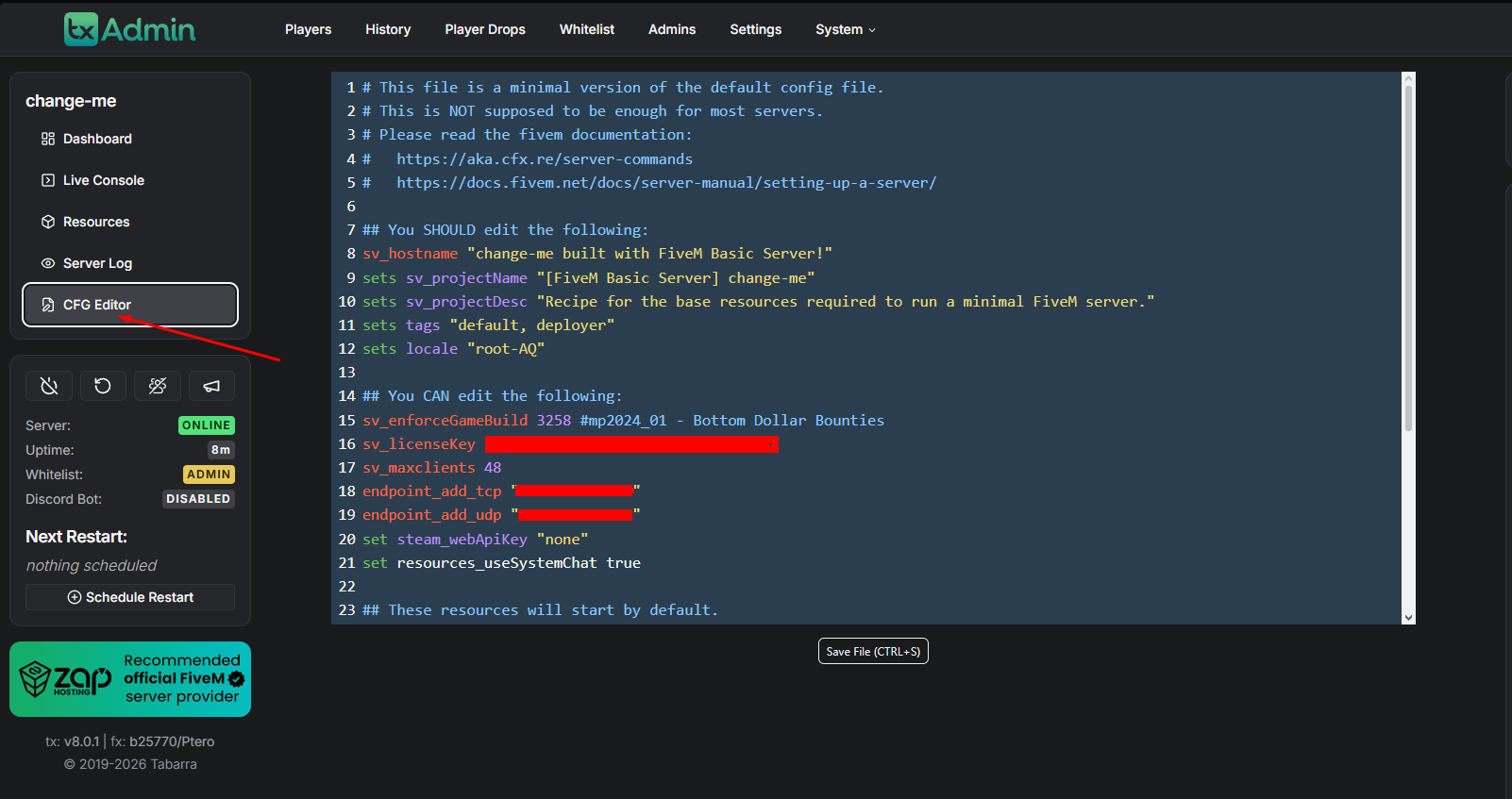
Press Ctrl + F and search for
sv_projectName.Enter your desired Server Name between the quotation marks.
Example:
sv_projectName "ChipHead Roleplay Server"
Note: The configuration layout may vary slightly depending on the Server Recipe you selected during setup.
Next, use Ctrl + F again and search for
sv_projectDesc.Enter your Server Description between the quotation marks.
Example:
sv_projectDesc "Friendly RP server with custom jobs, events, and vehicles!"
Click Save File at the bottom of the page.
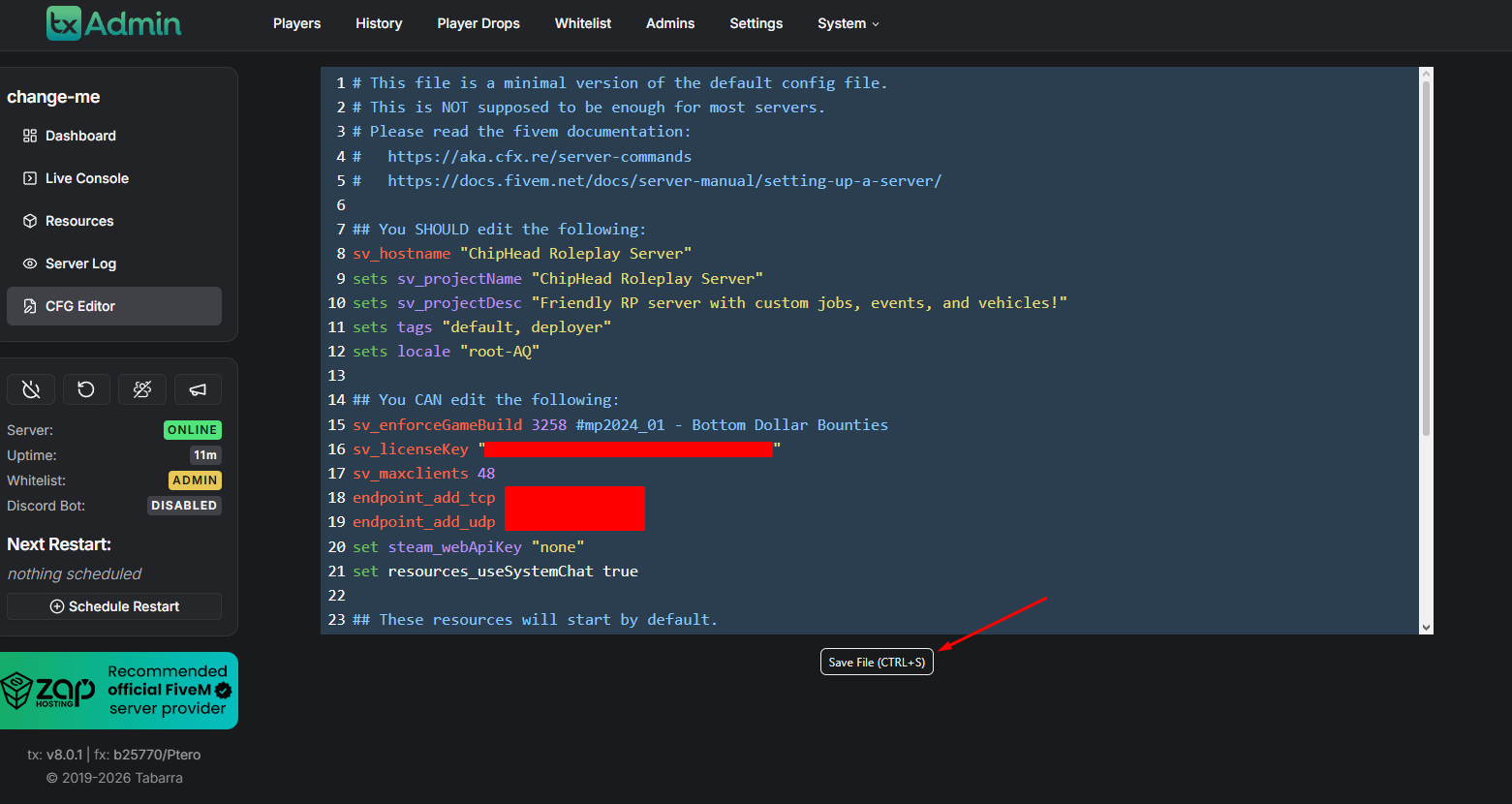
Restart your server to apply the changes.

Your FiveM server’s name and description have now been updated. These details will help your server stand out in the community list and attract players who share your playstyle - all managed easily through your ChipHead hosting panel