
Summary
A quick guide explaining how to turn on the developer console in Counter-Strike 2, including the menu path to enable it and how to open it in-game to use commands and troubleshoot.
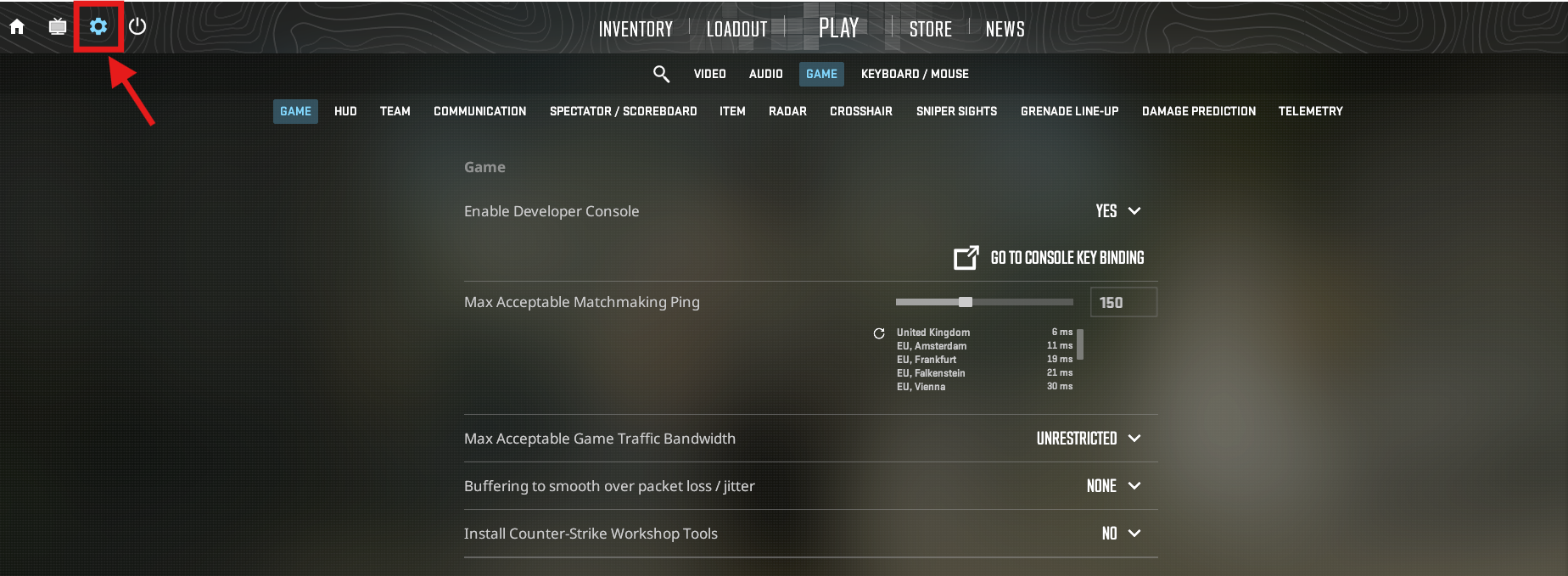
Click the “Gear” icon to access Settings.
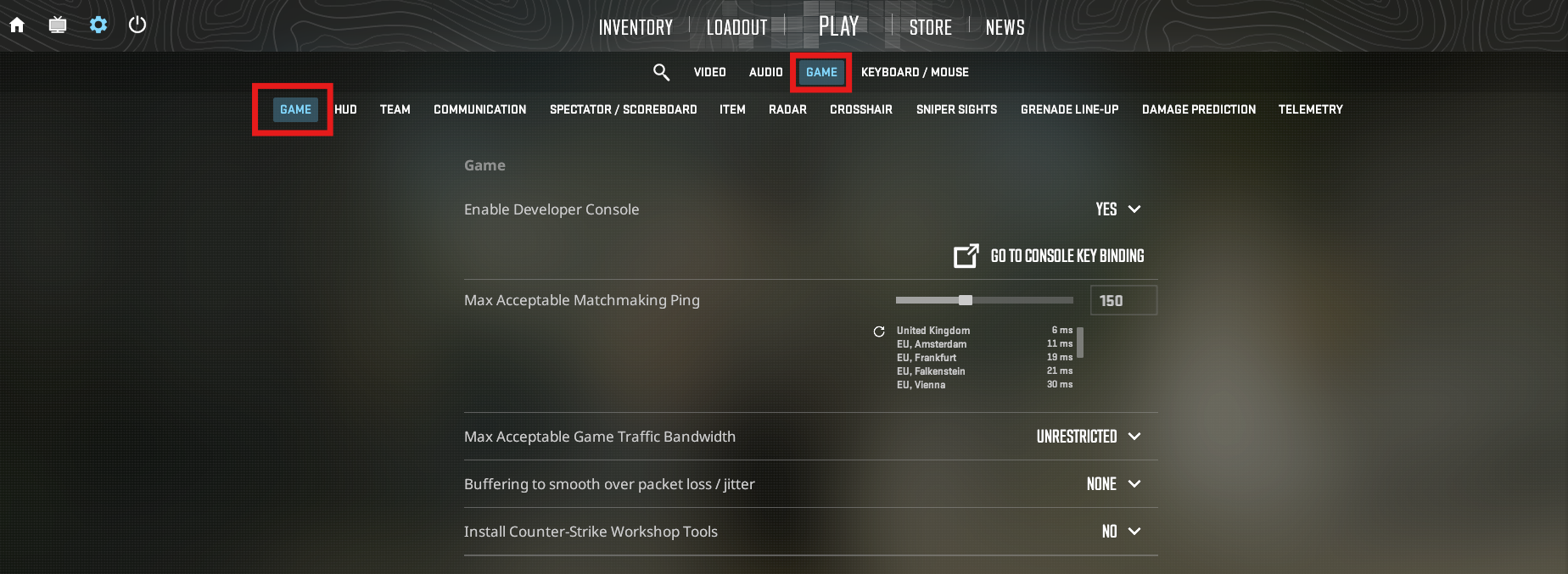
Click on “Game”
Set the “Enable Developer Console” to “Yes”
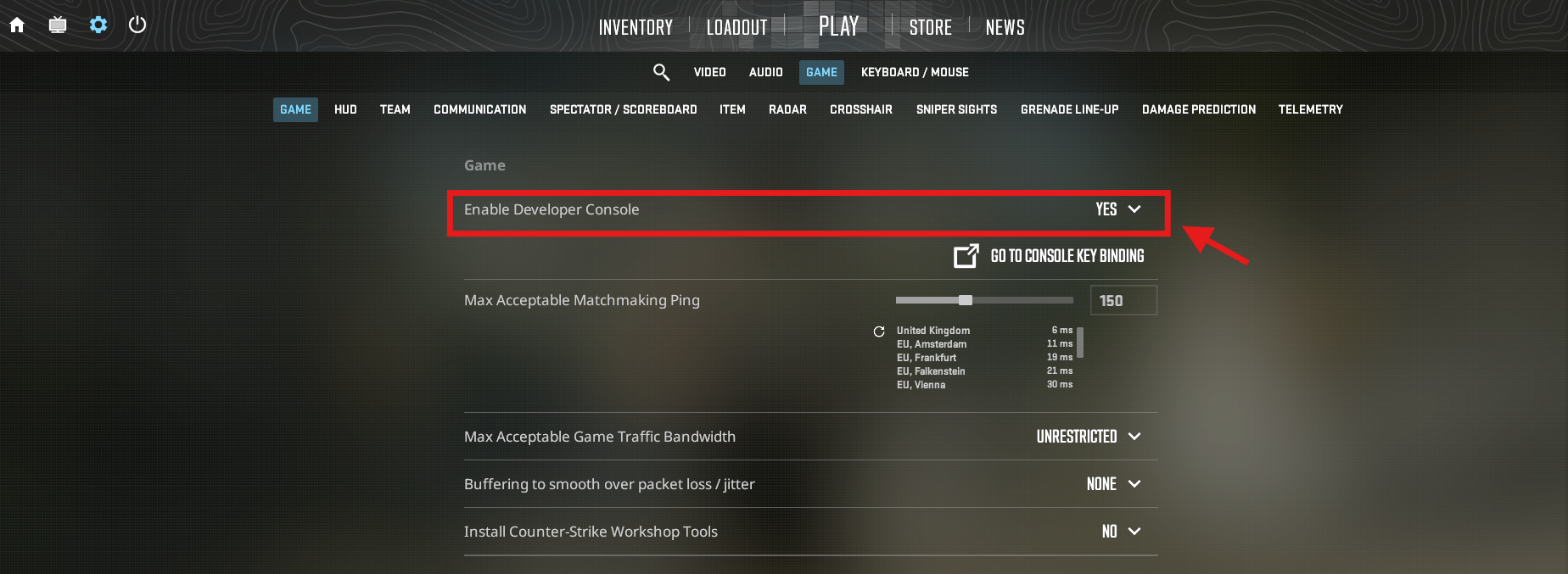

You now have enabled the Developer Console!

The default binding for the developer console is ` you can set your own by clicking the “Go To Console key Binding” option