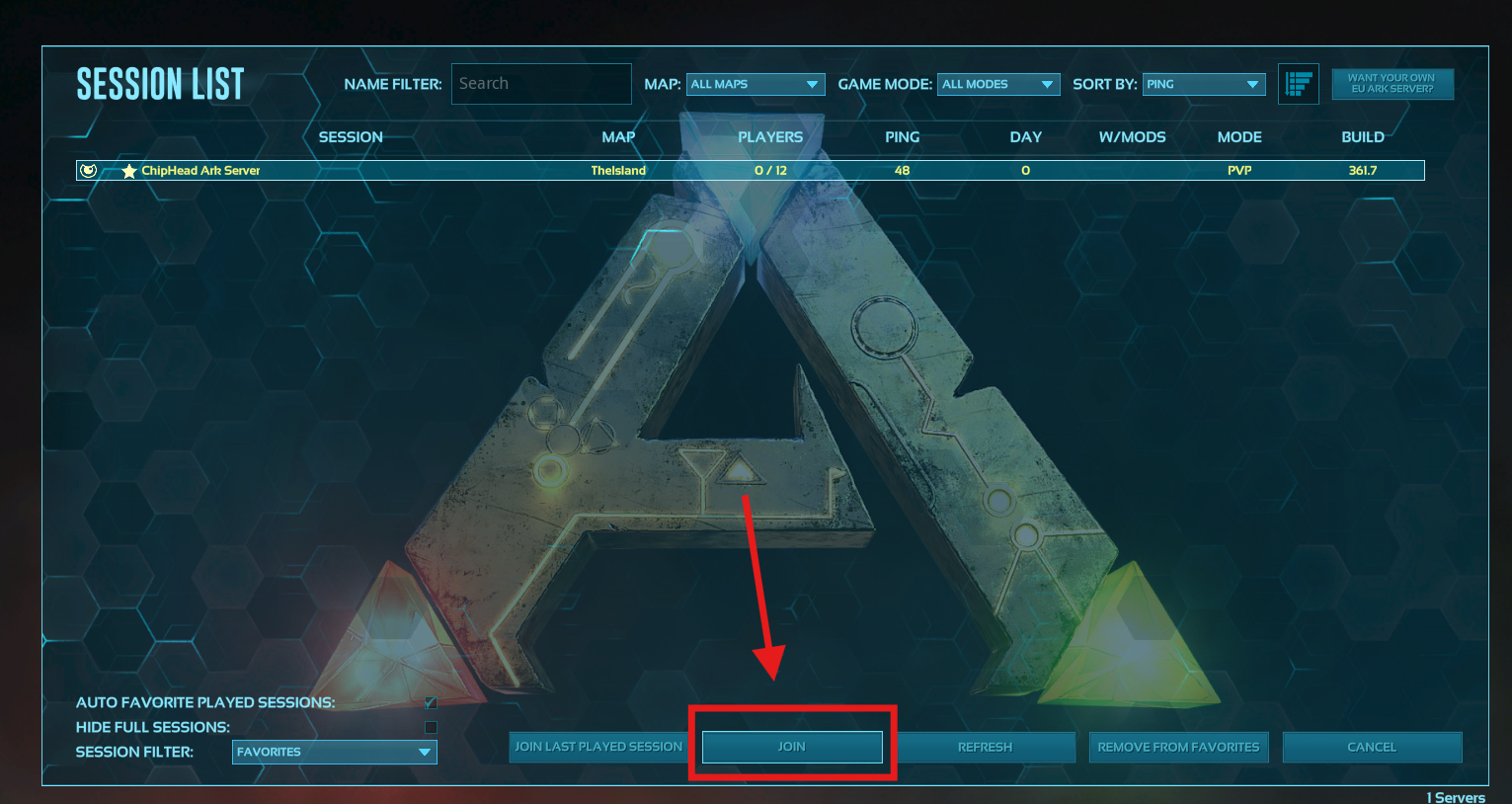
How to Join Your ChipHead ARK Server
To join your ARK: Survival Evolved server, you’ll need your server IP address and, depending on the platform (Steam or Epic Games), you may need to use different connection methods.
Connecting via Steam
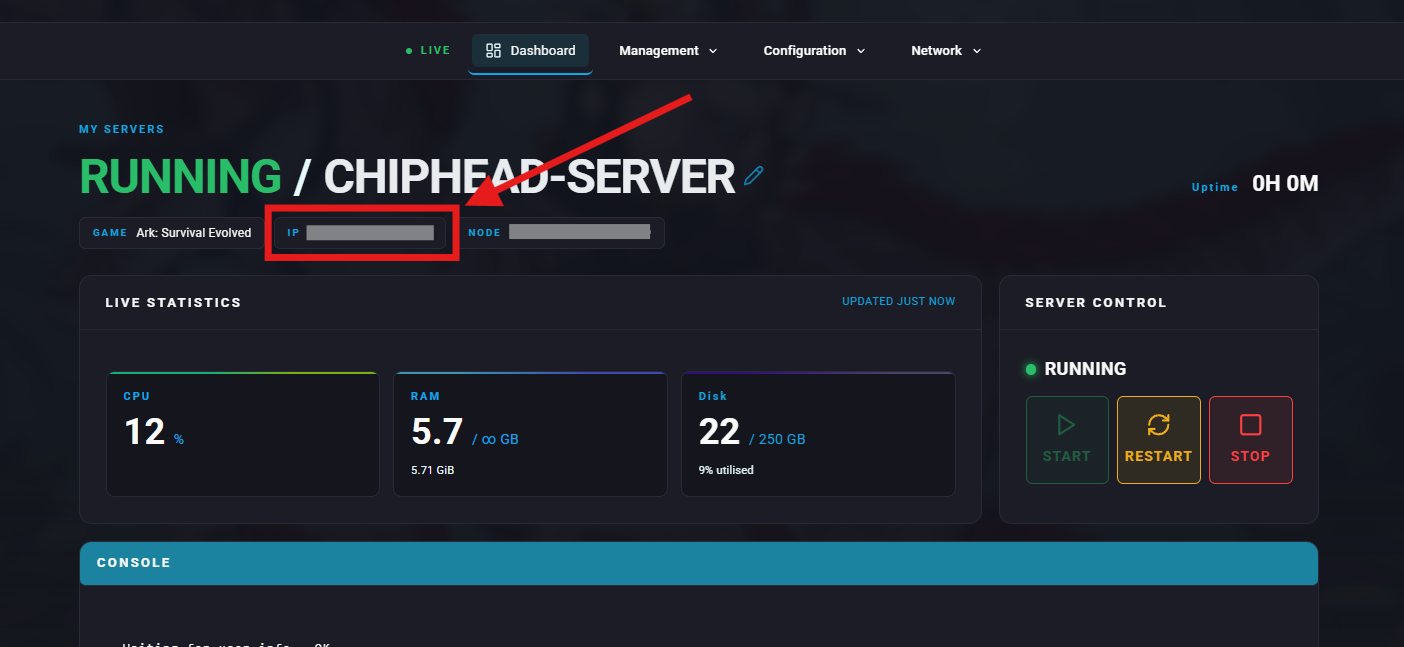
Log in to your ChipHead Panel.

Note down the IP address and Query Port of your server shown on the Dashboard.
Open the Steam Client.
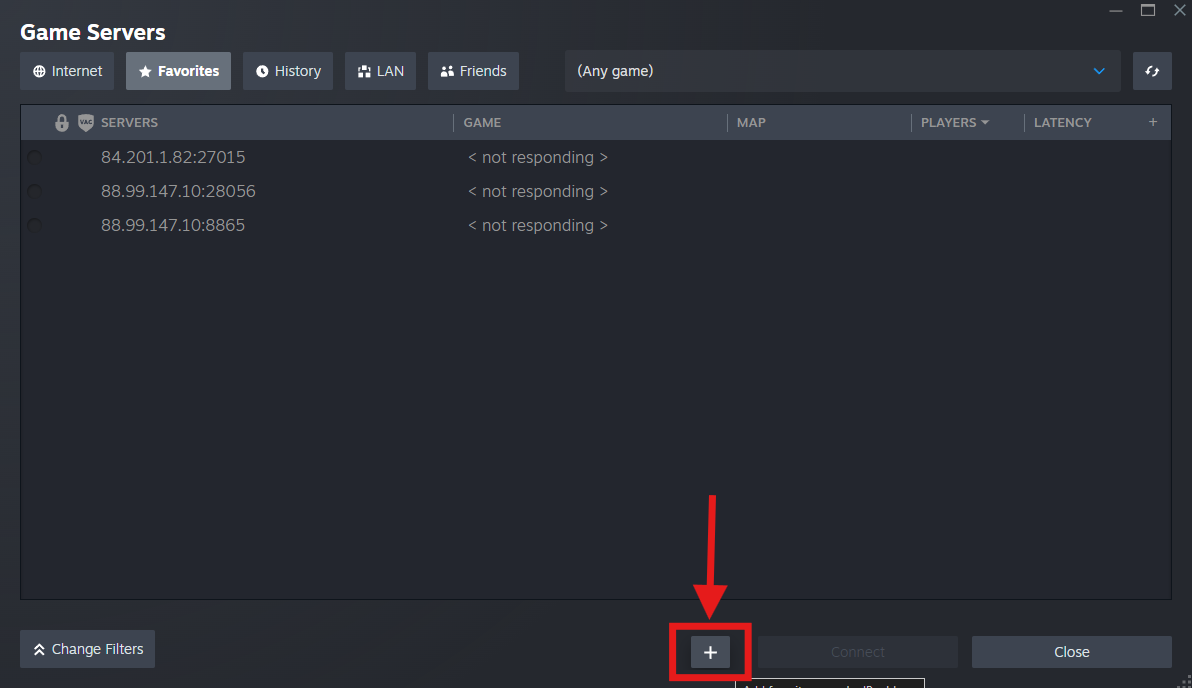
Go to View > Game Servers.

Open the Favourites tab then click the + icon to Add a Server.
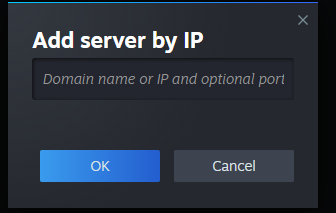
Enter your Server Address (IP and Query port) and click OK.
Launch ARK: Survival Evolved.
Click Join ARK from the main menu.

In the Session Filter (bottom left corner), set it to Favourites.
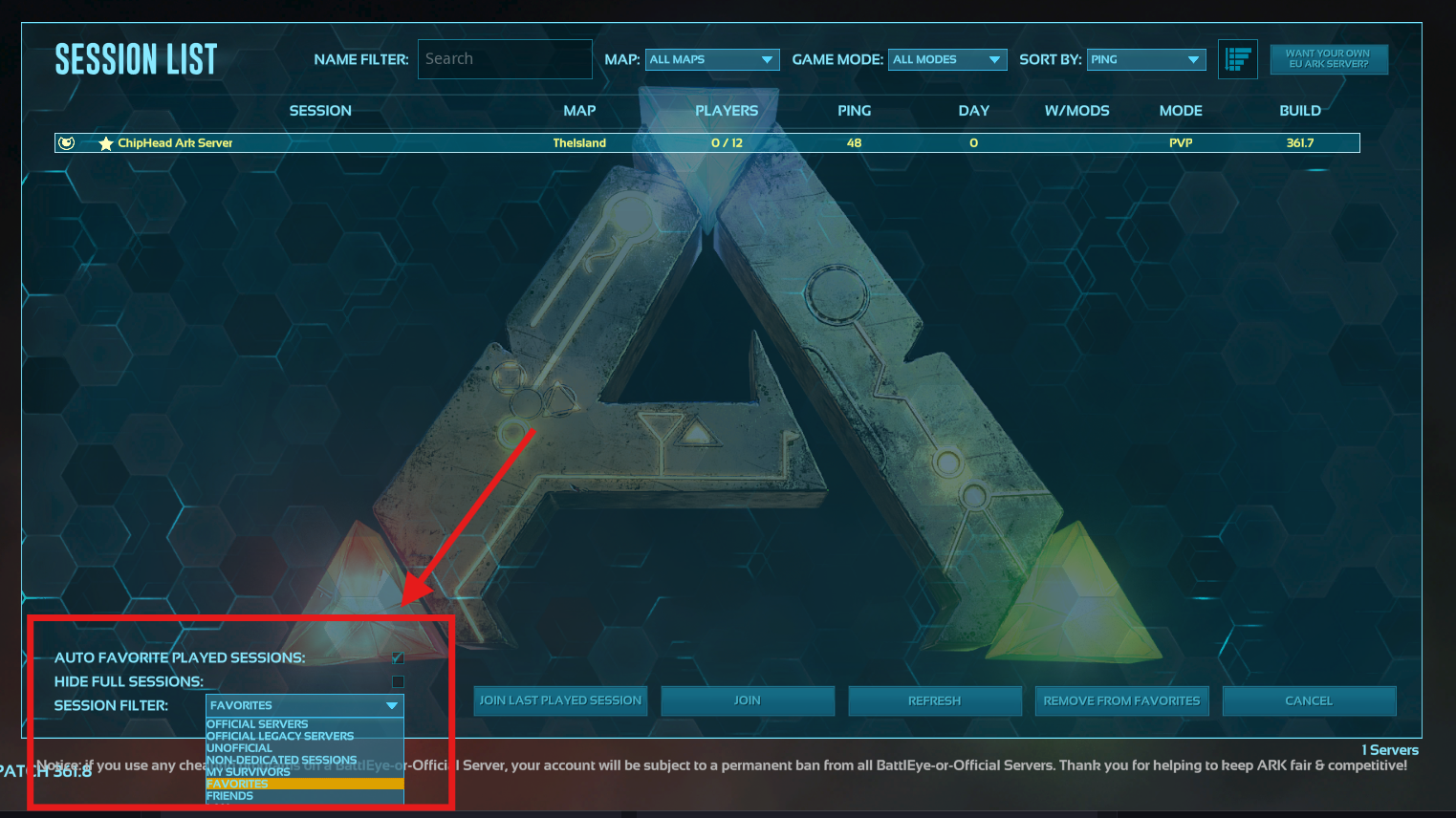
Click Refresh - your server should appear.
Select it and click Join to connect.