
Summary
Rust is a well-known open-world survival game where players gather resources, craft equipment and weapons, and construct shelters to endure dangerous conditions and aggressive wildlife. Its gameplay centers on survival, base construction, and player-versus-player combat, highlighting strategic planning, resource handling, and teamwork. The guide below explains how to connect to a Rust server.
How to Connect to a Rust Server (PC)
Log in to the ChipHead Panel.
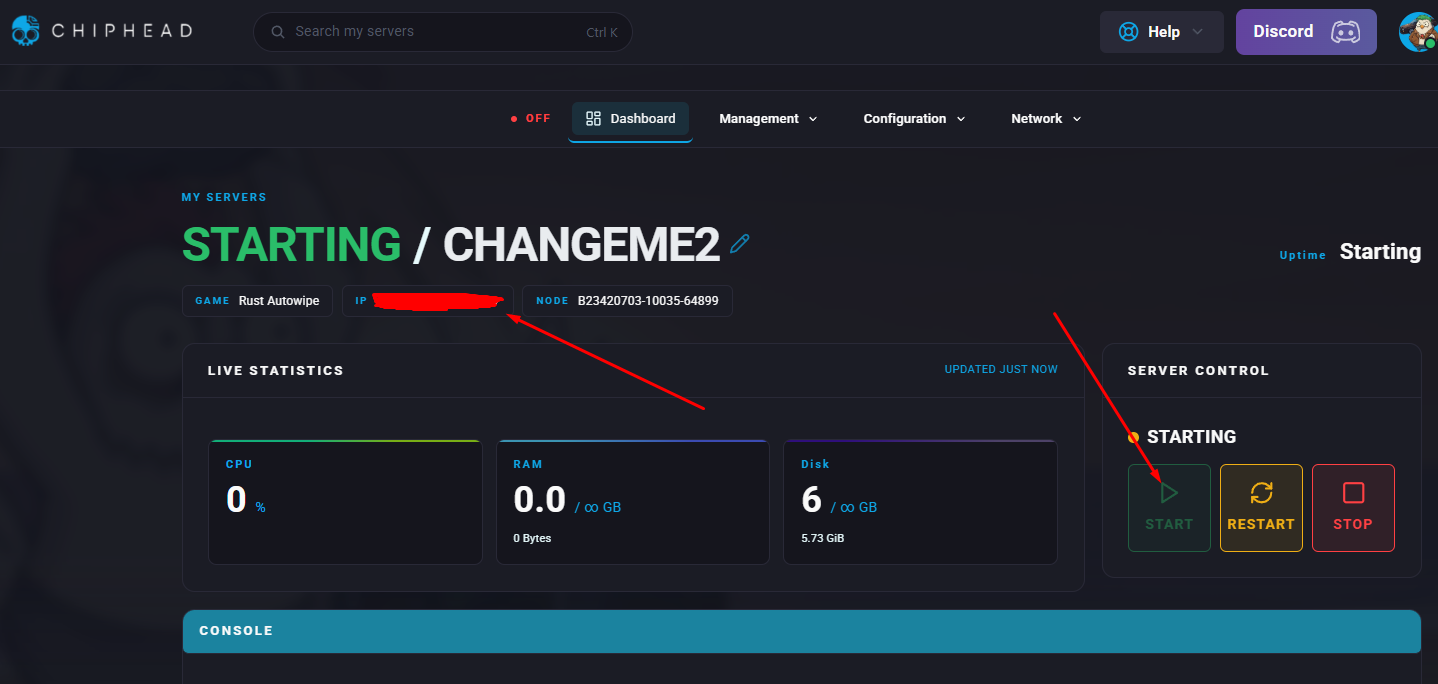
Navigate to dashboard, start the server & copy the server’s IP address + Port under “My Servers”
In Steam, open the View menu and select Game Servers.
Go to the Favorites tab and click the + icon.
Enter the IP address copied in step 2.
Choose the server from the list and click Connect.

How to Connect to a Rust Server (Console)
Log in to the ChipHead Panel.
Navigate to dashboard, start the server & copy the server’s IP address + Port under “My Servers”
Launch Rust.
From the main menu, press F1 and type the following command using the IP address from step 2:
client.connect <IP Address>