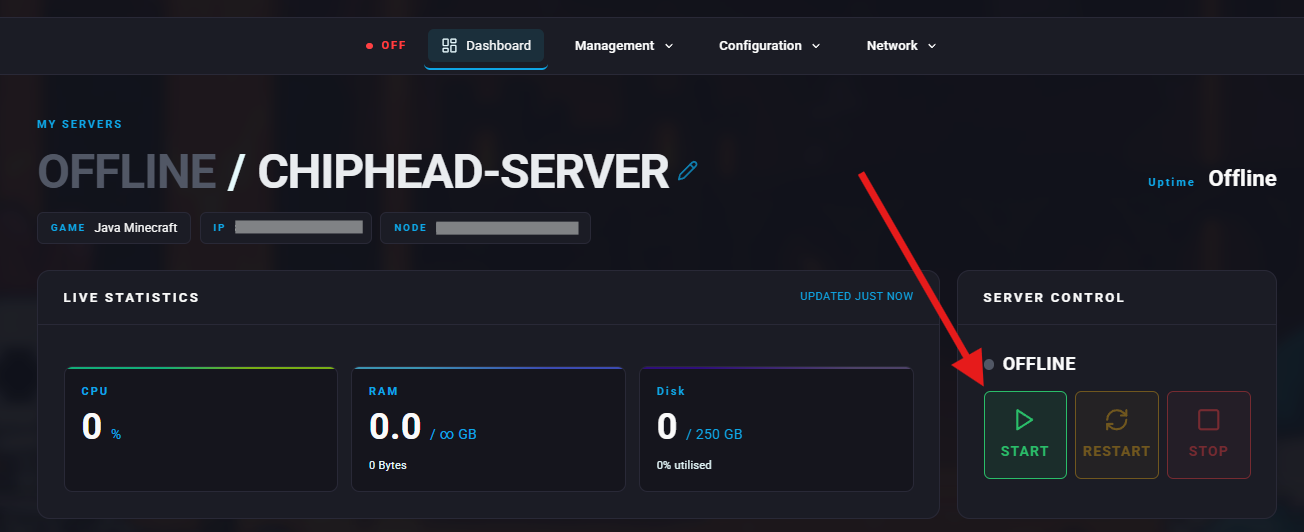
Summary
Hardcore mode takes Minecraft survival to the next level by giving players just one life. Once a player dies, they’re permanently removed from the server world, making every decision more intense. This mode is locked to Hard difficulty and is perfect for players who want high-stakes gameplay, teamwork, and strategic resource management.

Tip: Make sure Hardcore is truly what you want before enabling - it cannot be reversed without creating a new world.
How to Enable Hardcore Mode on a Minecraft Server
Log in to the ChipHead Panel.

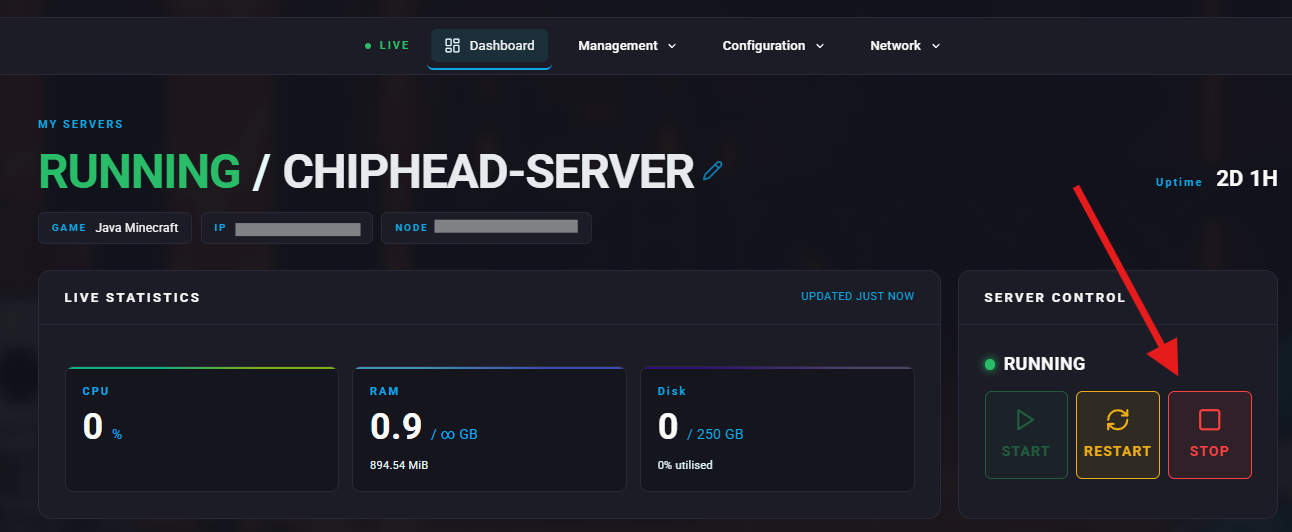
Stop your server.
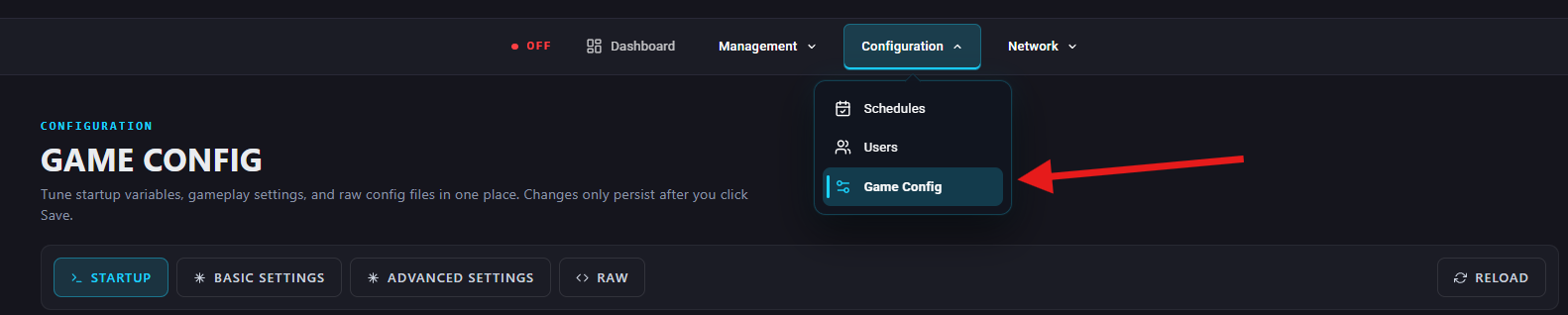
Go to Configuration > Game Config.
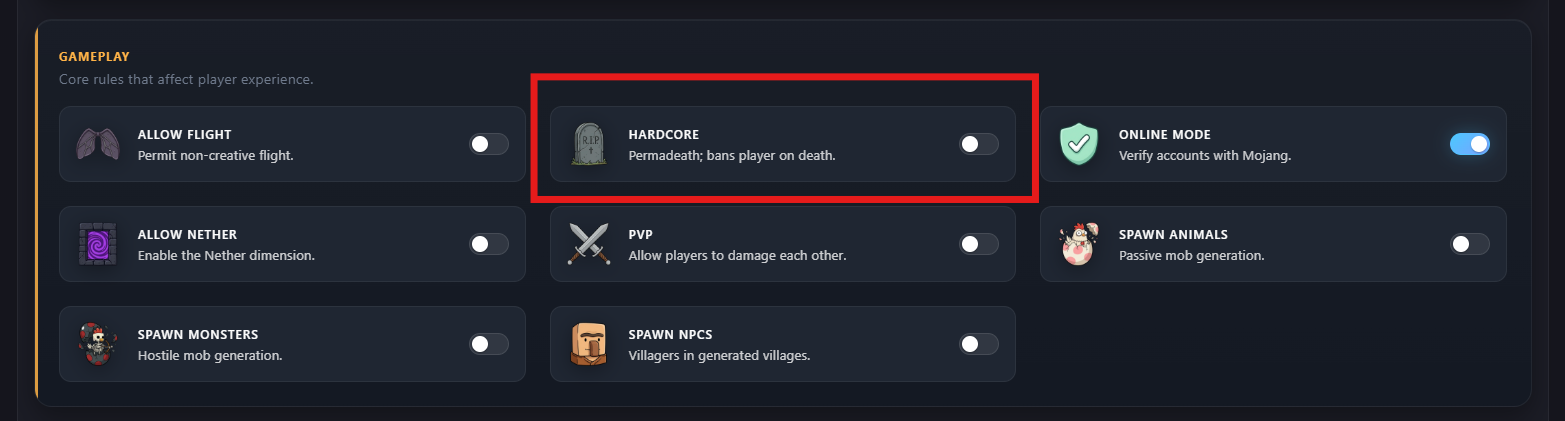
Under Basic Settings > Gameplay, find the Hardcore Mode setting or search for “hardcore” and toggle the hardcore button on/off.
Scroll down and Save Changes.
Start your server again.