
Summary
Every Core Keeper server includes a built-in banning system that allows admins to block disruptive or unwanted players from joining. If needed, you can also unban players later to allow them back on the server.

Important:
You must have Admin Permissions before you can ban or unban players.
Check out our guide on Adding An Admin On Your Core Keeper Server.
You must have Admin Permissions before you can ban or unban players.
Check out our guide on Adding An Admin On Your Core Keeper Server.
Banning a Player
To ban a player through the in-game menu:
Press the ESC key while in-game to open the menu.
On the right side of the screen, find the player’s name.
Click the red circle icon next to their name.
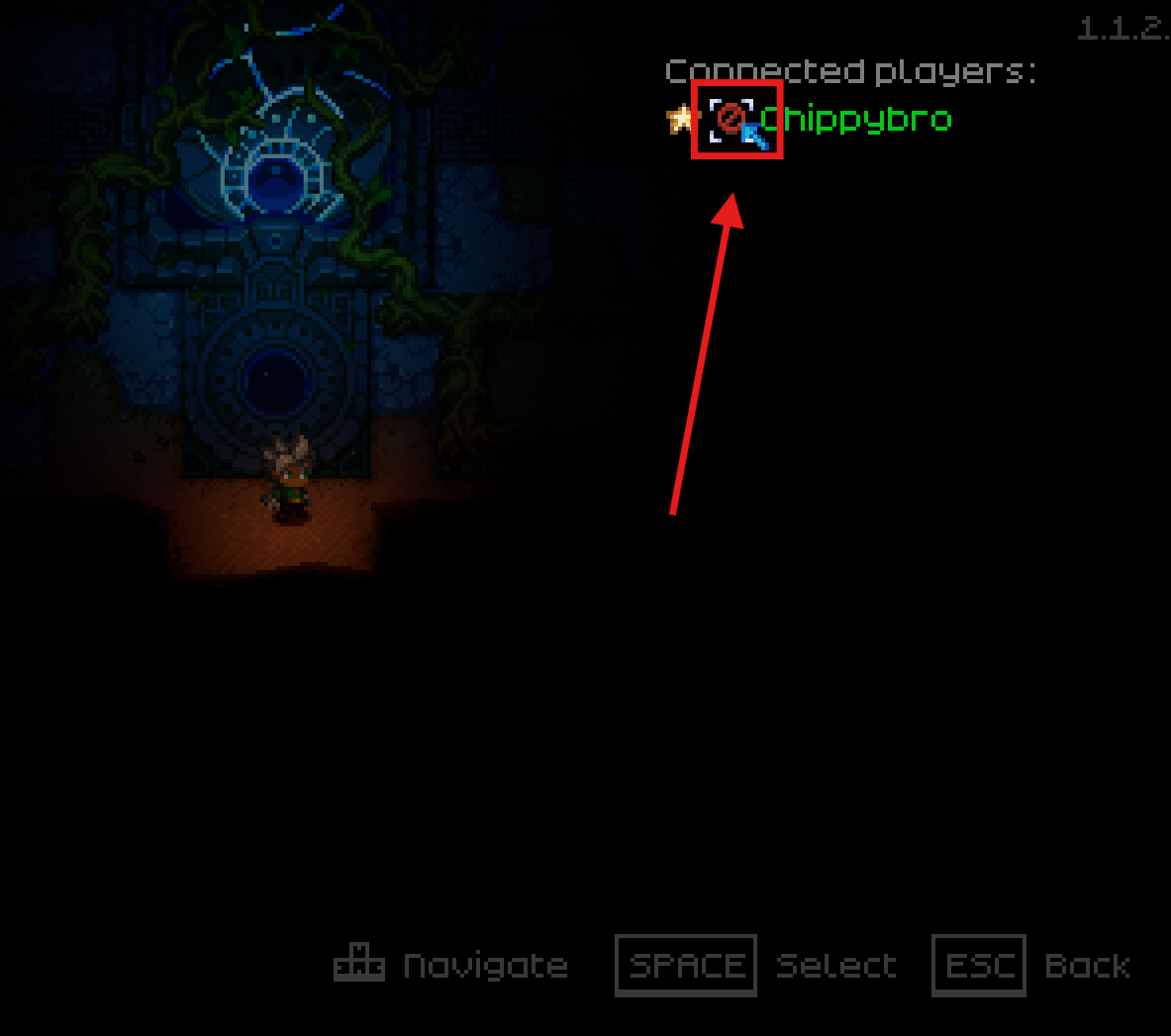
Click Yes to confirm the ban.
Unbanning a Player
To unban a player through the in-game menu:
Press the ESC key while in-game to open the menu.
Click Manage Players.
Under the Banned Players list, find the player’s name.
Click the red circle icon next to their name.
Click Yes to confirm the unban.

You can now manage who has access to your Core Keeper server easily, helping maintain a fair and enjoyable environment for all players.