
Restoring a Server Backup
If your Minecraft server experiences issues that cause data loss or players to lose progress, backups can save the day. Restoring from a backup lets you get back to a recent state instead of starting over.
Not familiar with backups? Check out our guides:

Important: Before restoring, make a backup of your current files. Even if some files are corrupted, others might still be usable and worth saving.
Restoring a Generated Backup
If you’ve created a backup using the ChipHead Panel, you can restore it automatically with just a few clicks:
Log in to your ChipHead Panel and select your server.

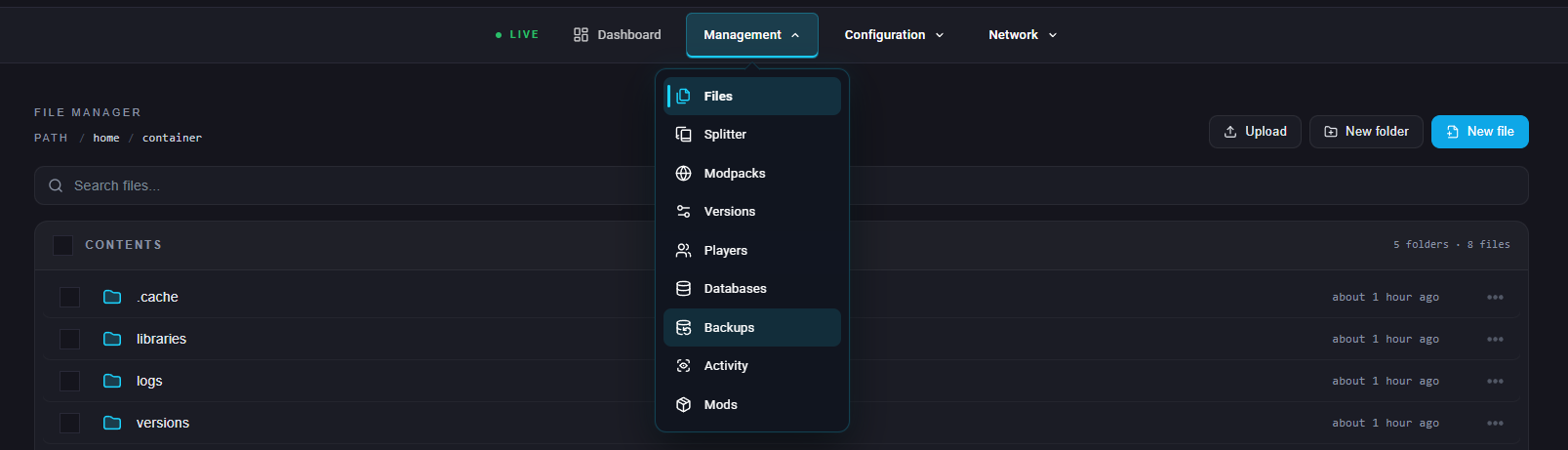
Select "Backups" underneath "Management"
Find the backup you want to restore underneath “Your Backups”
Click the “Reinstall” Icon.
Select Restore, then confirm the action.
Wait a few moments - once complete, your server will be restored and ready to use again.